

An NDA Is a Remedy. Access Is the Control.
Wyzowl's video marketing survey found 42% of video marketers use outside creators at least partly (10% only outside vendors, 32% a mix), and Wistia's State of Video puts the narrower figure at around a quarter outsourcing to freelancers or agencies — both catalogued in our video editing statistics ledger. The Bureau of Labor Statistics counts 35.5% of U.S. film and video editors as self-employed. Put those together and a large share of all footage handoffs end at a laptop belonging to a business of one, with no IT department and no offboarding process.
Buyers ask about price and turnaround. Almost nobody asks where the footage will physically sit, who else can open it, or what happens to it after delivery. When the question does surface, the reflex is to send an NDA — and an NDA is the weakest control in the stack. It is a remedy you invoke after your footage has already gone somewhere it should not have. The things that actually prevent that are unglamorous, free, and set up in the first ten minutes of an engagement.
Across 8,000+ delivered editing projects sitting behind 100M+ views, we have taken in unreleased product demos, pre-publication course modules, clinical practice footage, and material filmed with minors in frame. Footage like that is protected by who holds the link, not by the NDA.
What follows is standard industry practice, not legal advice. If your footage carries a regulatory obligation, have your own counsel set the terms.
Four Kinds of Footage That Actually Carry Risk
Most footage needs none of this. A vlog you are publishing on Thursday has a confidentiality window of about four days. Four categories genuinely do:
| Footage type | The exposure | What changes |
|---|---|---|
| Pre-launch or embargoed | Product, pricing or launch date leaks before you control the story | Named seats, no open links, a deletion date |
| Client-confidential | Someone else's privacy obligation is riding on your handoff | Written list of who touches it; a signed agreement is mandatory, not optional |
| Personal or identifiable | Faces, minors, homes, clinical settings, documents legible on screen | Restricted distribution; blur pass specified in the brief |
| Licensed third-party material | You may not have the right to redistribute it, even to a contractor | Read the licence before the upload, not after |
Row two is the one people underestimate. A law firm sending client footage, a clinic sending patient testimonials, a SaaS team sending a walkthrough of an unshipped feature, a comms team sending an internal all-hands recording — in each case the obligation belongs to you, and handing the file to a contractor does not divide it. The FTC's Start with Security guide tells businesses to "make sure your service providers implement reasonable security measures." The responsibility does not travel with the file. Law firms are not a niche case, either: 26% of private-practice lawyers in the ABA's 2024 Legal Technology Survey said their firm produced marketing video (legal video marketing statistics). If your firm is still choosing who to send footage to, our list of law firm video production companies compares legal-video specialists side by side.
Your Footage Makes More Stops Than You Think
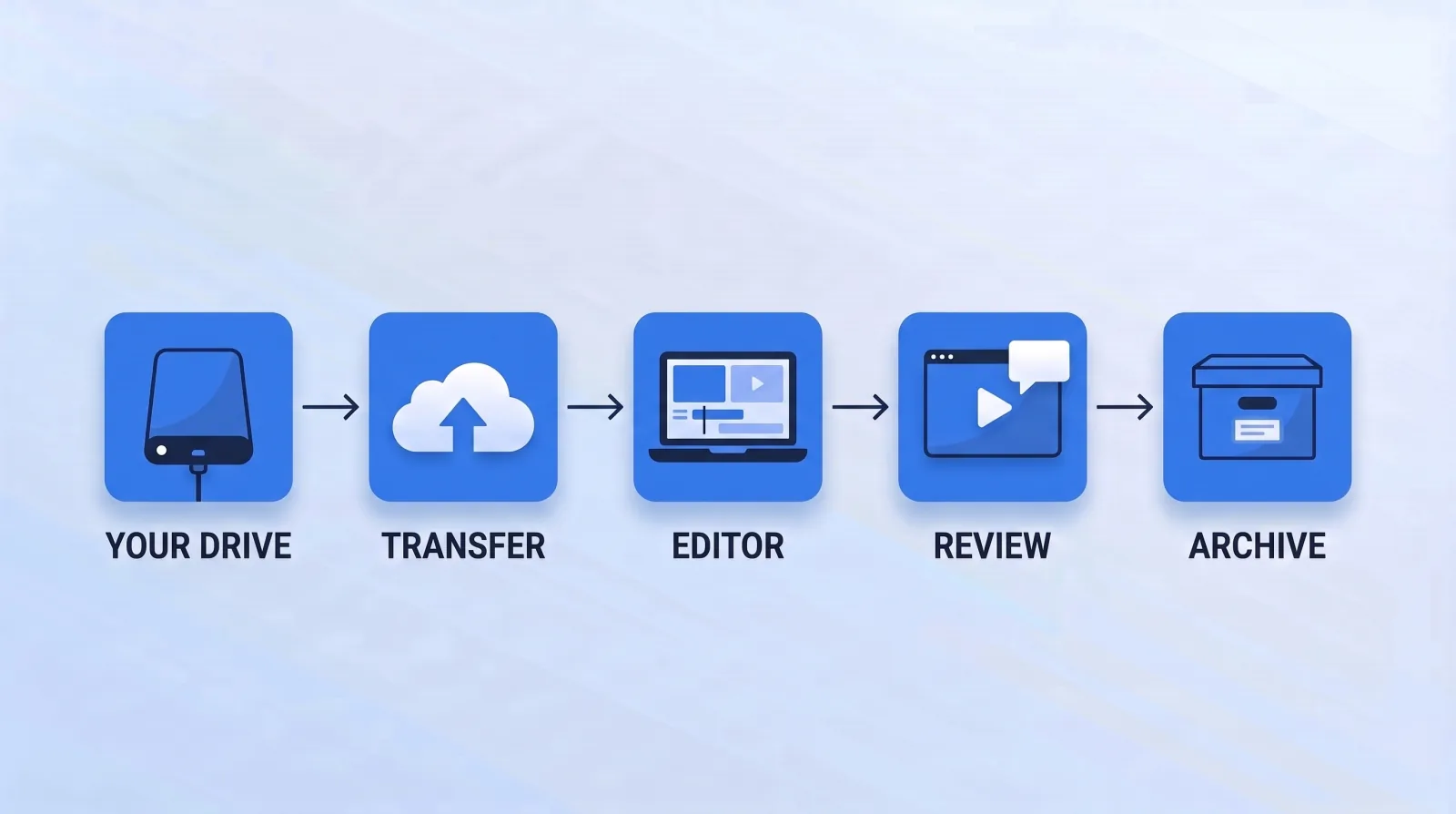
"I sent it to my editor" describes one action and at least five locations.
The transfer service holds a copy until the link expires, which for most free tiers means until somebody remembers. The editor's machine holds the working copy plus proxies, cache files and autosave scratch, all of which survive deleting the original. A subcontractor may hold a third copy if part of the job was passed on. The review platform holds a streaming copy with its own sharing settings. The archive holds the last one.
The number that matters is not how many people you trust. It is how many copies exist and how many of them have an expiry date. In most engagements the honest answers are "five or six" and "none." Every one of those copies is a place a leak can start without anybody acting in bad faith.
What an NDA Does, and What It Cannot Do
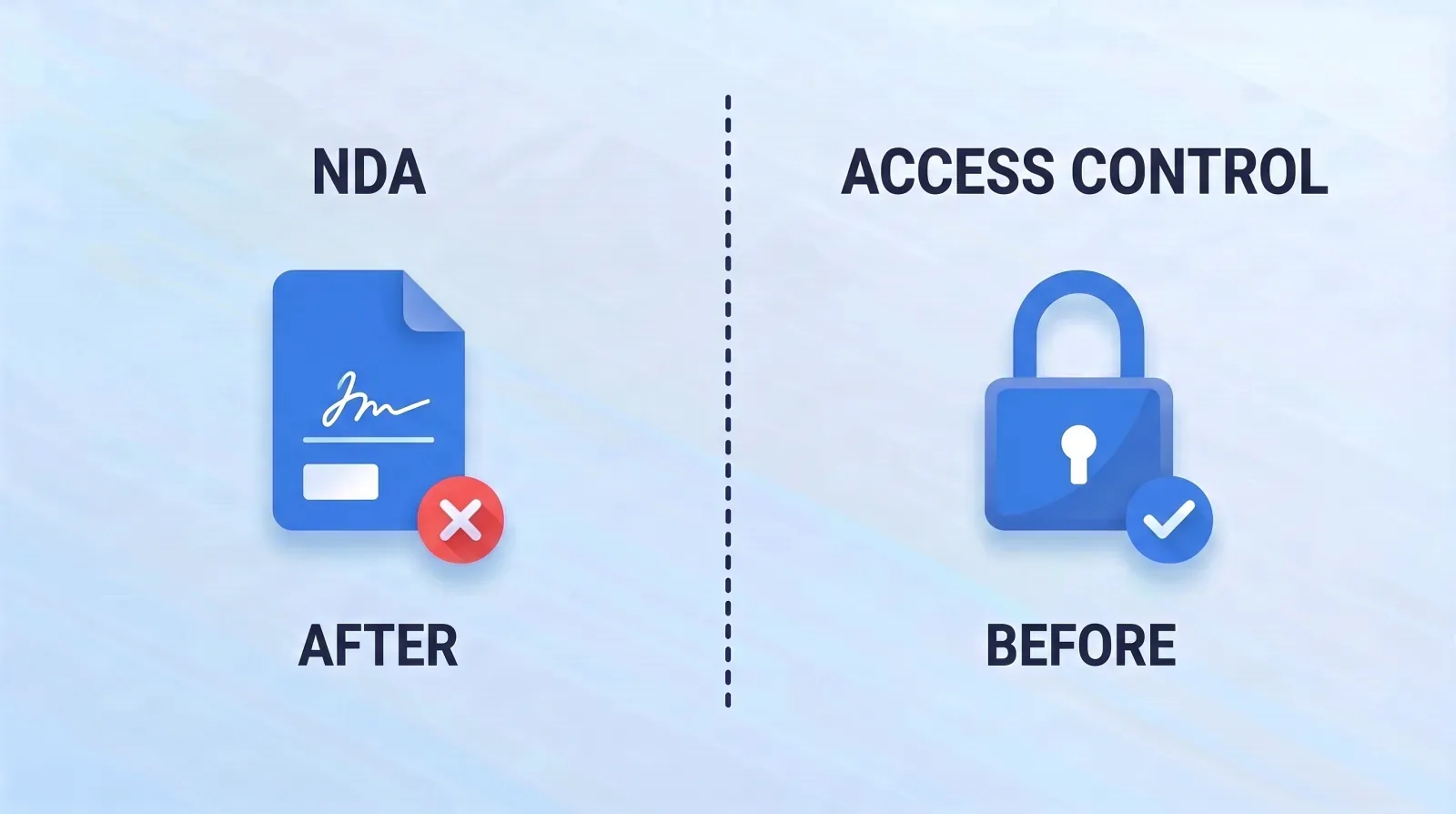
An NDA is worth signing. It fixes a definition of confidential material, establishes that both sides knew the material was sensitive, and gives you standing if something goes wrong. It costs nothing. Send it.
Then be clear about its limits:
- It does not stop a disclosure. It prices one.
- It does not bind people who never signed it. If your editor passes the caption pass to someone else, your agreement reaches the shop, not the person who downloaded the file. Ask in writing whether subcontractors are used and whether they are bound by the same terms.
- It does not survive a lost laptop, a reused password, or a link forwarded into a group chat. Most footage exposure is not malice. It is a public URL nobody turned off.
- It is rarely worth enforcing. Pursuing a breach against a one-person business in another jurisdiction costs more than almost any edit is worth.
So send it, and then build as though you had not. The NIST Cybersecurity Framework orders the same logic: identify and protect come before respond and recover.
Nine Questions That Reveal How a Shop Handles Footage
Ask these during vetting, before the paid trial, in one message.
- Where will my footage be stored during the edit, and in whose account?
- Who on your side will have access to it — by name and by role?
- Do you use subcontractors, and are they bound by the same confidentiality terms?
- Do your editors work on company-managed machines or their own?
- How are review links shared — named viewers with an expiry, or anyone with the URL?
- How long do you keep source media after delivery, and can I set that date?
- What do you send me as confirmation of deletion?
- What happens to my files if an editor leaves mid-project?
- Has footage ever leaked, and what changed afterwards?
A shop that has handled sensitive work answers all nine in one reply without going to check. A shop that has not will answer the first two and go quiet on the rest — the same tell our post on how to vet a video editing service treats as more informative than the demo reel. Question three matters most in marketplace engagements, because the platform's identity check covers the account holder, not whoever the account holder passes the work to. That gap is one of the structural trade-offs in our freelance marketplaces comparison. Question eight is the one that overlaps with continuity: an editor who goes quiet mid-project leaves your footage sitting on a machine you cannot reach.
The Controls That Cost Nothing
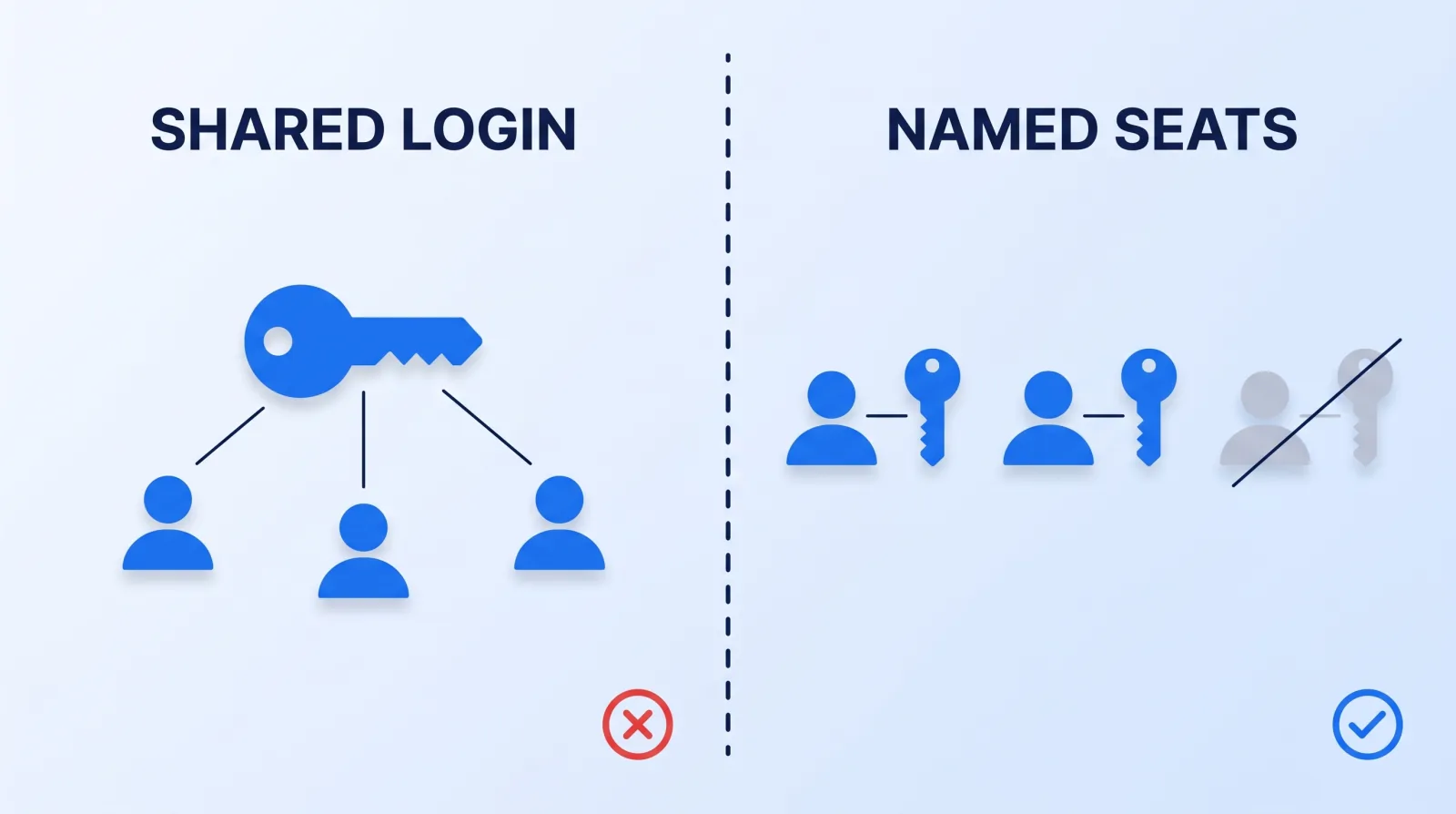
None of these needs a security budget. All of them take minutes.
One folder per project, shared to named accounts. Not a link anyone holding the URL can open. Google Drive's sharing settings draw exactly this distinction, and "anyone with the link" is a public URL that behaves like a private one right up until it doesn't.
Named seats, never a shared login. Shared credentials make revocation all-or-nothing and attribution impossible — you cannot remove one person, and you cannot tell who opened what.
Set the expiry when you create the link, not when you remember it exists. An expiry you have to go back and apply is a task; one set at creation is a property of the file.
Keep review copies watermarked and lower-resolution. Frame.io's Enterprise plan can embed the viewer's email, IP or location in a session-based watermark (its lower tiers offer a static watermark template), which makes a forwarded screen recording traceable and makes forwarding it unappealing in the first place.
Upload approval cuts as private, not unlisted. YouTube's privacy settings separate the two: an unlisted video is reachable by anyone holding the URL, while private restricts it to accounts you name. For an unreleased edit, private.
Name a deletion date in the agreement. This is the mirror image of the handover question. Our post on who owns your project files is about making sure you get everything back; this is about making sure nobody keeps a second copy. Both belong in the same conversation, before work starts.
Revoke on the last day, not the last invoice. Offboarding drifts because nothing visibly breaks when it is late — the same discipline, and the same failure mode, as YouTube channel access and permission roles.
The Bottom Line
Send the NDA, then work as though you had not. Confidentiality survives on access design: one folder per project shared to named accounts, links that expire on creation, watermarked review copies, a deletion date written into the agreement, and revocation on someone's last day rather than their last payment. Ask the nine questions before the trial — a shop that answers all nine without checking has done this before, and that is worth more than any clause you can sign.


