1 Step 01
Onboarding & handoff
We audit the channel, set up the systems, and document every recurring task — then map the tool stack and access so the operation can run without you.
Mark Studios runs your YouTube channel every week: the edit, thumbnails, uploads with titles and descriptions, comments, analytics and channel access. One studio, one person who answers for the whole channel.
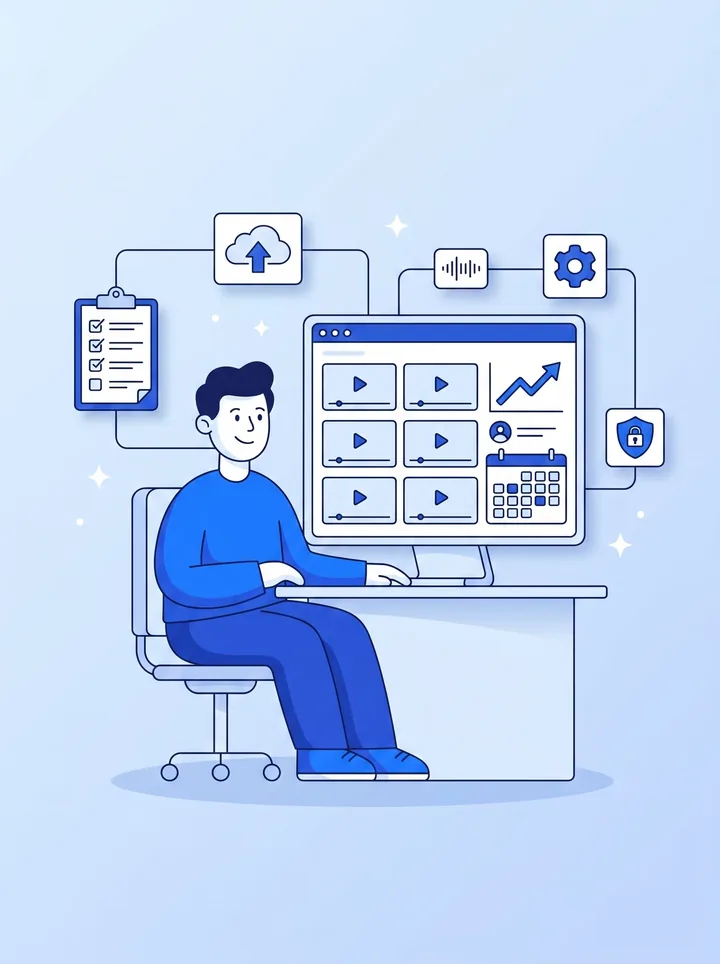
What YouTube channel management covers: the recurring work around your videos, on a fixed cadence. Each week we edit, design the thumbnail, write the title, description and chapters, upload and schedule, and triage comments. Each month you get a dashboard with a written read-through, and every quarter a channel audit and strategy review. You invite us through YouTube's channel permissions, so you keep the Owner seat and never share a password. Mark runs it himself, and every engagement is a fixed monthly quote scoped to your upload cadence. Start with the quote.
47% of the most-visited websites link to a YouTube channel from their homepage, second only to X, in our website social media links study.
 End-to-end channel setup or migration
 Channel audits — quarterly or on-demand
 Faceless channel operations: script → voice → edit → upload
 Script writing in your voice
 AI voiceover (ElevenLabs, OpenAI, custom voice cloning)
 Upload optimization: titles, descriptions, chapters, end screens, cards
 Retention reports and tactical adjustments
 Cloud file management (Drive on request)
 Analytics dashboards
 DMCA protection and takedown handling
 Content archive management
Five jobs, each on its own clock. Channel management is publishing, metadata, community, analytics and access. Most channels keep up with publishing and let the other four slide, which is why a channel can stall with good videos. This is the schedule we run on a managed channel; the full reasoning is in our guide to channel management for growing brands.
| How often | What we do | What you see |
|---|---|---|
| Daily | Triage new comments, answer the first-hour ones on a fresh upload, check nothing is flagged or claimed | Nothing to do; anything that needs your voice is passed to you |
| Weekly | Edit, thumbnail, title, description, chapters, end screens and cards; upload, schedule and add to playlists | A finished video to approve with timestamped notes before it goes live |
| Monthly | Dashboard on CTR, average view duration, RPM and subscriber velocity; playlist and end-screen audit; refresh titles and thumbnails that underperform | The dashboard plus a written read-through of what to change |
| Quarterly | Channel audit: permissions, channel settings, brand assets and the content plan; kill what isn't working | A punch list for the next 90 days |
You stay the Owner, and you never share a password. YouTube's channel permissions let the owner invite people by email from YouTube Studio (Settings → Permissions) at one of five access levels. YouTube's own help page notes that the Owner role can't be transferred to another user, so the seat stays with you whoever runs the channel day to day.
Invites expire after 30 days, so send yours once the quote is approved, and you can change or remove our access from the same screen at any time. Our guide to YouTube channel permissions and Brand Accounts covers older Brand Account channels, which have to migrate to channel permissions first.
Ask first whether the edit is included. Many channel managers coordinate an editor rather than edit the videos themselves, and that difference explains most of the price spread between providers. Match the service to the work you actually want off your plate.
| You need | What we handle | Start here |
|---|---|---|
| Uploads only | Your finished videos uploaded with a title, description, tags, thumbnail, playlist, end screen and publish time | Video posting |
| Editing only | Edits on a monthly plan; you publish them yourself | Monthly editing plans |
| A plan for your team to run | Audit, positioning, packaging system and a 90-day calendar | YouTube strategy |
| The whole channel run for you | Editing, packaging, uploads, comments, monthly reporting and quarterly audits | This page: get a quote |
Comparing providers first? Our list of the best YouTube channel management services sets the alternatives side by side, with whether each one includes editing, and our YouTube channel management cost guide lists the published prices. Channel strategy or management came up in 45 of the 698 first messages from buyers we studied, and 29 buyers asked about ongoing monthly work.
A cash cow channel is a faceless YouTube channel run as a business: nobody appears on camera, and the videos earn from ads, sponsorships and affiliate links. Some people call it YouTube automation. Managing one means running the same production line every week, and we run all of it, or only the stages you don't want to.
| Stage | What we handle | What you decide |
|---|---|---|
| Topics | A monthly list of video ideas drawn from what already works in your niche | Which topics get made |
| Script | A script for each video, written for retention, with the payoff promised in the first 30 seconds | Approve each script, or send your own |
| Voiceover | Narration from a voice actor, your own recording, or a licensed synthetic voice | The voice your channel uses |
| Edit | B-roll, stock footage, motion graphics, captions and music, built around that script | Notes on the first cut |
| Packaging and upload | Thumbnail, title, description and chapters, scheduled through channel permissions | Sign-off on titles and thumbnails, if you want it |
| Reporting | A monthly dashboard on click-through rate, average view duration and RPM, and a channel audit every quarter | Where to double down |
The risk in this model is monetization, not production. On July 15, 2025, YouTube renamed its “repetitious content” policy to “inauthentic content” to make clear that mass-produced, template-made and repetitive videos can't earn in the YouTube Partner Program, and reused clips without real changes fall under a separate reused content policy (YouTube channel monetization policies). So every video we make gets its own script and an edit built for it. We don't run template channels or reupload other people's videos, and nobody can honestly promise you monetization or a revenue figure.
Only need the edits? See faceless YouTube video editing, or compare providers on our list of the best faceless YouTube editing services.
We audit the channel, set up the systems, and document every recurring task — then map the tool stack and access so the operation can run without you.
We scope the cadence and volume, then send a fixed monthly quote. Approve and pay securely online — transparent pricing before any commitment.
We kick off the content engine — script, voice, edit, and upload — and ships the first batch on the agreed weekly or biweekly cadence.
Reply to any delivery email with timestamped notes. Each round turns around in 24–72 hours, usually faster — async by default, so trims, tone, and detail work never wait on a meeting.
Every month you get a dashboard on the metrics that matter — CTR, AVD, RPM, subscriber velocity — plus a written read-through. Every 90 days we revisit strategy, kill what isn't working, and double down on what is.

No juggling four vendors. You email one person and the entire pipeline — script, voice, edit, upload, analytics — moves. One owner is accountable for the whole channel.

We run the exact same systems on our own channels every day. What lands on yours is a production playbook that's already been operator-tested — not a strategy deck.

You work directly with Mark, who has run his own YouTube channel since 2011, so your notes go straight to the person running your channel instead of down a chain of handoffs.
“He's a good communicator, he's amazing to collaborate with, and most importantly, he's driven. He helped me build my YouTube channel and put out good quality content.”
A YouTube channel manager runs the recurring work around your videos: publishing, titles, descriptions and thumbnails, comments, analytics and channel access, each on a set schedule. With us that includes the edit itself, a monthly dashboard with a written read-through, and a channel audit every quarter. See the weekly cadence above.
No. You invite us by email from YouTube Studio under Settings → Permissions, usually at the Editor level, which can upload and publish but can't delete published videos or manage permissions. You keep the Owner role, and you can change or remove our access at any time. Invites expire after 30 days.
Yes. We run the whole production line for a faceless channel: topics, scripts, voiceover, the edit, thumbnails, uploads and monthly reporting, or only the stages you hand over, and you keep the Owner role on the channel. Every video gets its own script and its own edit, because YouTube's inauthentic content policy (renamed from repetitious content on July 15, 2025) keeps mass-produced, template-made videos out of the YouTube Partner Program. Each channel is quoted as a fixed monthly price based on how many videos a week you want. See cash cow channel management above.
Yes — we're modular. Take whichever pieces fit your operation and leave the rest. Many clients use us for strategy + uploads while keeping their own editor.
You do. We operate under your account and never claim ownership of your channel or content. See our Terms of Service for full IP details.
Published market rates run from about $800–$3,500 a month for a freelancer, by Upwork's estimate, to $4,000–$15,000 a month at a specialist agency, and the biggest swing is whether editing is included. We quote each channel as a fixed monthly price based on your upload cadence and what you hand over, before any commitment. The sources for every figure are in what YouTube channel management costs in 2026.
Async by default: updates in your channel of choice — Slack, ClickUp, Notion, or email — and timestamped notes on every deliverable. No standing meetings or sales calls.
Yes. You can start at 2–4 long-form videos a month and scale up as the system matures, or scale down for off-cycles.
Absolutely — most channel-management engagements include both. See our repurposing playbook for how the two stack.
If you're spending more time on uploads than on content, we can take it from here. Tell us about your channel and we'll scope the engagement. Only need the uploads handled? We'll post each video for you. Running Instagram, TikTok or LinkedIn too? See social media management. Comparing options first? See our list of the best YouTube channel management services.
Not a fit if you want views or subscribers bought, or a monetization date promised. Mark runs channels inside YouTube’s rules and promises no numbers.
See it on your own footage first: send one recording you already have and Mark edits it free, so you can judge the work before you pay. One per business, up to 15 minutes of footage, delivered finished. Send a recording.
Prefer to talk first? Book a free 15-minute call with Mark.
Want to see the work on your own footage first? Get a free test edit of one recording.


