

A Course Is One Product Delivered in Forty Files
The most expensive mistake in course post-production is treating it as forty separate video edits. It is one product that ships in forty pieces, and what a student notices is not whether lesson 17 was cut well — it is whether lesson 17 looks like lesson 3. Consistency is the deliverable. Polish is a bonus.
That one fact changes how you brief, how you pay and who you hire. It also explains why course creators get quoted badly so often. A common model in this market is per finished minute, and course content is the worst possible fit for it: a 45-minute screen-share lesson with nine cuts and a 45-minute documentary edit have identical runtimes and nothing else in common. The labour floor underneath both is the same — the US Bureau of Labor Statistics puts the median annual wage for film and video editors at $75,420 as of May 2025 — so a per-minute rate that looks like a bargain is usually a rate that assumes almost no work per minute.
Mark Studios has delivered more than 8,000 editing projects, behind 100M+ views. Course libraries are the format where process compounds hardest, because whatever you get wrong in lesson one you get wrong forty times.
What Course Video Editing Costs in 2026
Editing an online course lesson costs about $60–$330 per lesson at published 2026 prices: roughly $60 for a short lesson from a freelance course editor and $278–$327 per lesson at a per-video agency. Full libraries price by the finished hour, at about $500–$800 an hour of edited content. Marketplace budgets start far lower, at $10–$20 a lesson, and buy a much lighter edit.
| Route | Published price | What it buys | Source |
|---|---|---|---|
| Marketplace budget | $10–$20 per 10–30 minute lesson | Basic cuts and music, often from a posted client budget | A Freelancer.com course project offering $10–$20 a lesson |
| Freelance course editor | $60 per lesson up to 5 minutes; $500 per finished hour | Captions, music, slides and graphics built from your script | A course editor's packages on Contra |
| Per-video agency | $278–$327 per lesson | Up to 60 minutes of raw footage per video, 48-hour first draft | Tasty Edits' course editing page |
| Course production studio | $500–$800 per extra edited hour | Tiered course packages with 3 revision rounds; extra revisions $150 an hour | COURSE |
Two things move a library quote more than the rate card: how much of each lesson is screen recording, and whether captions and slides are in scope. That's why a flat per-lesson or per-module price with a defined lesson beats a per-minute rate, as the next section shows.
Why Per-Minute Pricing Breaks on Course Content
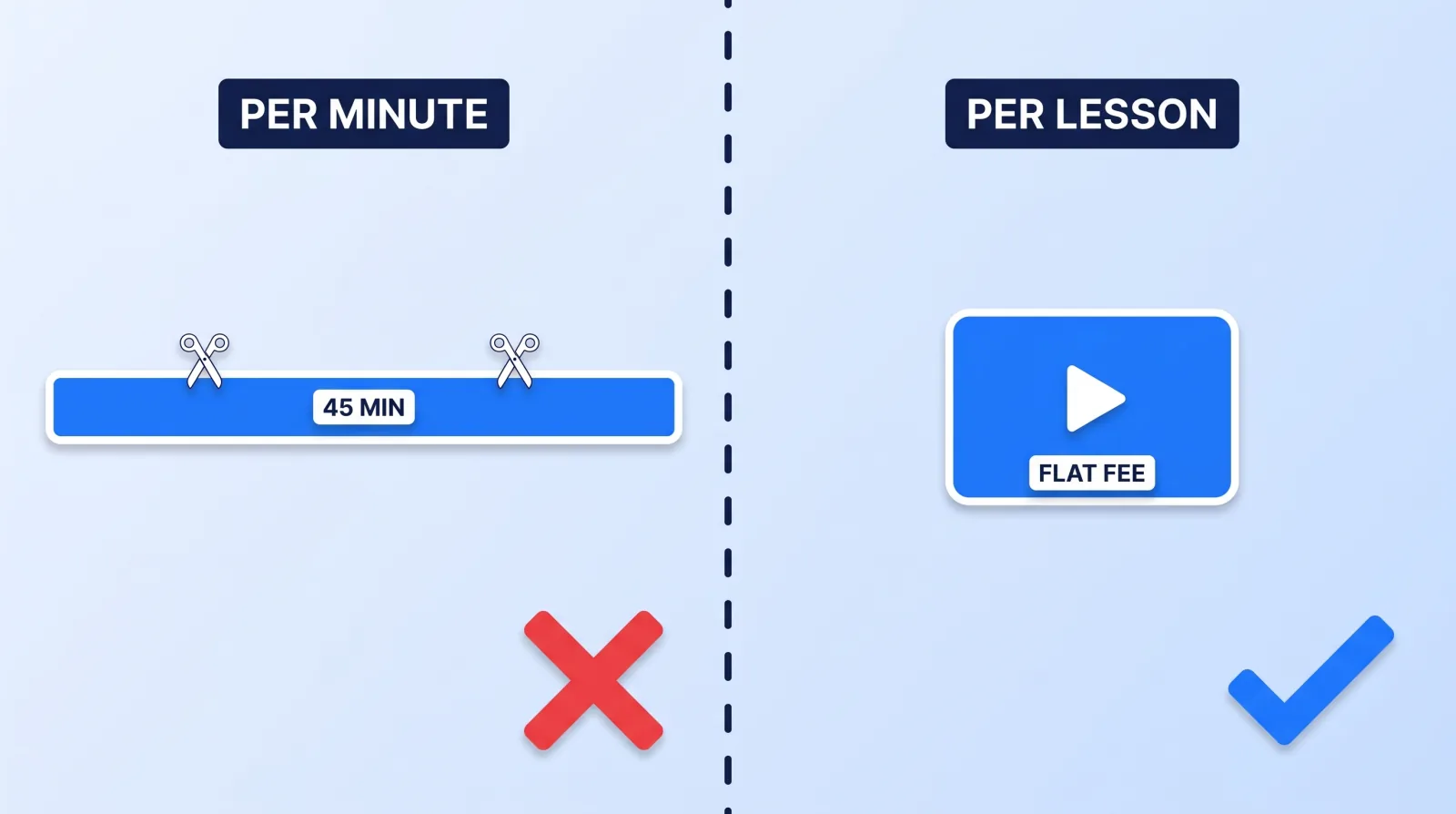
Runtime and effort are loosely related in any edit. In course content they barely relate at all, because lessons are long by design and cut sparsely on purpose — students are following along, not being entertained. Long lessons aren't automatically a problem for students, either. Across 6.9 million edX viewing sessions, median engagement topped out at about 6 minutes whatever the video's length, but enrolled, fee-paying Stanford students behaved differently: a single sitting on a 50-minute lecture lasted a median 12.1 minutes, yet once each student's repeat visits were stitched together, the median share watched per video averaged 91.3%. Both studies are in our online course video statistics.
| Model | What you pay for | Where it breaks on a course |
|---|---|---|
| Per finished minute | The runtime of the delivered lesson | A 45-minute lesson bills six times a 7-minute one and often needs less work per minute. Editors either inflate the rate to cover the long modules or lose money on them |
| Per lesson, flat | One defined deliverable regardless of runtime | Only works if "a lesson" is specified: source length, cutaway count, graphics, captions. Otherwise scope walks quietly |
| Per module, batched | A block of 5–10 lessons at one rate | The cheapest per lesson, but only after the template is locked. Batch too early and you mass-produce a mistake |
| Retainer | A set output each month | Overkill for a one-time library. Correct for a course you genuinely update every quarter |
Ask for a per-lesson or per-module quote and give the editor the numbers that actually move it: how many lessons, the average source runtime, the average delivered runtime, and how much of it is screen recording. Those four figures let a competent editor quote in one pass. The general mechanics behind any quote are in our breakdown of what video editing actually costs.
The Four Source Types, and Which One Actually Costs You
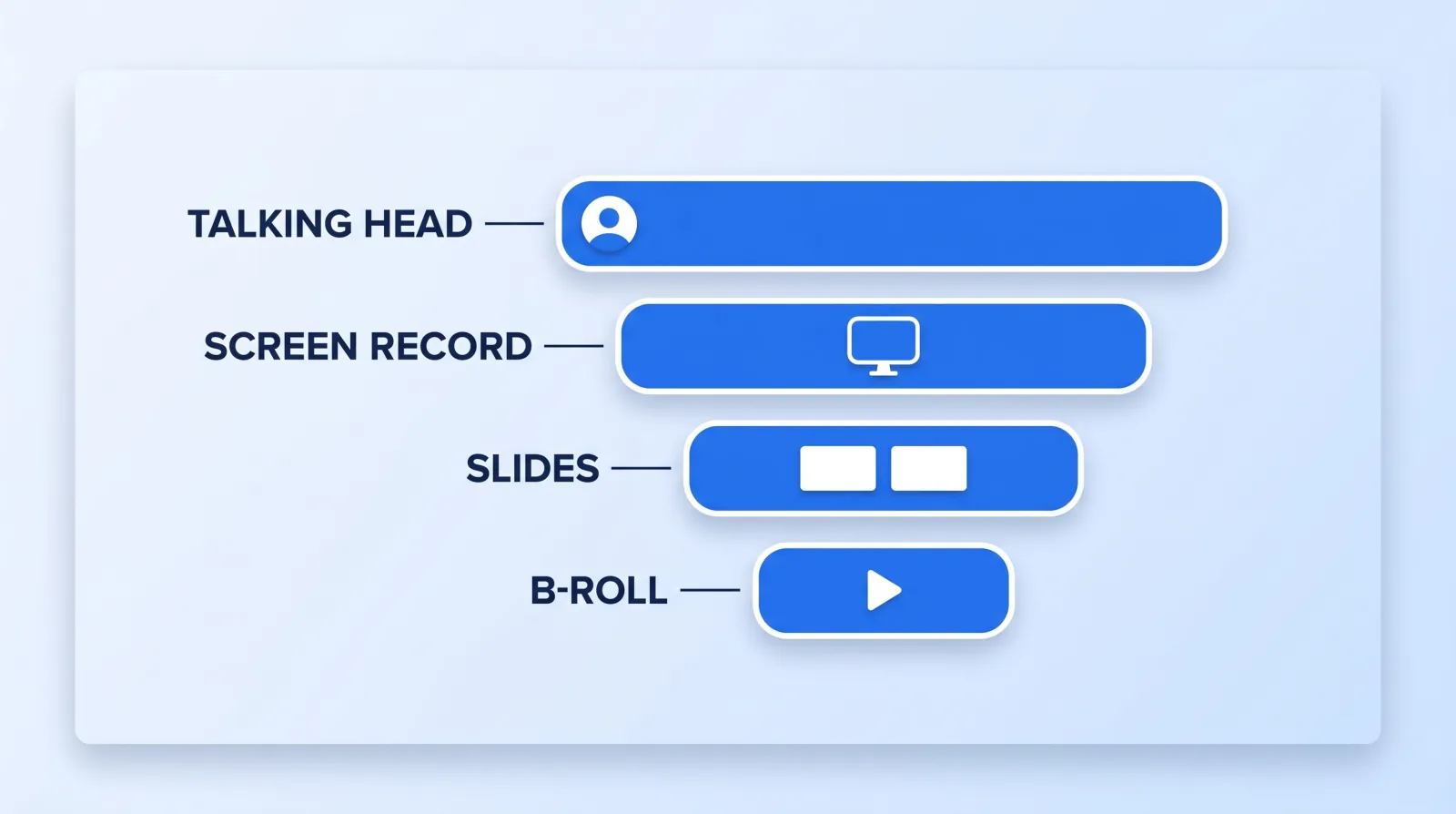
Almost every course lesson is built from the same four source types, and they are nowhere near equal in cost.
| Source | What it needs in post | Relative effort |
|---|---|---|
| Talking head | Silence trimming, pacing, one grade, one caption pass | Medium at first, then it drops sharply — it is the most repeatable layer, and transcript-driven tools like Descript make the trim pass close to mechanical |
| Screen recording | Zoom-and-pan so small UI is legible, cursor cleanup, patching sections where the interface changed mid-recording | Highest per minute, and the work is invisible when done well |
| Slides | Rebuilding as clean full-frame graphics instead of a filmed monitor | Low once templated, high if every deck is styled differently |
| B-roll and overlay | Sourcing, licensing, placement | Lowest value per dollar in a course, and the first line to cut |
Screen recording is where course budgets actually go. A 40-minute software walkthrough shot at 1080p and viewed on a phone is unreadable without deliberate zoom-and-pan on every panel the instructor touches, and that is manual work on every lesson forever. If your course is software-heavy, record at the highest resolution your machine will hold and say so in the brief — it gives the editor room to push in without softening the image.
The cheapest thing you can do for the whole library costs nothing in post: re-record a clean take of any lesson where the UI changed halfway through. Patching a stale interface in the timeline costs more than the reshoot every time, which is the same trade-off we mapped in what editors can actually salvage in post.
What to Lock Before Lesson One
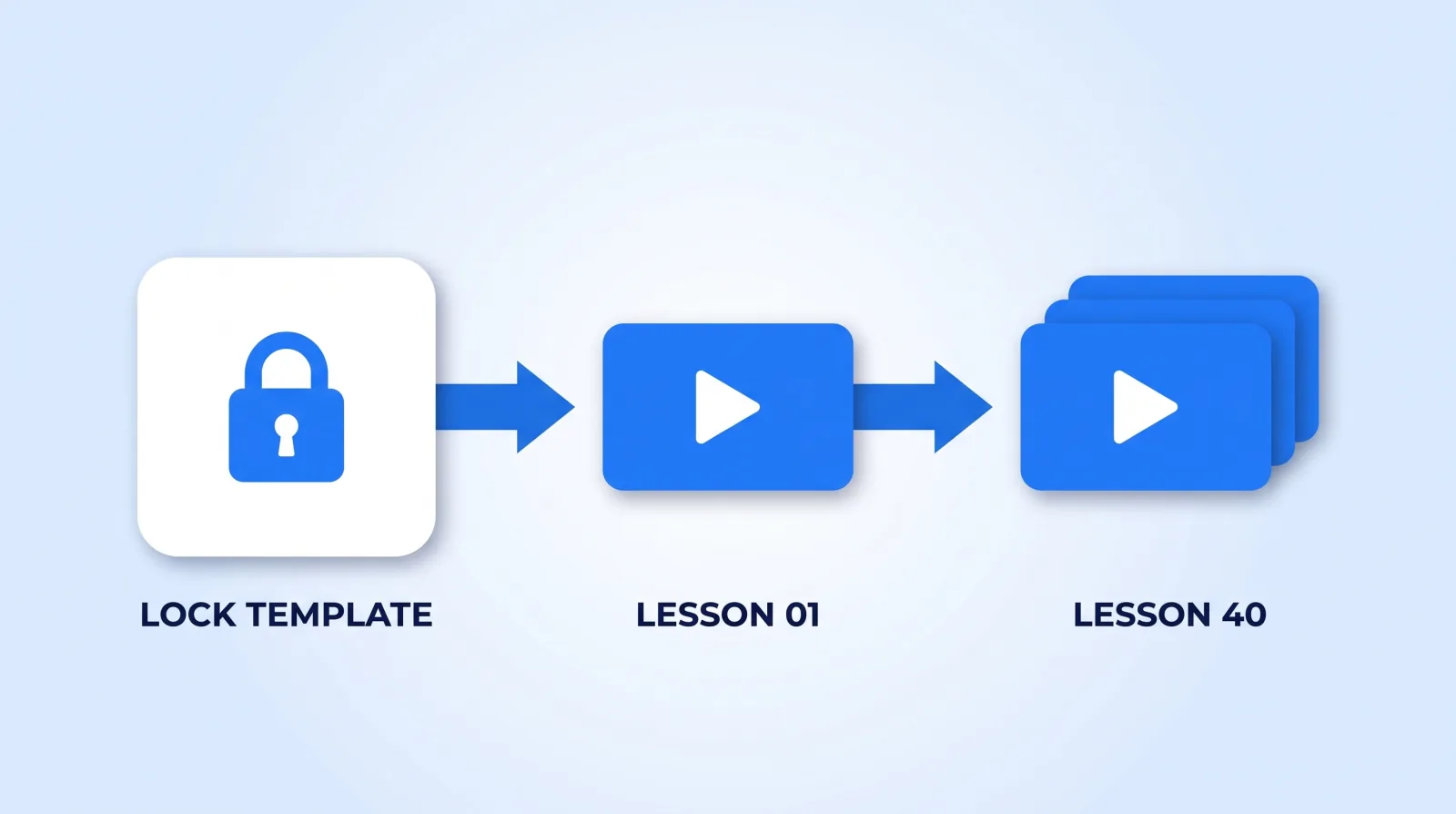
Every decision you leave open gets re-made forty times, slightly differently. Lock them into a template pack the editor works from, and hand it over with the footage:
course-template/
├── 01_brand/
│   ├── lower-third.mogrt        # ONE, with an editable text field — not four variants
│   ├── intro-5s.mp4             # module-agnostic: no lesson numbers baked in
│   └── outro-card.mogrt
├── 02_captions/
│   ├── caption-style.json       # font, size, position, max 2 lines
│   └── glossary.txt             # product names, acronyms, spellings
├── 03_audio/
│   └── loudness.md              # one integrated target + true-peak ceiling
└── 04_export/
    └── delivery-spec.md         # resolution, codec, platform upload limit
Two of those files do more work than the rest. The glossary stops auto-captioning mangling your product names in 40 consecutive lessons — it is the single highest-return file in the folder, and it takes ten minutes to write. The loudness spec matters because a course player won't necessarily level loudness from one lesson to the next, and a student who sets their volume in lesson one should not have to touch it again. Pick one integrated target and one true-peak ceiling, write them down, and make every lesson hit them.
Captions belong in the lock, not the wishlist. Beyond the retention argument in burned-in vs closed captions, course content carries obligations most YouTube content does not: federal content must meet Section 508's captions and transcripts requirements, and the DOJ's 2024 web accessibility rule sets WCAG 2.1 AA for state and local government entities. Neither binds a private course seller directly, but any covered institution buying your course will pass the requirement straight through procurement — and retrofitting captions across a finished library costs multiples of specifying them up front. Transcripts are worth the line item regardless: they are the only searchable text your lessons will ever have.
The Handoff Sequence: Six Steps Before You Batch
- Cut one pilot lesson, not a sample reel. Pick the worst footage you have — the longest screen recording, the noisiest audio. A showreel proves an editor can cut good material; the pilot proves they can cut yours.
- Approve the pilot against the template, not against taste. Every note should map to a line in the template pack. Notes that do not belong in the template belong in a revision, and the distinction is what keeps the library consistent. Our revision notes framework applies unchanged.
- Write the lesson manifest before anything else is cut. One row per lesson: number, title, source files, source runtime, and anything unusual about it. This is the document that stops lesson 23 getting edited twice and lesson 31 getting missed.
- Batch in modules of five to ten. Small enough to catch a drift early, large enough that the editor stays in one mental mode. Review the batch as a batch.
- Run QC across the batch, not lesson by lesson. Open five lessons side by side and check the things only a batch reveals: caption position, lower-third timing, loudness, intro length, export spec. A per-lesson review will pass every one of these and still ship an inconsistent course. A review tool that holds timestamped comments against a version — Frame.io and its equivalents — beats a spreadsheet of notes once you are past ten lessons.
- Archive the project files and the template together. Separated, neither is much use in a year.
The brief that feeds all six is the same one any edit needs; our editor handoff framework covers the shape, and the wider onboarding rhythm is in the first 30 days of outsourcing your video editing.
What Happens in Eighteen Months
Courses do not sit still. A pricing page changes, a feature ships, a regulation moves, and suddenly four lessons are wrong. The question nobody asks at the quoting stage is whether lesson 12 can be re-cut in eighteen months to match the other thirty-nine — and the honest answer depends entirely on things you decide now.
- Can someone else open the project? Templates in a proprietary format nobody on your team licenses are a dependency, not an asset. A Resolve or Premiere project you can hand to any competent editor is worth paying slightly more for.
- Do you actually receive the project files, or only the exports? Ask before the first invoice, not after the relationship ends — the standard practice and the questions to put in writing are in who owns your project files.
- Is the template versioned? If lesson 12 is re-cut with a newer lower-third, it now looks wrong next to the other thirty-nine. Version the template and note which version each lesson used.
This is also where the hiring decision earns or costs you. A single freelancer who cut the original library is the cheapest quote and the highest continuity risk; if they are unreachable in eighteen months, the replacement editor is reverse-engineering your style from the exports. Marketplace hiring compounds it, and the trade-offs are laid out on our freelance marketplace comparison. A studio keeps the template, the manifest and the project files in one place for a set period (Mark Studios keeps files 24 months after delivery and delivers finished exports, not project files), which is a large part of what our course and training video editing service sells, alongside the launch content the same course creators need six months later.
The Bottom Line
A course library is one product in forty files, so consistency beats polish on any individual lesson. Price it per lesson or per module rather than per finished minute, budget for screen recordings rather than b-roll, and lock the template — brand, captions, glossary, loudness, export spec — before a single lesson is batched. Then hire on the assumption that somebody will need to re-cut lesson 12 in a year and a half.
Training your own staff rather than selling a course? Our list of training video production companies compares crews, eLearning studios and AI avatar tools for onboarding, compliance and software training.


