

The Short Answer: What a Vacation Video Editing Service Costs
A vacation video editing service turns hours of trip clips into a short film you'll actually rewatch. In 2026, a highlight reel from a dedicated service costs about $99–$299, priced by how much footage you send. A basic edit from a marketplace freelancer averages about $65, and auto-edit apps make a quick cut for free to about $100 a year. A custom travel film from a professional editor is quoted on your footage and the style you want.
Those are market numbers, not ours: Mark Studios quotes each project, so there is no Mark Studios price on this page. Every figure links to the page that published it, checked October 8, 2026.
We edit personal footage as well as brand films. Weddings, events and family videos made up 67 of 698 first messages from buyers in our inbox (10%). The ones that go well start with the same few things, covered below.
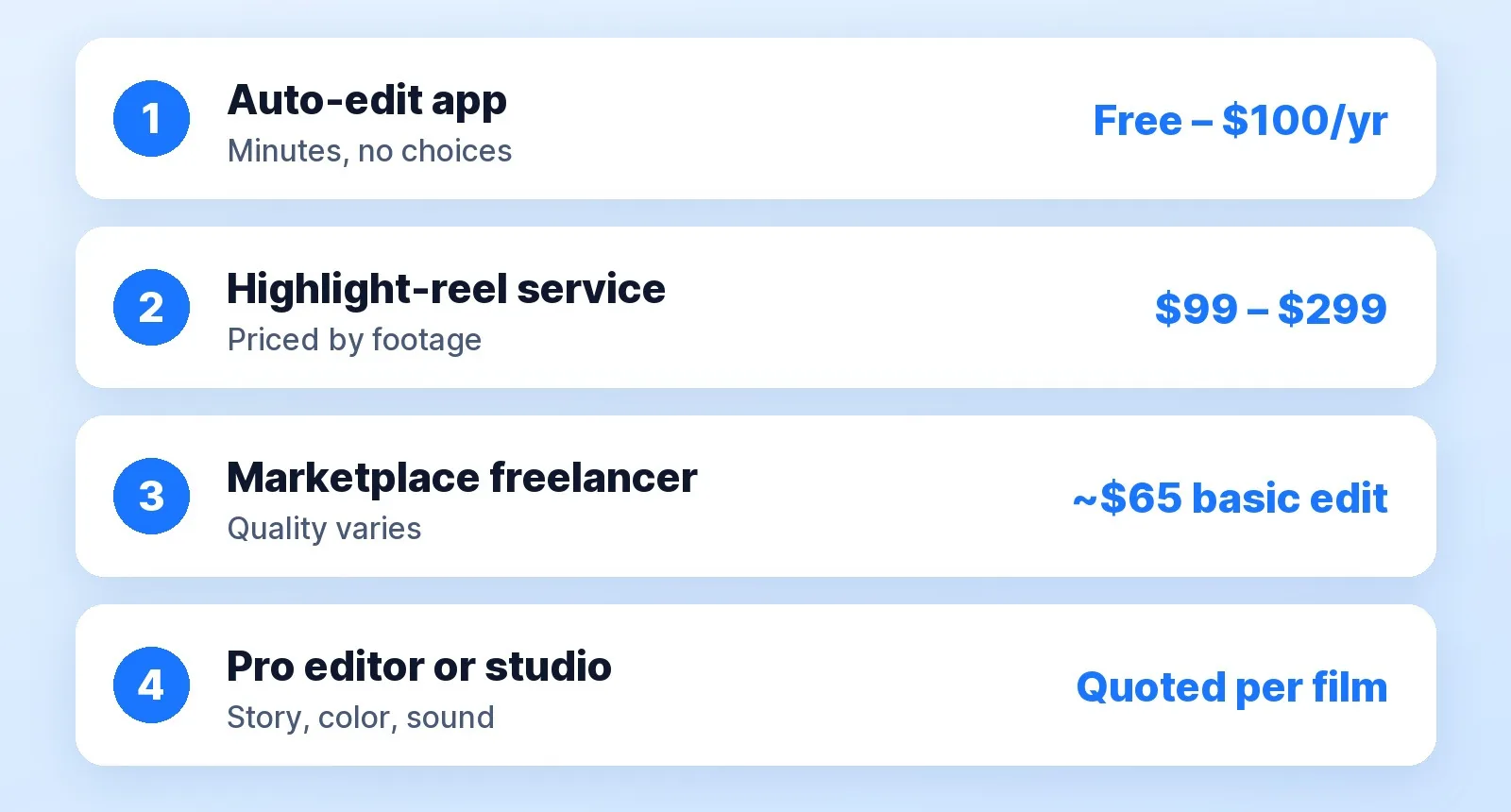
Four Ways to Get Your Trip Edited
| Route | What it costs | What you get | Best for |
|---|---|---|---|
| Auto-edit app | Free in Google Photos; a GoPro subscription is $59.99–$99.99 a year | A highlight video with music, made from clips the app picks | A quick share the same week |
| Highlight-reel service | $99 for up to 30 min of footage, $149 to 60, $199 to 90, $299 to 120 (Tribute) | A 5–10 minute cut by an editor | One trip, a clean story, no back-and-forth |
| Marketplace freelancer | A basic edit averages about $65 in Fiverr's cost guide | Whatever the gig promises; quality varies seller to seller | A short edit when you have time to vet |
| Pro editor or studio | Quoted per film | Story structure, color, sound and music chosen for the trip | A film you'll show at a party, or a travel channel |
The jump in price between routes follows the hours. An app takes minutes. A cinematic 10-minute travel video takes an editor about 15–25 hours, per the published figures in our video editing time calculator, which is why a pro travel film is quoted rather than sold off a menu.
What to Send a Vacation Video Editor
TRIP VIDEO BRIEF
Footage:     original files from every camera and phone (not WhatsApp or iMessage copies)
Order:       the days and places in order, or "start at the airport, end at sunset on day 6"
Must-haves:  5–10 moments you can't lose, with the file name and a rough timestamp
People:      who should be in it most, and anyone to leave out
Music:       a mood or a reference video ("calm and warm", "fast and fun")
Length:      the finished length you want, and whether you also need a vertical reel
Deadline:    the date it's for (an anniversary, a party, a group chat after the trip)
Two lines in that brief save the most money. Original files matter because messaging apps compress video, and an editor can't restore detail that was thrown away. Must-have moments matter because most highlight services price by footage, so marking favorites keeps your editor from cutting around the shot your family will ask about.
How Much Footage Is Too Much?

Prices scale with what you send, not with what comes out. Tribute's tiers jump at every 30 minutes of footage, and a freelancer's quote does the same in practice. Before you upload:
- Delete the misfires. Pocket shots, accidental recordings and five takes of the same sunset.
- Flag your favorites. Star them in your camera roll or list the file names.
- Keep one copy of everything. Never send your only copy of a trip.
- Decide the length first. Tribute's highlight reels run 5–10 minutes; a 60-second reel for social is a second edit.
- Ask what's included. Music, titles, color and how many rounds of changes.
The Music Catch
The song you love is probably the one you can't use. If you post your vacation video on YouTube with a commercial track, YouTube's Content ID can match it, and the copyright owner can block the video or run ads on it. Ask your editor for licensed music if the film is going online, or keep the version with your favorite song for private viewing. Our guide to music licensing and Content ID explains the difference.
When a Pro Editor Is Worth It
Use an app when the goal is a same-week share. Hire a person when the trip matters: a honeymoon, a milestone birthday, a family reunion, a once-in-a-decade trip. The same logic applies to weddings, where we priced it out in hiring an editor for your wedding footage. If you're choosing between marketplace freelancers, how to hire a video editor on Fiverr covers what to send and how to read reviews, and Fiverr vs Upwork vs an agency runs the fees.
For travel brands, hotels and tour operators, our travel and tourism video page covers destination films and property tours. For your own trip, send the footage and the brief above and get a quote on the film you actually want.
The Bottom Line
A vacation video edit costs anywhere from free in an app to about $299 at a highlight-reel service, with custom films quoted on footage and style. Send original files, flag your must-have moments and trim the misfires first, because the footage you send drives the price. If the film is going online, ask for licensed music.


