

The Short Answer: How to Hire a Thumbnail Designer
To hire a thumbnail designer, shortlist three people whose work you have seen on live channels, check that work at phone-feed size, and pay your top two for the same test thumbnail. Then put variants, file specs, the source file and the rights in writing, and give access through a YouTube channel role, never your password.
Thumbnails are one of the most common things buyers ask for: they came up in 72 of the 698 first messages we analysed in September 2026. What a thumbnail designer charges by route (marketplace, freelancer, subscription, studio) is in our separate breakdown of YouTube thumbnail cost. This guide covers choosing the person and setting them up.
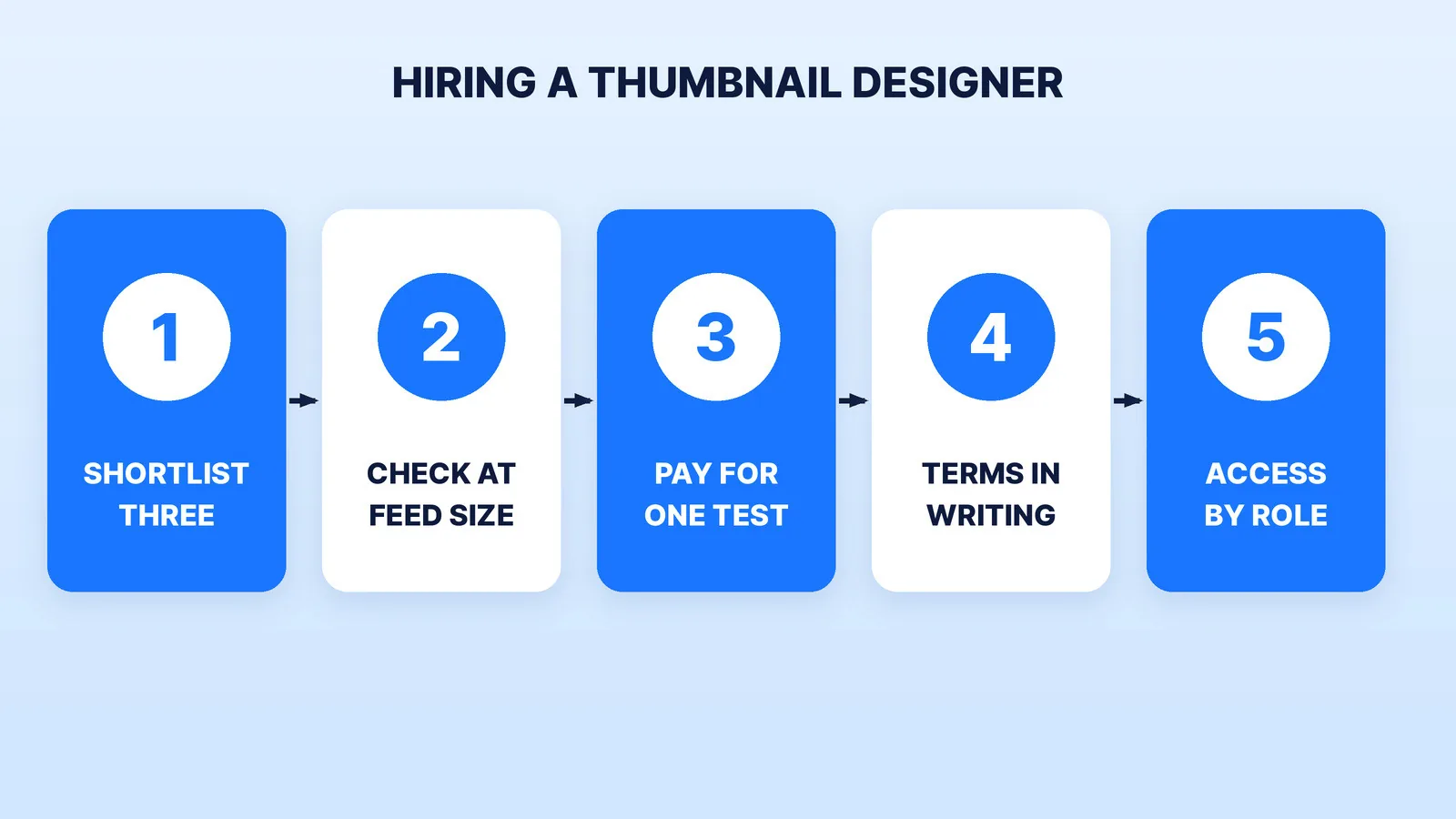
Step 1: Shortlist Three From Work You've Seen Live
A thumbnail portfolio is a collection of best moments. The more useful proof is a channel where the designer makes every thumbnail, because there you see the ordinary weeks too. There are four places to look:
| Where to look | What you see before you message | What to check |
|---|---|---|
| A marketplace (Fiverr, Upwork) | Reviews, delivery times, starting rates | Whether the reviews mention YouTube channels, not one-off flyers |
| A channel you admire in your niche | The designer's work on 20+ live videos | Who made them: the description, the creator's posts, or ask |
| A design subscription or studio | A sample library and a monthly plan | Who actually designs yours, and whether it is the same person each week |
| Referrals from other creators | Real working relationships | How fast they turn around a thumbnail on upload day |
Our list of the best YouTube thumbnail design services compares ten options with their turnaround, revisions and test versions. If you're weighing a marketplace seller against a managed service, our freelance marketplaces comparison lays out the trade-offs, and the Dava Studios comparison shows one subscription model in detail. The shortlisting habits from our guide on how to find a video editor carry over unchanged.
Step 2: Read Every Portfolio at Feed Size
Thumbnails are mostly seen small: in the home feed, in search and in Up next on a phone. A design that looks rich at full size can turn to noise there. Open each candidate's samples, shrink them to about the width of your thumb, and ask: can I still read the face, the one object and the words in under a second?
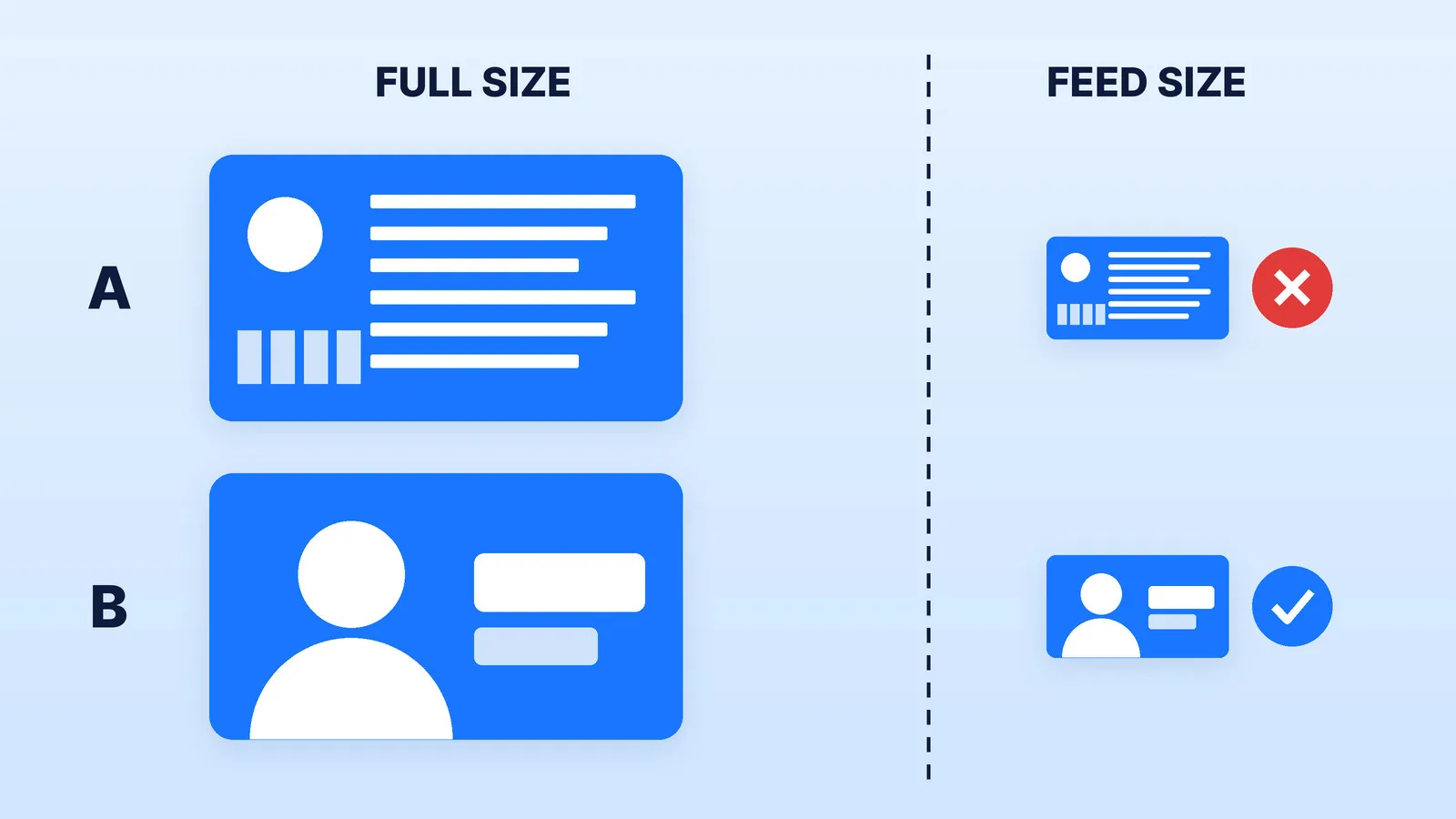
Then check three things that don't show up in a gallery:
- Specs. YouTube recommends 3840 x 2160 pixels for video thumbnails, at least 640 pixels wide, as JPG or PNG under 50 MB from a computer (2 MB from a phone). A designer who still delivers 1280 x 720 by default is a step behind.
- Format awareness. The same help page says podcast playlists take a 1:1 thumbnail, and vertical videos with a 16:9 custom thumbnail get an auto-generated 4:5 image on the home, explore and subscription pages. If you run a show, ask for the square version too; podcasters need both shapes.
- Honest packaging. YouTube's spam and deceptive practices policy bans "maliciously misleading titles, thumbnails" that trick viewers into a video "that does not deliver what was promised." Thumbnails can also be rejected under the Community Guidelines, and repeat offences can cost a channel its custom thumbnails for 30 days. A portfolio full of fake reactions and promises the video can't keep is a risk, not a style.
Our thumbnail pre-publish checklist lists the feed-size checks in full, and the free YouTube thumbnail checker previews any image on the home feed, in search and on a phone.
Step 3: Pay Your Top Two for the Same Test
Give two finalists the same brief for a real upcoming video: the title, the one promise of the video, three usable face frames and one or two reference thumbnails. Pay both. You learn more from how each one handles your first round of notes than from any gallery.
Ask each for two genuinely different versions. YouTube's title and thumbnail A/B test compares up to three versions, shows the one with the highest watch time to everyone, and warns that versions too similar to each other make the test run longer. A designer who hands you two versions that differ only in colour hasn't given you a test.
Step 4: Put Five Things in Writing
Before the first paid month, agree on:
- Variants per video. One thumbnail, or a set for the A/B test (up to three). The test runs on desktop through YouTube Studio, needs advanced features turned on, doesn't cover Shorts and should finish within two weeks.
- Resolution. Every variant at 1280 x 720 or larger. YouTube's help page says that if any test thumbnail is below 720p, all of them are downscaled to 480p.
- Turnaround and revisions. Hours from brief to first draft, and how many rounds of notes are included.
- The source file. The layered file, fonts named, every cutout of your face. Without it, the next designer starts from scratch.
- Who owns the work. Under the U.S. Copyright Office's work-made-for-hire rules, a freelancer's commissioned work only counts as made for hire in nine listed categories, and only with a written agreement signed by both sides. A standalone image may not clearly fit, so ask for a written transfer of copyright (or a licence that covers every use you plan, ads included). For a large contract, have a lawyer read it.
Step 5: Give Access by Role, Not Password
A thumbnail designer needs to see how each thumbnail performs: impressions and click-through rate. YouTube's channel permissions cover this without your Google password, which Google calls "safer than sharing your password or other sensitive sign in details."
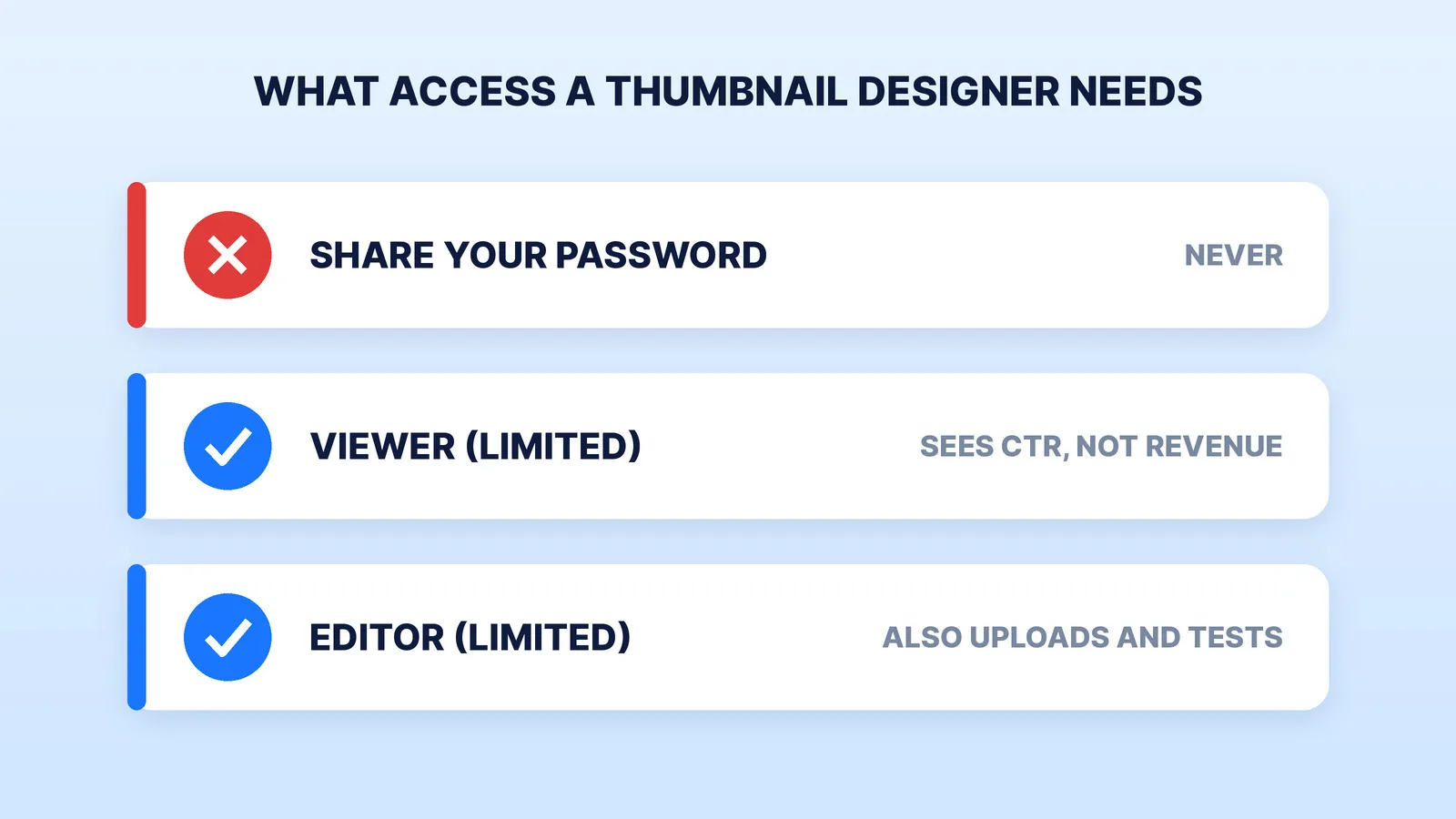
- Viewer (Limited) sees channel data without revenue. Enough for a designer who sends files for you to upload.
- Editor (Limited) can also upload and edit, including thumbnails and A/B tests, still without revenue. It can't delete the channel or published content, or manage permissions.
You can remove either role in one click. Our guide to YouTube channel access and permissions walks through the invite.
Where Mark Studios Fits
Mark designs YouTube thumbnails one at a time by instant quote or inside a monthly plan, with A/B versions on request, the source file as an add-on and every thumbnail reviewed by Mark, a YouTuber since 2011. Our TheFinancialWolf case study shows the per-video concepts behind a 300K-subscriber channel. Mark Studios has completed 8,000+ orders for 4,500+ clients, 99% on time, with work behind 100M+ views, and is Top Rated on Fiverr with a 4.9★ rating. Whoever you hire, judge them on a paid test with your own face and your own title.
The Bottom Line
Shortlist three from work you've seen on live channels, shrink every sample to feed size, and pay your top two for the same test thumbnail. Hire the one whose versions were most different and whose first draft needed the fewest notes, then get variants, resolution, the source file and the rights in writing and give access through a limited channel role.


