

The Short Answer: How to Hire an SEO Expert
To hire an SEO expert, decide which job you need done, shortlist three people who have done it for businesses like yours, and ask them the questions Google itself publishes. Start with a paid audit on read-only access, walk away from anyone who guarantees rankings, and put the deliverables, reporting and ownership of the work in writing.
Google's own guide, Do you need an SEO?, calls hiring one "a big decision" that can improve your site's visibility and save you time, but can also "risk damage to your site and reputation." What SEO costs by route (monthly retainers, hourly consultants, one-off projects) is in our separate guide to SEO cost. This guide covers choosing the person and keeping control of your site.
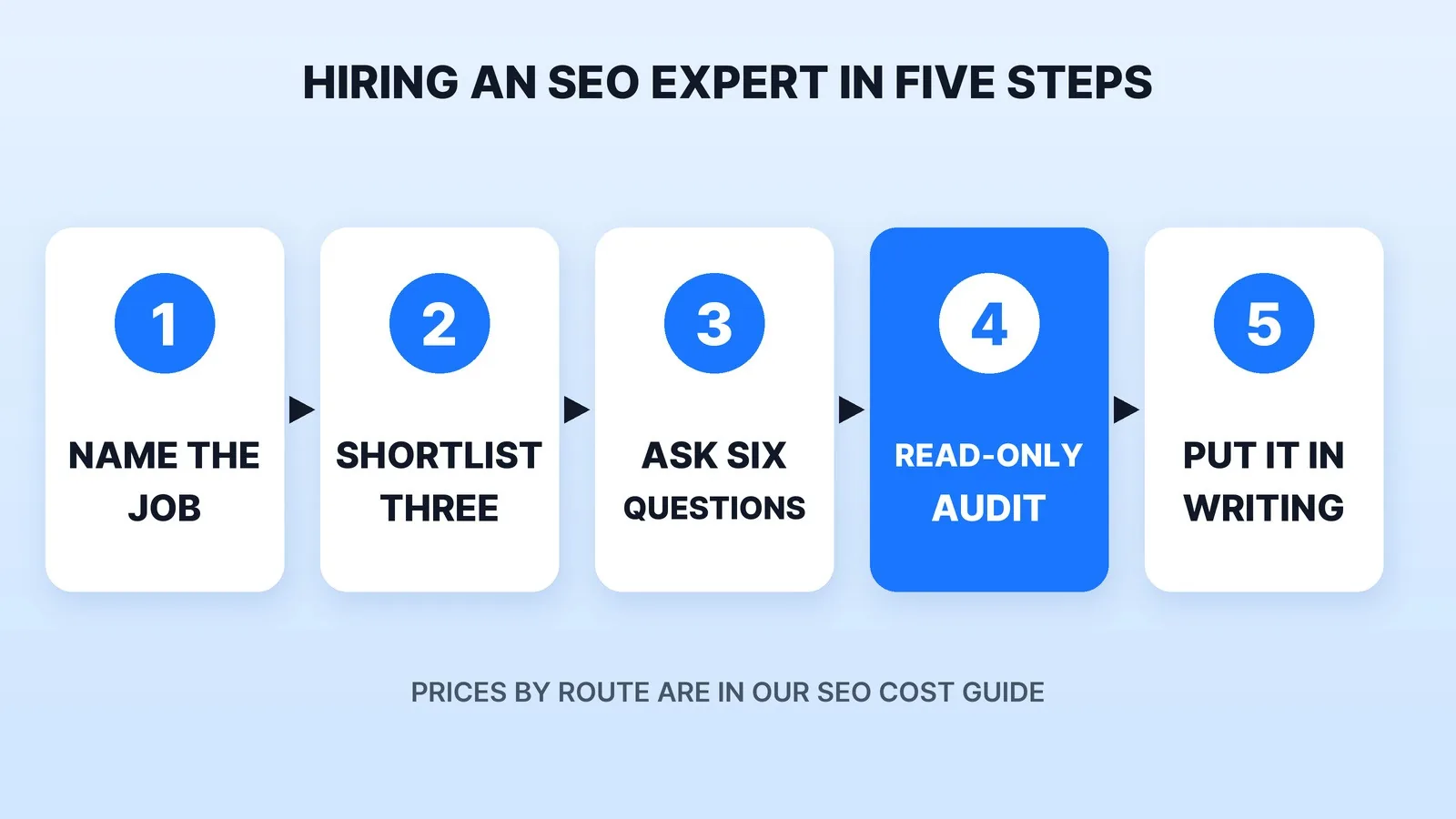
Step 1: Name the Job Before You Hire
"SEO" covers at least four different jobs, and most people are strong at one or two:
| The job | What the person does | Hire for it when |
|---|---|---|
| Technical SEO | Fixes crawling, indexing, speed, redirects and structured data | Pages aren't showing up in Google at all, or a redesign lost traffic |
| Content | Researches what customers search and writes pages and posts for it | The site is sound but has little for searchers to land on |
| Local SEO | Business Profile, reviews, location pages | You serve customers in one area, like a law firm or a contractor |
| Links and PR | Earns mentions and links from other sites | Your pages are good but rank below better-known competitors |
Write down which job you need, the searches you want to show up for, and how you'll know it worked: leads, calls, sales, not just rankings. If what you need is content every month, compare blog writing cost too.
Step 2: Shortlist Three
Look on freelance marketplaces, ask other business owners in your industry who they use, and check who wrote the guides that rank for your own searches. Our freelance marketplaces comparison lays out the trade-offs between a marketplace seller and a managed service, and our list of the best SEO blog writing services compares content-led providers.
Skip anyone who found you first. Google's guide says to be wary of SEO firms that "email you out of the blue", and adds that Google gets those emails too.
Step 3: Ask Google's Own Questions
Google's guide lists the questions to ask an SEO. Use them as your interview:
- Can you show me examples of your previous work and share some success stories?
- Do you follow Google Search Essentials?
- What results do you expect, in what timeframe, and how do you measure success?
- What's your experience in my industry, and in my country or city?
- How long have you been in business?
- Will you share every change you make to my site, with the reasoning behind it?
Then call two past clients and ask whether the work was useful, whether they were easy to work with and whether it produced results. A good SEO also asks you questions: what makes your business different, who your competitors are and how customers find you now.
Step 4: Watch for Four Red Flags
- A guaranteed ranking. Google says plainly that no one can guarantee a #1 ranking, and to beware of anyone who claims a "special relationship" with Google.
- Bought links. Google's spam policies list "exchanging money for links, or posts that contain links" as link spam. A plan built on bought links puts your site at risk, not theirs.
- Secrecy. If they won't explain what they'll change, don't hire them. Google's guide notes that deceptive content created on your behalf can get your site removed from its index, and that you are responsible for the actions of the companies you hire.
- Special "AI search" tricks. For Google's AI Overviews and AI Mode, Google's AI features guidance says there are "no additional requirements" and no special optimizations beyond SEO best practices. Work aimed at ChatGPT or Perplexity is a separate question, so ask which platform each recommendation targets and what it's based on. Our guide to video SEO for AI search covers how pages get cited there.
Step 5: Start With a Read-Only Audit, Then Put It in Writing
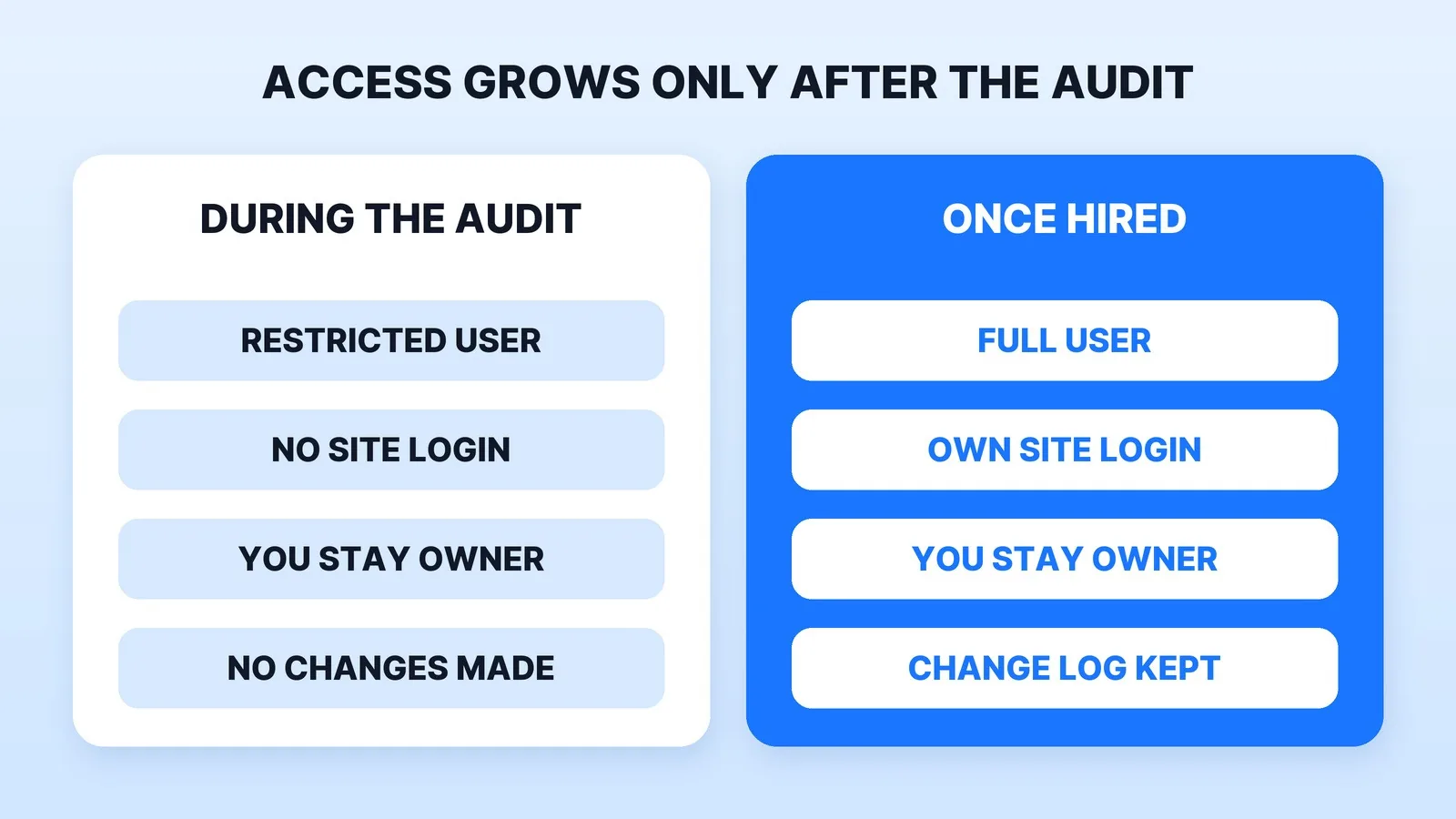
Pay your top choice for an audit before any monthly retainer. Google's guide says to grant read access to Search Console only at this stage, not write access. In Google's Search Console permissions, a restricted user has simple view rights on most data, and only owners can add or remove users. Stay the verified owner.
A good audit gives you realistic estimates of improvement and of the work involved. If you go ahead, agree in writing:
- The deliverables each month, counted: pages fixed, posts published, links earned.
- The report: which numbers, from which tools, how often. Ask for Search Console data, not only a third-party tool's estimate.
- A change log of every edit made to your site.
- Who owns the content. Under the U.S. Copyright Office's work-made-for-hire rules, commissioned work counts as made for hire only in nine listed categories and only with a written agreement signed by both sides. Ask for a written transfer of copyright in the pages and posts you pay for.
- Access that ends. Their own login on your site and a Search Console user role, both removed when the contract ends. No shared passwords.
- Notice period. How either side ends the contract, and what you keep if it ends.
Where Mark Studios Fits
Mark Studios sells website SEO as monthly content: Mark writes four blog posts a month around what your customers search, publishes them on your site and sets each one up for search, and you read every post before it goes live. There's no ranking guarantee, and you add Mark as a user rather than sharing a password. It suits local businesses people search for, such as law firms. Mark Studios has completed 8,000+ orders with 4,500+ reviews, 99% on time, and is Top Rated on Fiverr with a 4.9★ rating. Our homepage SEO study shows how the 1,000 most-visited sites set up their titles and descriptions.
The Bottom Line
Name the job, shortlist three, and interview them with the questions Google publishes. Walk away from guaranteed rankings, bought links and secrecy, start with a paid audit on read-only Search Console access, and get the monthly deliverables, reporting, change log and content ownership in writing.


