

The Short Answer: How to Hire a Google Ads Expert
To hire a Google Ads expert, decide the one result you're paying for, shortlist two or three specialists who can show you accounts like yours, and ask how they track conversions and bill their fee. Create the Google Ads account in your own name, give them a user role instead of ownership, and get the fee, reporting and exit in writing before any budget runs.
Google publishes its own advertiser guide to working with third parties, and it's blunt: at a minimum you have the right to know the clicks, impressions and total cost of your ads, and it isn't possible to guarantee a specific ad position. What Google Ads cost (clicks by industry, monthly budgets, management fees) is in our separate guide to Google Ads cost. This guide covers choosing the person and keeping control of the account.
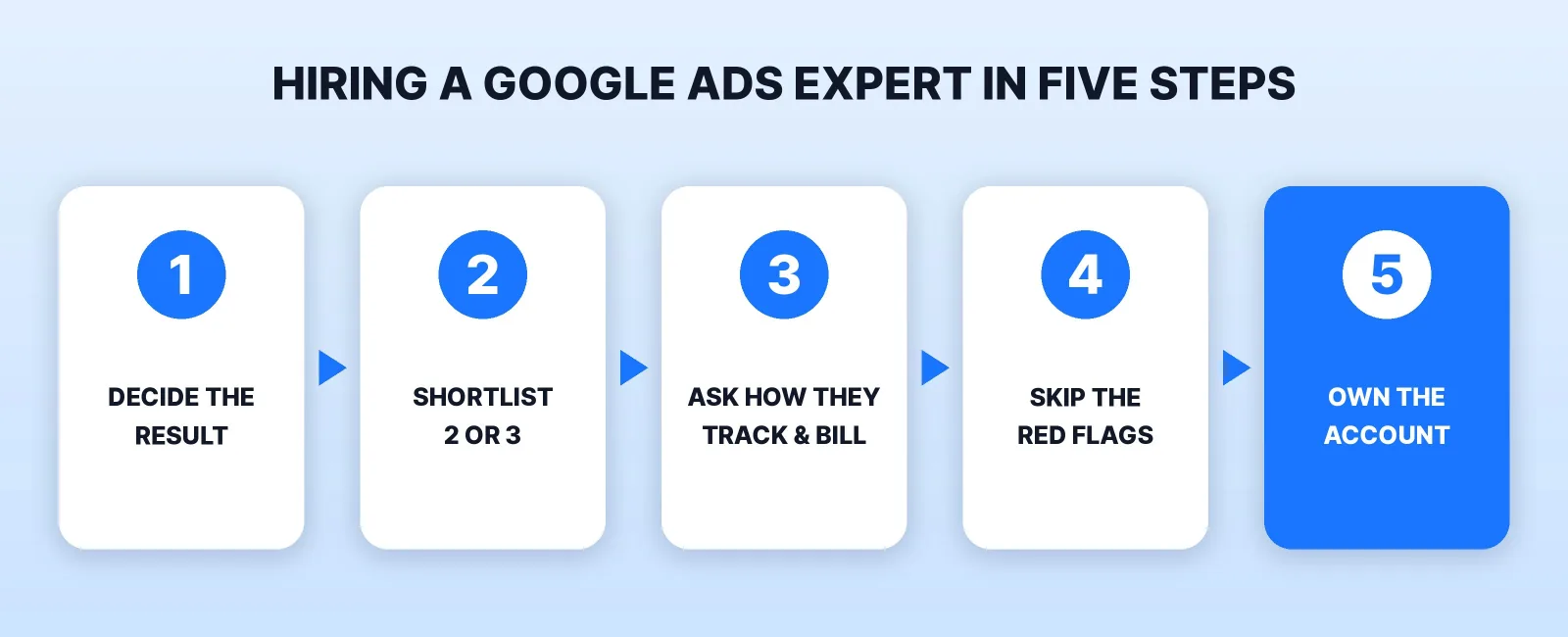
Step 1: Decide What You're Paying For
"Google Ads" covers several campaign types, and someone who runs Shopping campaigns for online stores may never have run a lead campaign for a plumber. Write down three things before you talk to anyone:
| Decide | Examples | Why it matters when hiring |
|---|---|---|
| The one result | Calls, form leads, booked appointments, online sales | It's what conversion tracking has to count, and what you'll judge them on |
| Where the ads run | Search, Shopping, YouTube | Ask for past work in that campaign type, not "Google Ads" in general |
| Who makes the ads | Them, you, a designer or video editor | Search ads are text; YouTube ads need a video someone has to make |
If the ads will send people to a page that doesn't exist yet, plan for that too: our guide to landing page design cost covers it. If you'd rather start on YouTube, see what YouTube ads cost first.
Step 2: Shortlist Two or Three, and Know What a Partner Badge Proves
Look on freelance marketplaces and ask business owners in your industry who runs their ads. Our freelance marketplaces comparison lays out the trade-offs between a marketplace seller and a managed service.
Some agencies show a Google Partner badge. Google's Partner requirements say what it measures: an optimization score of at least 70% on the company's manager account, $10,000 of ad spend across the accounts it manages over 90 days, and at least half of its account strategists certified in Google Ads. Premier Partners are the top 3% of participating companies in a country.
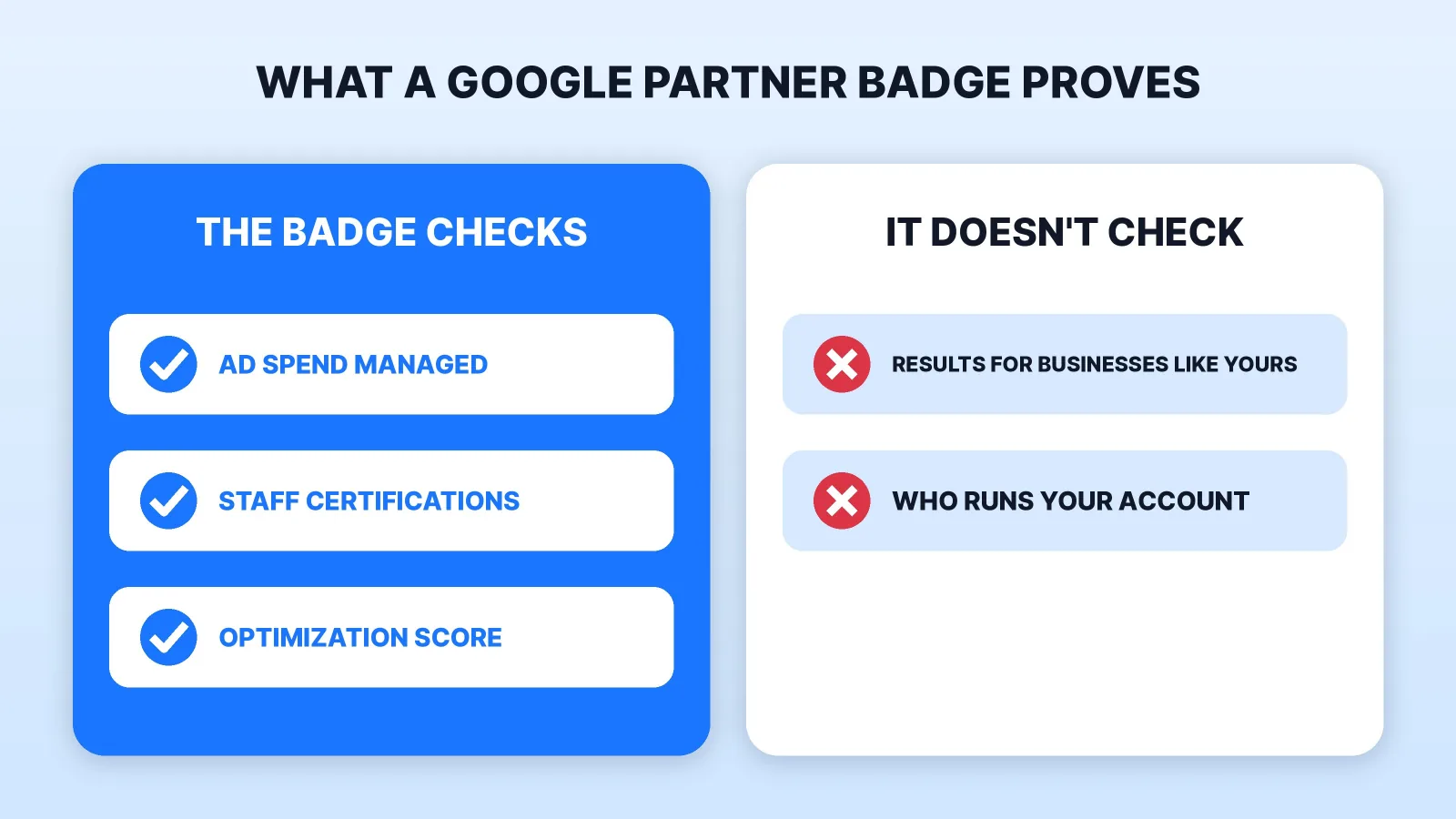
So the badge shows scale and training, not results for a business like yours. A solo specialist with a few small clients can fall short of the spend bar and still be the better hire. To check a badge, click it: Google's guide says a certified company's badge opens its profile on Google. Claiming Partner status without authorization breaks Google's policy on false claims.
Step 3: Ask These Five Questions
Use them as the interview; vague answers are an answer.
- Can you show me an account like mine? A screen share of a live account, client name hidden, beats a case-study PDF.
- How will you track conversions? Google's conversion measurement is how you learn which keywords and ads bring customers, and it's what Smart Bidding optimizes toward. Spending before tracking works is guessing with your money.
- What will you do with the search terms report? The search terms report shows the real searches that triggered your ads. Ask how often they read it and what they'll exclude when the wrong searches show up.
- How is your fee billed? Google's transparency requirements say a third party that charges a management fee must tell new customers in writing before the first purchase and show the fee on every invoice.
- What will the monthly report show? Where a report is required, Google says it must include cost, clicks and impressions, with cost reported as the exact amount Google charged, not including their fee. Letting you sign in and see the account yourself also meets that rule.
Step 4: Skip the Red Flags Google Lists
Google's guide and false-claims policy name these. Any one is a reason not to hire:
| They say | What Google says |
|---|---|
| "We guarantee the top spot" | Ad position is decided by an auction that changes with every search; no one can guarantee a specific position |
| "We're calling from Google" | Ask for their name and an email from an @google.com address; a Gmail address proves nothing |
| "Ads will lift your organic rankings" | Advertising has no impact on organic rankings; the two are completely separate |
| "Unlimited clicks" or "always shown" | Both are listed as false or unrealistic claims |
| "We run clients from one shared account" | Each advertiser needs its own Google Ads account |
| No cost in the report | You have the right to clicks, impressions and total cost |
Ranking in the free results is a different hire; our guide on how to hire an SEO expert covers it.
Step 5: Keep the Account in Your Name
This decides what you keep if it ends.
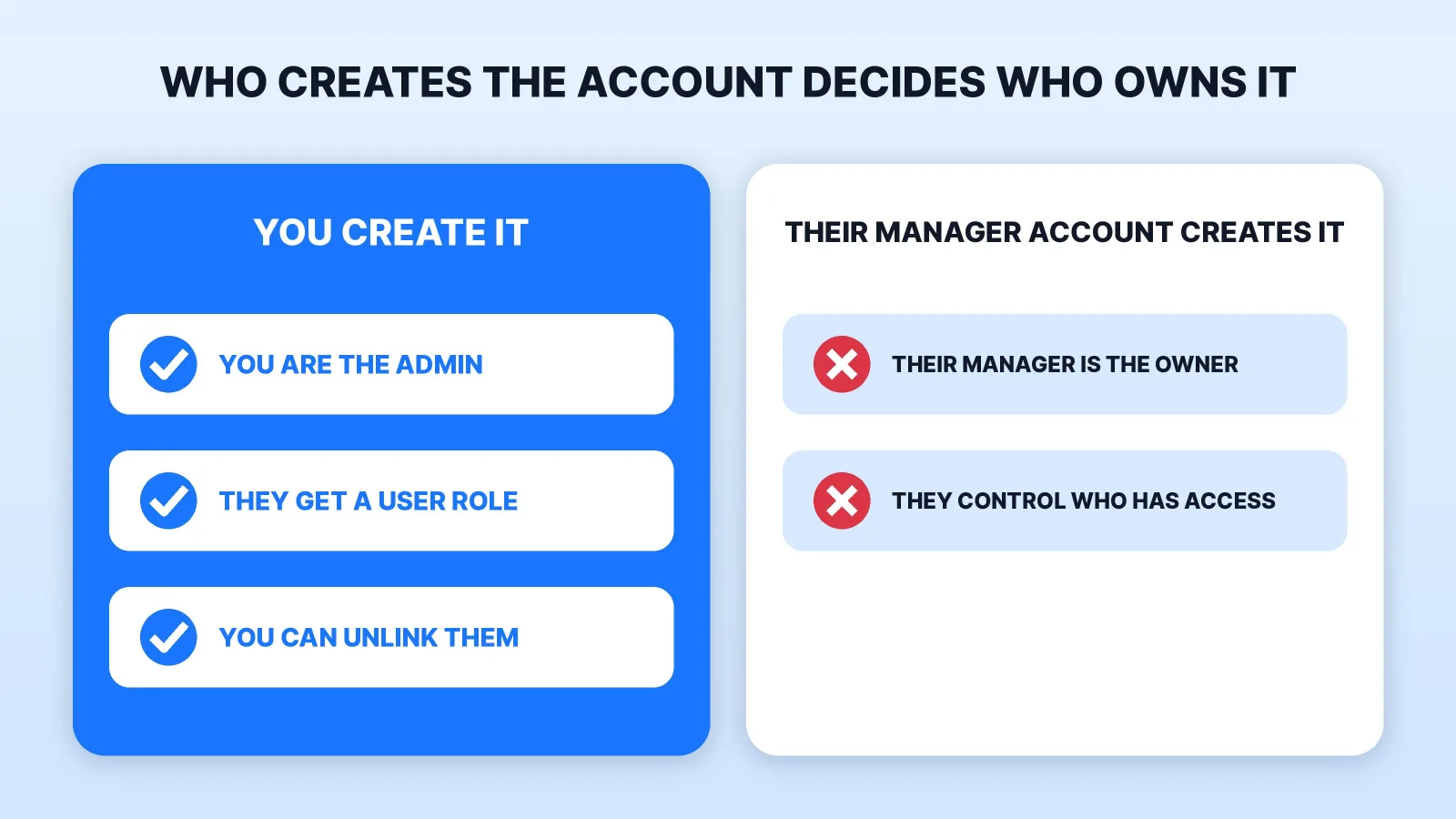
- Create the account yourself. Google's page on ownership of client accounts says a manager account that creates a new account automatically becomes its owner, and an owner's admins can invite and remove users on it. If you create the account and they link to it, they don't get ownership unless you turn it on.
- Give a user role, not your password. In Google's access levels, Standard access can edit campaigns and run reports, but only Admin can give or remove access, link Google Analytics to import conversions, or unlink manager accounts. Start with Standard. If they need Admin for setup, keep a second admin of your own: Google warns an account with one admin can lose access to its tags if that person becomes unavailable.
- Let them link their manager account, without ownership. Google built manager accounts for agencies and other marketers who manage several client accounts. Google says a user with admin access to your account can unlink it at any time.
Then put these in writing:
- The fee, how it's calculated, and that it's separate from the ad spend.
- The budget they may spend and who approves changes. Google lists deceptive budgets as a red flag and says to get an official copy of your agreement in writing.
- The report: which numbers, how often.
- Who owns the ads. Under the U.S. Copyright Office's work-made-for-hire rules, commissioned work counts as made for hire only in nine listed categories and only with a written agreement signed by both sides. Ask for a written transfer of copyright in the ad copy, images and videos you pay for.
- The exit: the notice period, and that they remove their user and unlink their manager account, leaving the account, its history and the conversion setup with you.
Where Mark Studios Fits
Mark Studios runs Google search ad campaigns alongside Facebook, Instagram and YouTube. Mark sets up the campaign, makes the ads if you want, moves budget toward what performs and reports what the spend brought in. The ad budget is paid straight to Google, never to Mark Studios, and Mark won't promise results nobody can promise. It suits online stores (e-commerce brands) and local service businesses; in Palm Beach County, Broward and Martin, the ad videos can be filmed on site. Mark Studios has completed 8,000+ orders with 4,500+ reviews, 99% on time, and is Top Rated on Fiverr with a 4.9★ rating. If you also want Meta ads, compare Facebook ads management cost.
The Bottom Line
Decide the result you're paying for, shortlist specialists who can show you accounts like yours, and ask how they track conversions and bill their fee. Walk away from guaranteed positions and anyone "calling from Google", create the account yourself, give them a user role instead of ownership, and get the fee, budget, reporting, ad ownership and exit in writing.


