

The Short Answer: How to Hire a Motion Graphics Designer
To hire a motion graphics designer, first decide what you're buying: graphics inside an edit, a set of reusable templates, or a whole animated video. Then shortlist three designers whose reels show that kind of work, ask each what they made in every shot, pay your top two for the same short test, and put the delivery files and the rights in writing.
Motion graphics came up in 50 of the 698 first messages from buyers that we analysed. What motion graphics cost by route and unit (Fiverr gigs, vetted freelancers, studios per finished minute) is in our separate guide to motion graphics cost. This guide covers choosing the person and setting up the work.
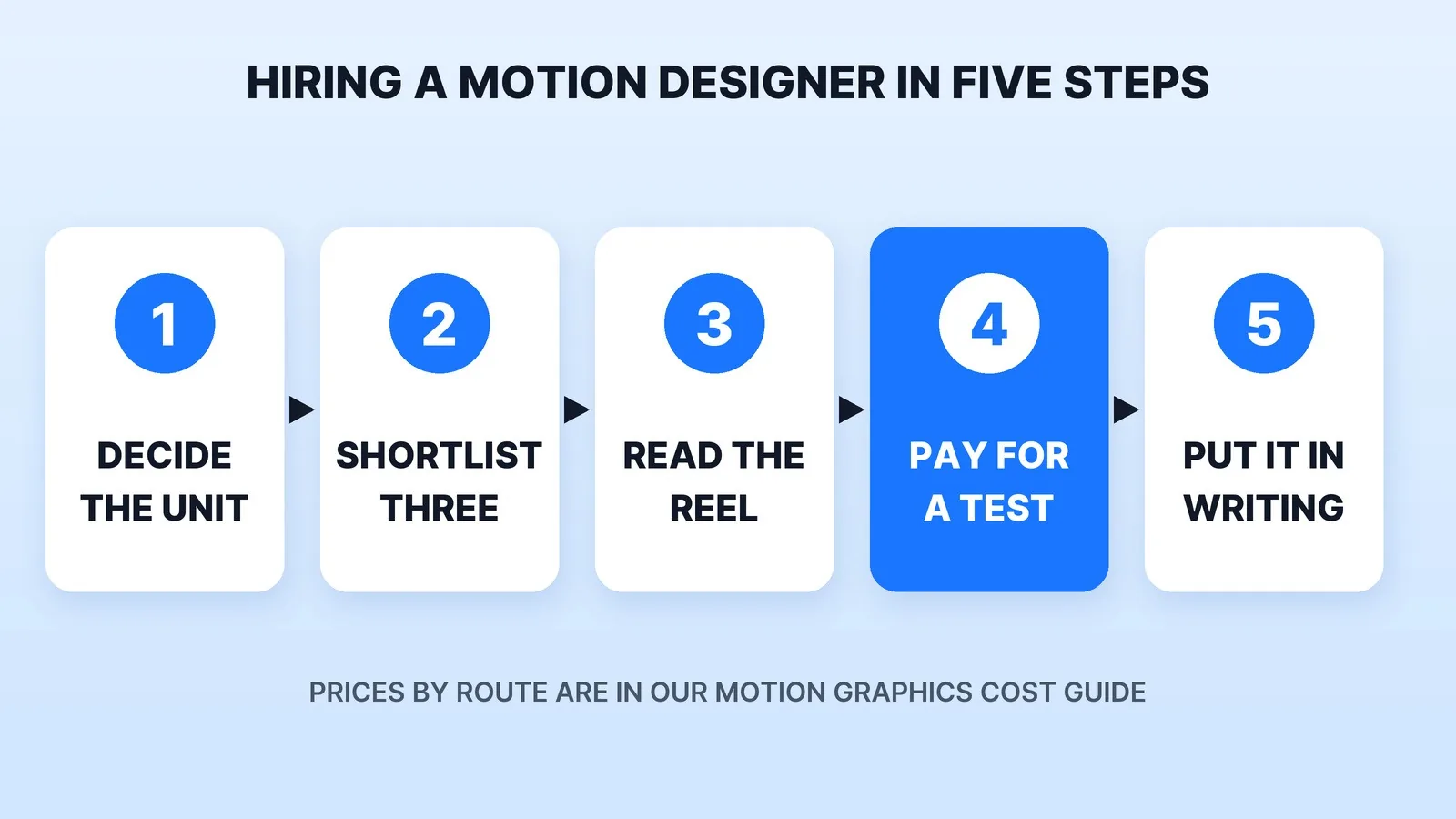
Step 1: Decide What You're Hiring For
"Motion graphics designer" covers people who do very different jobs. Name yours before you look, because it decides who fits:
- Graphics inside your edits. Lower thirds, titles, callouts and charts on videos someone else cuts. You need a designer who delivers overlays your editor can drop in, fast and on a schedule.
- A template package. A branded set built once and reused on every video: lower third, title card, transition, end card. You need someone who builds systems, not one-offs. Our guide to when motion graphics earn their place on YouTube argues for a small set of reusable templates over dozens of one-off animations.
- A whole animated video. An explainer, product walkthrough or data story. You need script, storyboard and design skills as well as animation. If it needs characters, read what an animated explainer video costs first.
Step 2: Shortlist Three
There are four good places to look:
| Where to look | What you see before you message | What to check |
|---|---|---|
| A marketplace (Fiverr, Upwork) | Reviews, delivery times, starting rates | Whether past buyers ordered your unit, not just logo reveals |
| A vetted tier such as Fiverr Pro | Designers screened by the marketplace's own team | Whether the reel matches your style, since vetting checks quality, not fit |
| A channel or brand whose graphics you admire | The designer's work in real use | Who made it: ask the creator or check the credits |
| A studio | A team, a process and a portfolio of finished videos | Who animates your project, and whether you can talk to them |
Some Fiverr links on this page are affiliate links: Mark Studios may earn a commission if you buy through them, at no cost to you.
Our freelance marketplaces comparison lays out the trade-offs between marketplace sellers and a managed service, and our Yum Yum Videos review shows how one animation studio works. The habits from our guide on how to find a video editor carry over unchanged.
Step 3: Read Every Reel Shot by Shot
A motion design reel is a highlight cut, and studio work on it is often a team effort. For each candidate, pick the three shots closest to what you need and ask: "What did you do on this one: the design, the animation, or both? What was the brief?" A designer who animated someone else's frames is a different hire from one who designed them.
Then check three things a reel doesn't show:
- Whether the work moves with purpose. Text should stay on screen long enough to read, and the motion should point the eye at what matters. Pause the reel on a busy frame. If you can't tell where to look, your viewers won't either.
- Whether they've worked in your formats. Graphics for a 9:16 Short have to stay clear of the buttons and captions YouTube draws over the video. Our YouTube Shorts safe zone tool shows where they sit. Ask to see vertical work if you post vertical.
- What they ask you. The best signal comes before any work starts. When School of Motion sent the same logo-animation brief to three designers in 2018, it attached a PNG logo on purpose. The professional freelancer was the one who asked for a vector file. In a blind survey of more than 100 people, 84.5% picked his animation as their favourite.
Step 4: Pay Your Top Two for the Same Test
Give two finalists the same small, real job: one lower third with your brand fonts and colours, or a 10-second section of the video you need. Send a vector logo (SVG, AI or EPS), hex colours, one reference with timestamps, and where it will run. Pay both.
You learn three things a reel can't tell you: whether they follow your brand kit without being reminded, how they take a round of notes, and whether the files they hand over work in your editor's timeline. Hire the one whose test needed the fewest notes, not the one with the flashiest reel.
Step 5: Put Six Things in Writing
Before the first paid project, agree on:
- Delivery files for each place it runs. See the chart below.
- The project file. The working file, every precomp, and the fonts and images it uses, collected in one folder. Without it, the next designer starts from scratch.
- Fonts and music. Which fonts are used and whether your licence covers them, and where every music track and sound effect comes from. YouTube's Content ID scans every upload against a database of files submitted by copyright owners, and a matched track can get your video claimed.
- Revisions and turnaround. How many rounds of notes are included, and the time from brief to first draft.
- Who owns the work. Under the U.S. Copyright Office's work-made-for-hire rules, a freelancer's commissioned work counts as made for hire only in nine categories, one of which is a part of "a motion picture or other audiovisual work", and only with a written agreement, signed by both of you, that says so. Animation made for your video can fit, but only with that signed agreement. Otherwise, ask for a written transfer of copyright. For a large contract, have a lawyer read it.
- Payment terms. Deposit, milestones and what happens if the project stops halfway. Our guide on how to pay a video editor covers deposits and escrow, and the same terms work for a designer.
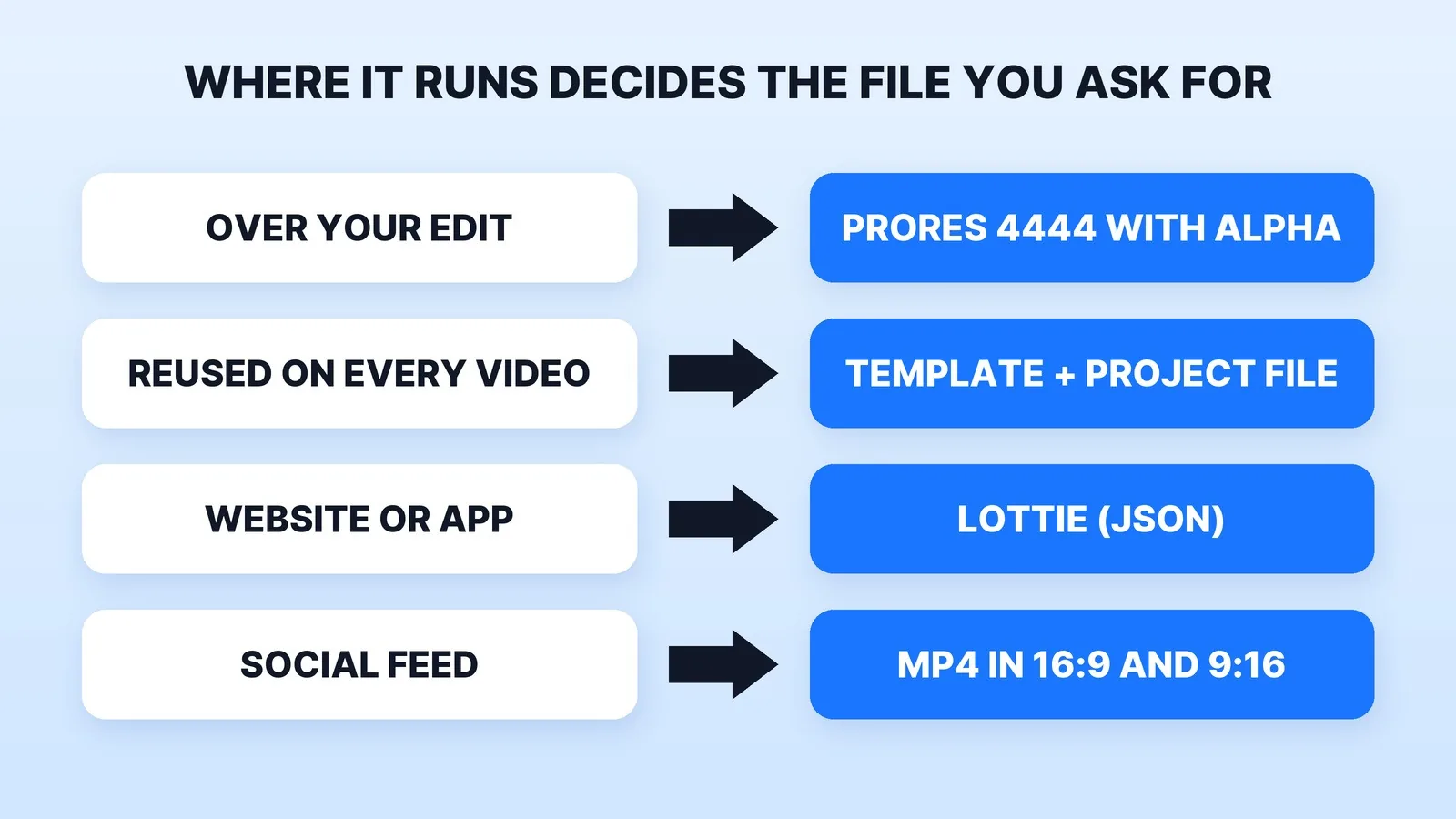
The file format matters more than most buyers expect:
- Over your edit: Apple ProRes 4444. Apple calls it, along with 4444 XQ, the only ProRes formats that carry an alpha channel, so the graphic keeps its transparent background on top of your footage. A standard H.264 MP4 can't, which is why a lower third delivered as MP4 arrives on a black box.
- On a website or in an app: a Lottie file. LottieFiles describes it as a JSON-based, vector format that scales without pixelation and is much smaller than a GIF or MP4 of the same animation.
- Reused on every video: an editable template and the project file, so your editor can change the text without going back to the designer.
Large project folders don't fit in email. Our guide on how to send large video files covers the transfer options.
Where Mark Studios Fits
Mark Studios makes motion graphics and kinetic type, logo animation and animated explainers, and builds graphics into the edits it cuts, with every project reviewed by Mark. If you sell software, our B2B SaaS video page covers product videos with UI zooms, callouts and motion graphics. Mark Studios has completed 8,000+ orders with 4,500+ reviews, 99% on time, with work behind 100M+ views, and is Top Rated on Fiverr with a 4.9★ rating. Whoever you hire, judge them on a paid test with your own brand kit. Our motion graphics statistics page has the wider pay and jobs data.
The Bottom Line
Decide whether you need graphics inside edits, a template package or a whole video, then shortlist three designers whose reels show that work and ask what they made in each shot. Pay your top two for the same short test, hire the one who needed the fewest notes, and get the delivery formats, the project file, fonts, music and copyright in writing before the first project.


