Your Logo Is Judged at 98 Pixels
YouTube's channel branding documentation accepts a profile picture up to 15 MB. It then tells you exactly what happens to it: "Image that renders at 98 X 98 px." Whatever you uploaded, that is the size a viewer meets it at, next to every comment you leave and at the top of every search result your channel appears in.
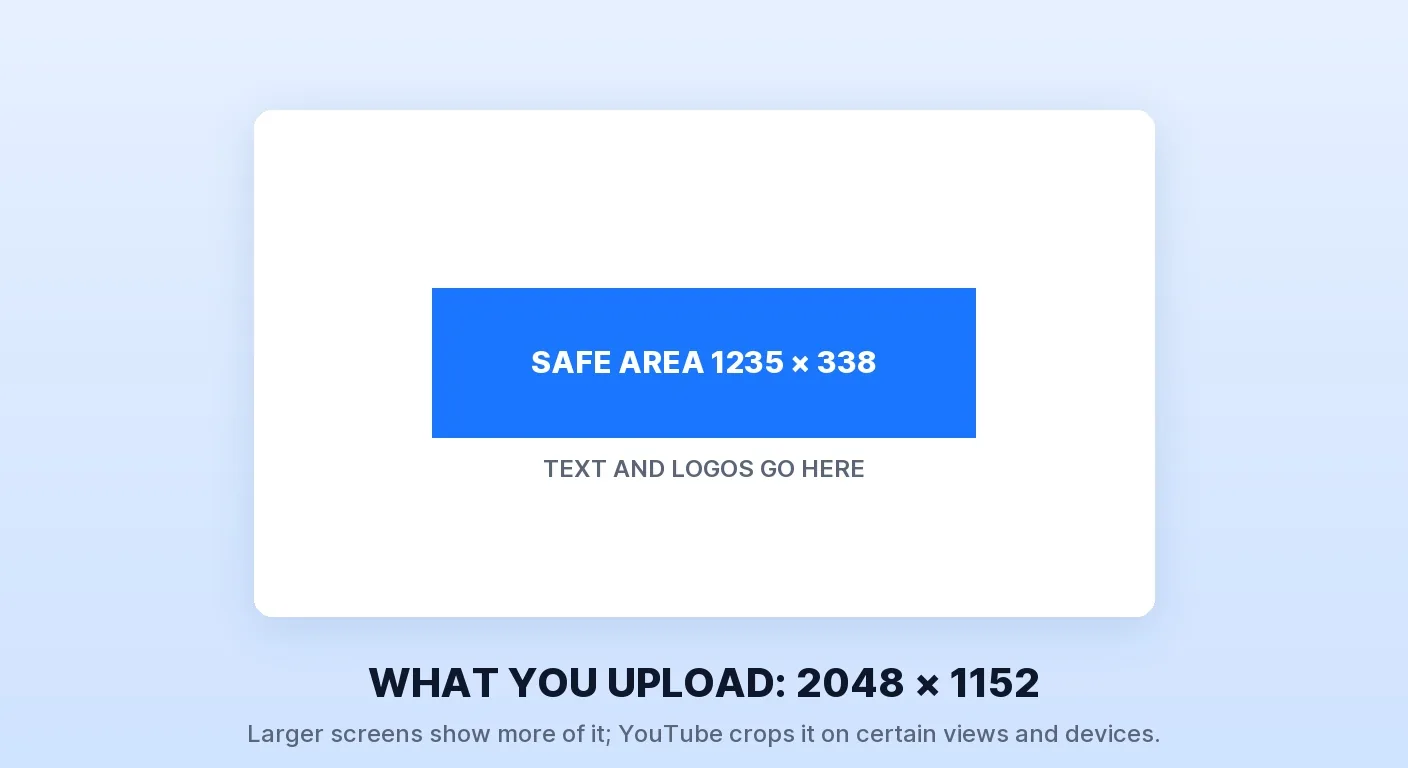
The banner is the same story with a harsher twist. Minimum upload is 2048 × 1152 at 16:9, recommended 2560 × 1440 for TV — but the safe area for text and logos is 1235 × 338 px. That is roughly 60% of the width and under a third of the height. Everything outside it gets cropped on some device, and YouTube adds a flat instruction most brand kits ignore: "Do not include any additional file embellishments (e.g. shadows, borders, and frames)."
A brand kit that was approved at full size in a design file and never checked at render size is a common branding failure. Our guide to building the visual identity system covers the components; this post covers whether those components survive contact with YouTube's actual surfaces.
Design for the Render, Not the Canvas

The practical consequences are specific:
| Asset | Upload spec | What it means in practice |
|---|---|---|
| Profile picture | JPG, GIF, BMP or PNG, no animated GIFs, max 15 MB | Renders at 98 × 98. A wordmark is illegible here. Use a single glyph or monogram |
| Banner | Min 2048 × 1152, rec. 2560 × 1440, under 6 MB | Only 1235 × 338 is safe. Anything meaningful outside that band is decoration |
| Video watermark | Square, minimum 150 × 150, under 1 MB | The one branding element that stays inside the player |
The 98-pixel constraint is the one that changes design decisions. At that size you have room for one shape, one colour relationship, and no fine detail. A full wordmark becomes a grey smear; an icon with three tones becomes one tone. If the avatar has to be recognisable at a glance in a comment thread, reduce it to a single mark rather than keeping the full logo.
The banner safe area matters in a different way. Because the guaranteed zone is a narrow central band, anything you want read — a tagline, an upload schedule, a sponsor mark — belongs inside 1235 × 338 and nowhere else. Treat the rest of the 2048 × 1152 as atmosphere that some viewers will never see. The instruction against shadows, borders and frames is worth taking literally too: a border drawn into the image gets cropped asymmetrically and looks like a mistake rather than a frame.
The One Branding Element Inside the Player
The video watermark is the only branding element that sits inside the player while a video plays. It is square, minimum 150 × 150 and under 1 MB, and can be set to show for the last 15 seconds, from a custom start time, or throughout. YouTube shows it in landscape view on computers and mobile devices, and it isn't clickable on mobile.
There is a condition worth knowing before you build the workflow around it: watermarks are not available on videos set as made for kids, and if a video is later reclassified as made for kids, viewers stop seeing the watermark on it. That links your branding directly to a governance setting — the channel-level audience setting applies to existing and future videos (or you set each video individually). A channel that sets itself to made for kids has quietly switched off its own watermark across the back catalogue, which is exactly the kind of thing a quarterly channel management pass is for.
On timing: the end-of-video option shows it for the last 15 seconds, where end screens already suppress it. Running the watermark from a custom start time — after the hook lands, before the midpoint — puts the ask in front of a viewer who is still watching rather than one who is already leaving.
The Brand Kit Render Test
Before you sign off a kit, run it at the sizes that matter rather than the size you drew it:
- Export the avatar at 98 × 98 and look at it. Not scaled in a design tool — exported. If you cannot identify it at a glance, it is a logo, not an avatar.
- Mask the banner to the central 1235 × 338. Everything readable has to be inside. If your tagline is not, move it.
- Strip the embellishments. Shadows, borders and frames baked into the banner file will be cropped unevenly.
- Check the avatar against your own thumbnails. They appear together in every search result and suggested card, and the thumbnail specification asks for an image "as large as possible" — recommended 3840 × 2160 — so you are pairing a 4K asset with a 98-pixel one in the same card. If the avatar uses the same colour as your thumbnail background, it disappears; the thumbnail pre-publish checklist treats this as a set-level check for the same reason.
- Confirm the watermark exists and the audience setting allows it. An empty watermark slot is the cheapest conversion fix on this list.
- View the channel page on a TV, or at TV dimensions. That is why YouTube recommends 2560 × 1440, and it is the surface nobody checks.
The kits that hold up are not the most beautiful ones, they are the ones whose designer knew the render sizes before starting. Recognition compounds — a viewer who can identify your channel from a 98-pixel circle is a viewer who can find you again — and it is also why YouTube's thumbnail and title tips treat the two together. Backlinko's 2017 study of 1.3 million videos is an older outside read on how packaging and engagement relate to rankings.
If you would rather hand the whole kit over — avatar, banner, watermark, thumbnail templates, and the motion pack that keeps them consistent in-video — that is what our design and branding service does. It matters most in categories where the avatar is competing in a dense feed, which is why we run it as a distinct track for gaming creators.
The Bottom Line
Your avatar renders at 98 × 98 and your banner only guarantees 1235 × 338 of what you upload. Design to those numbers, strip the shadows and frames YouTube tells you not to include, and fill the watermark slot — it is the only branding element inside the player, and it silently switches off on anything set as made for kids.