Nobody Burns Out From Making Videos
The clinical description of burnout isn't "working too hard." InformedHealth.org's review of the research breaks it into three components: exhaustion, growing cynicism toward the work itself, and a measurable drop in performance. Read that list again as a creator. The first one is a scheduling problem. The other two are what actually kill channels — and they show up months after the exhaustion does.
Across 10,000+ projects and 100M+ views, we've watched this sequence run more often than any other failure mode on a channel. Someone commits to three uploads a week, holds it for a quarter, and the videos start getting worse before they start getting rarer. By the time the uploads stop, the channel has been declining for eight weeks. Quitting is the last symptom, not the first.
Burnout in this business is almost never a discipline failure. It's a capacity miscalculation, made once, at the moment somebody picks a posting schedule based on what a good week looks like.
1. Upload Frequency Is Not a Ranking Signal
This is the belief that does the damage, so it's worth killing first. YouTube's own explanation of how recommendations work is built entirely around the individual viewer — what they've watched, what they've finished, what they've told the system they liked. How often you upload does not appear in it. The system is matching videos to people, not rewarding attendance.
What frequency actually buys you is iteration speed: more attempts, so you learn faster. That's real, and it's why new channels are told to post often. But it's a learning subsidy, not a ranking bonus, and it stops paying the moment your fifth video of the month is worse than your first would have been. Two strong videos a month will out-earn eight weak ones on every metric that matters, a point we make in detail in our breakdown of the YouTube KPIs that actually matter.
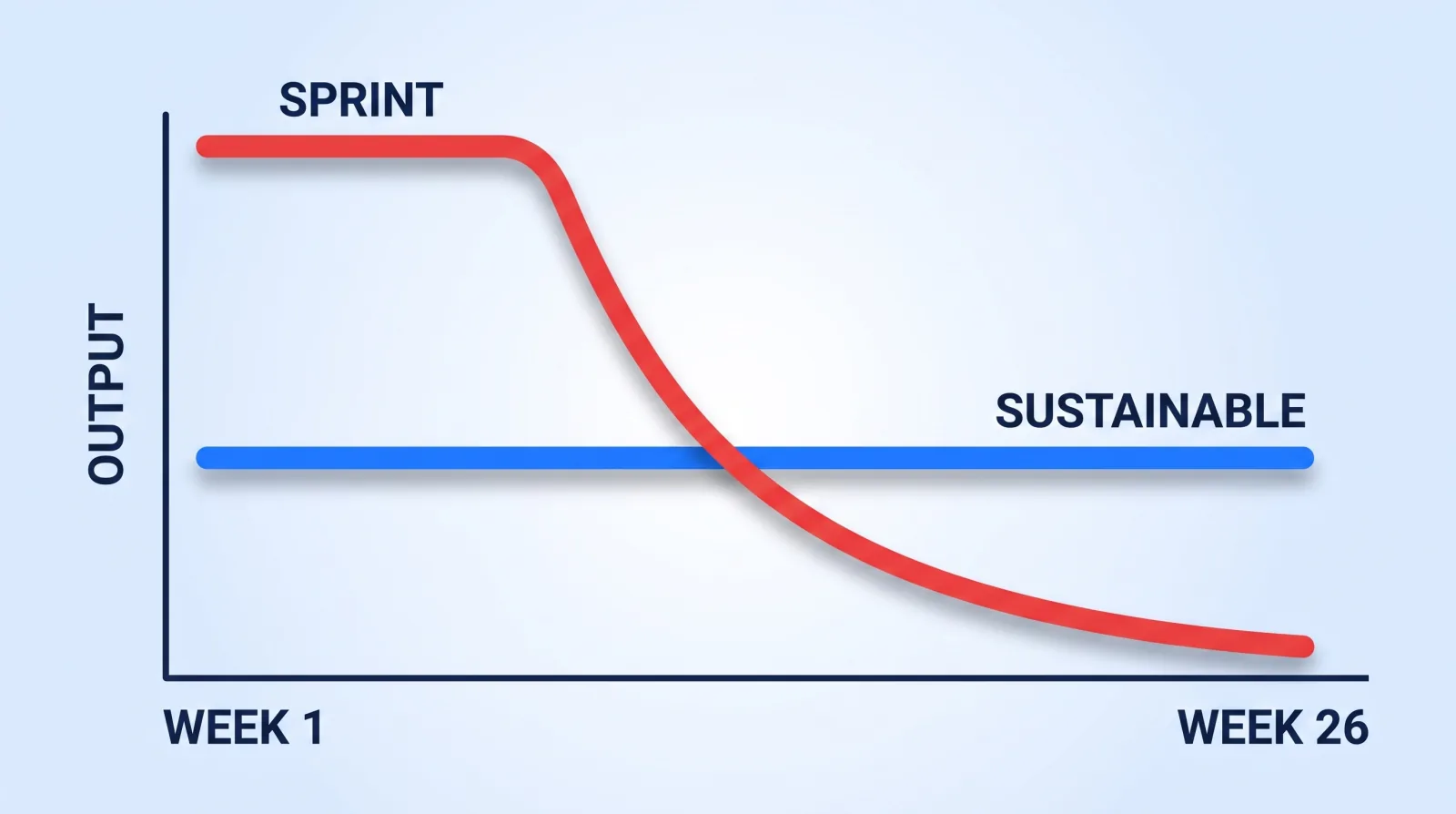
The arithmetic is unkind to sprinting. Four videos a week for seven weeks, then nothing, is 28 videos and a dead channel. One a week for six months is 26 videos and a channel with momentum — plus an audience that still has a reason to check back.
2. Set Your Floor, Not Your Ceiling
Most creators pick a cadence by asking "how much can I make?" That number is your ceiling, and you can only hit it in a week where nothing goes wrong. Set a schedule at your ceiling and every ordinary week — a cold, a day job deadline, a family thing — becomes a missed upload and a small failure.
Pick the floor instead: what you could ship in a genuinely bad week, with a headache, on the second-worst day of the month. That's the number that goes on the calendar. Anything above it is a bonus you bank, not a debt you owe.
| Hours you actually have per week | Sustainable long-form cadence | What else realistically fits |
|---|---|---|
| Under 5 | 1 video per month | Nothing else. Protect the one. |
| 5–12 | 2 videos per month | 4–6 shorts cut from them |
| 12–25 | 1 video per week | 8–10 shorts, light community posts |
| 25–40, or 1 hired editor | 1 video per week, higher production value | A full short-form pipeline |
| 40+ with a team | 2 videos per week | Everything, including live |
"Hours you actually have" means hours left after your job, sleep, and the rest of your life — not the hours you'd have if you were maximally disciplined. Most creators overestimate it.
3. The Hours Aren't Where You Think They Are
When we audit a creator's week before taking them on, the time almost never breaks down the way they expect. Filming feels like the main event because it's the part that's visible. It isn't the part that eats the week.
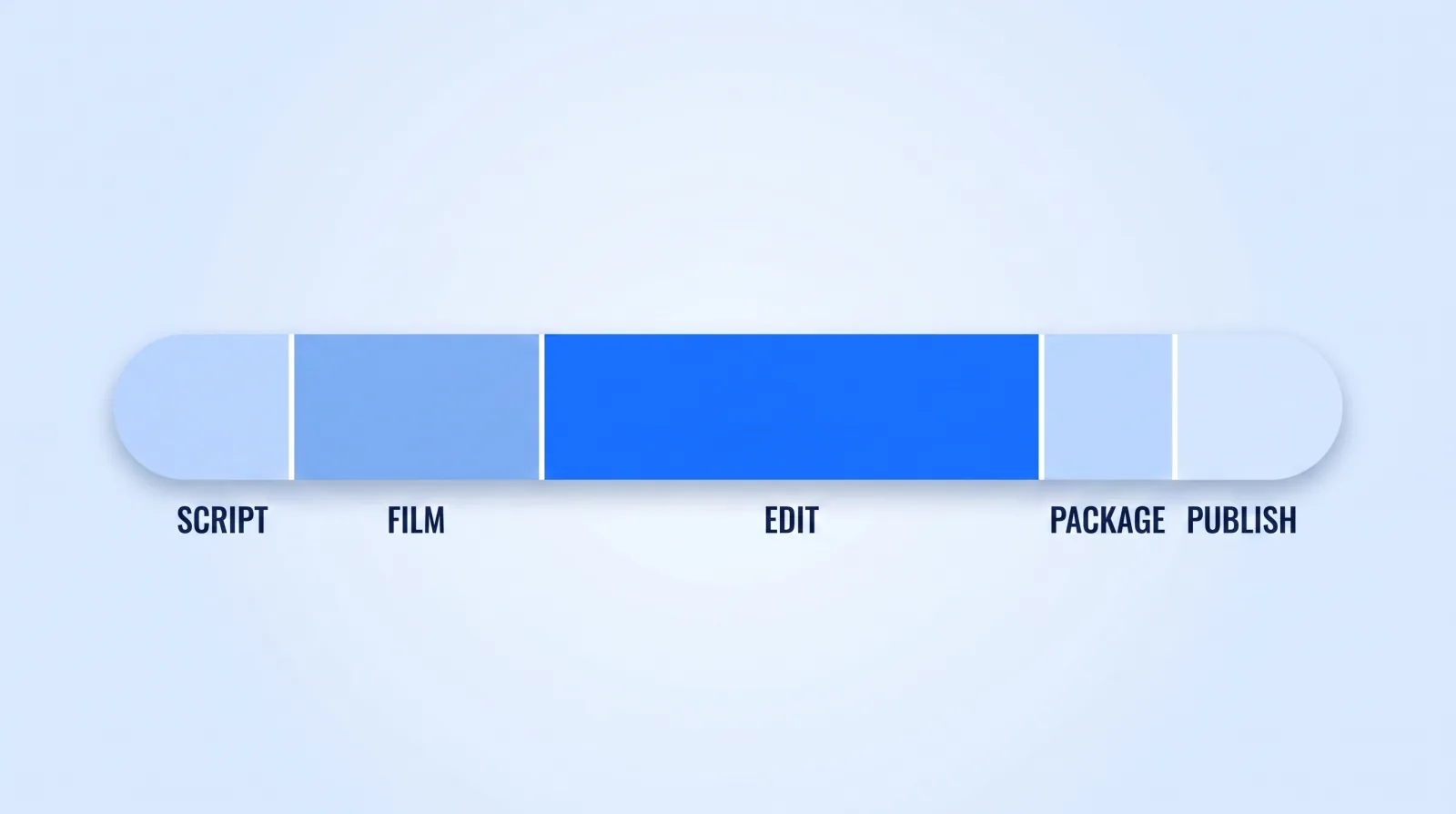
Editing is often the biggest share of the clock on a talking-head build, and it's the stage that scales worst: a 20-minute video usually takes more than twice as long to cut as a 10-minute one. It's also the only stage on that bar that transfers cleanly to somebody else. Nobody can be you on camera. Anybody good can assemble your timeline.
That asymmetry is the whole game. The stage consuming the most hours is the stage you're least uniquely required for.
4. Buy Capacity Before You Cut Quality
When the cadence stops fitting, creators reach for the wrong lever in a predictable order: first they cut sleep, then they cut prep, then they cut quality, and only then — usually too late — do they consider adding capacity. Reverse that order.
Adding capacity doesn't have to mean a hire. In rough order of cost:
- Repurpose instead of originate. One long-form video is the raw material for a week of short-form. Our content multiplier system turns a single upload into ten cuts without a second filming day.
- Batch the setup, not just the shoot. Lighting and camera setup is a fixed cost you pay per session, not per video. Filming three videos in one session is the cheapest hour you'll ever save — the planning side of this is our 90-day content calendar.
- Hand off the edit. The highest-leverage single change most creators make. It requires a real brief to work, which is why we published the editor handoff framework — a vague handoff creates more work than it removes, and a ready-made brief template closes that gap fast.
- Build a bench, not a person. One editor is a single point of failure who also takes holidays. Two is a system. That transition is covered in hiring and managing an editing team.
The money objection is real for smaller channels, and worth being honest about: at the Partner Program's main eligibility threshold of 1,000 subscribers and 4,000 valid public watch hours, ad revenue alone won't cover an editor. But video demand is not the constraint — Wyzowl's long-running video marketing survey and Wistia's annual State of Video report both show sustained business appetite for video year over year. Most creators can fund their first editor with one freelance or brand project long before AdSense would have.
The Cadence Gate
Run this before you commit to any posting schedule, and again any quarter it starts to hurt.
- ✅ Count your real available hours for one honest week — then subtract 20%.
- ✅ Set the cadence at your bad-week floor, not your best-week ceiling.
- ✅ Confirm the schedule survives one sick week without a missed upload.
- ✅ Identify which stage eats the most hours (it's almost certainly the edit).
- ✅ Name the first thing you'll hand off, and the revenue number that triggers it.
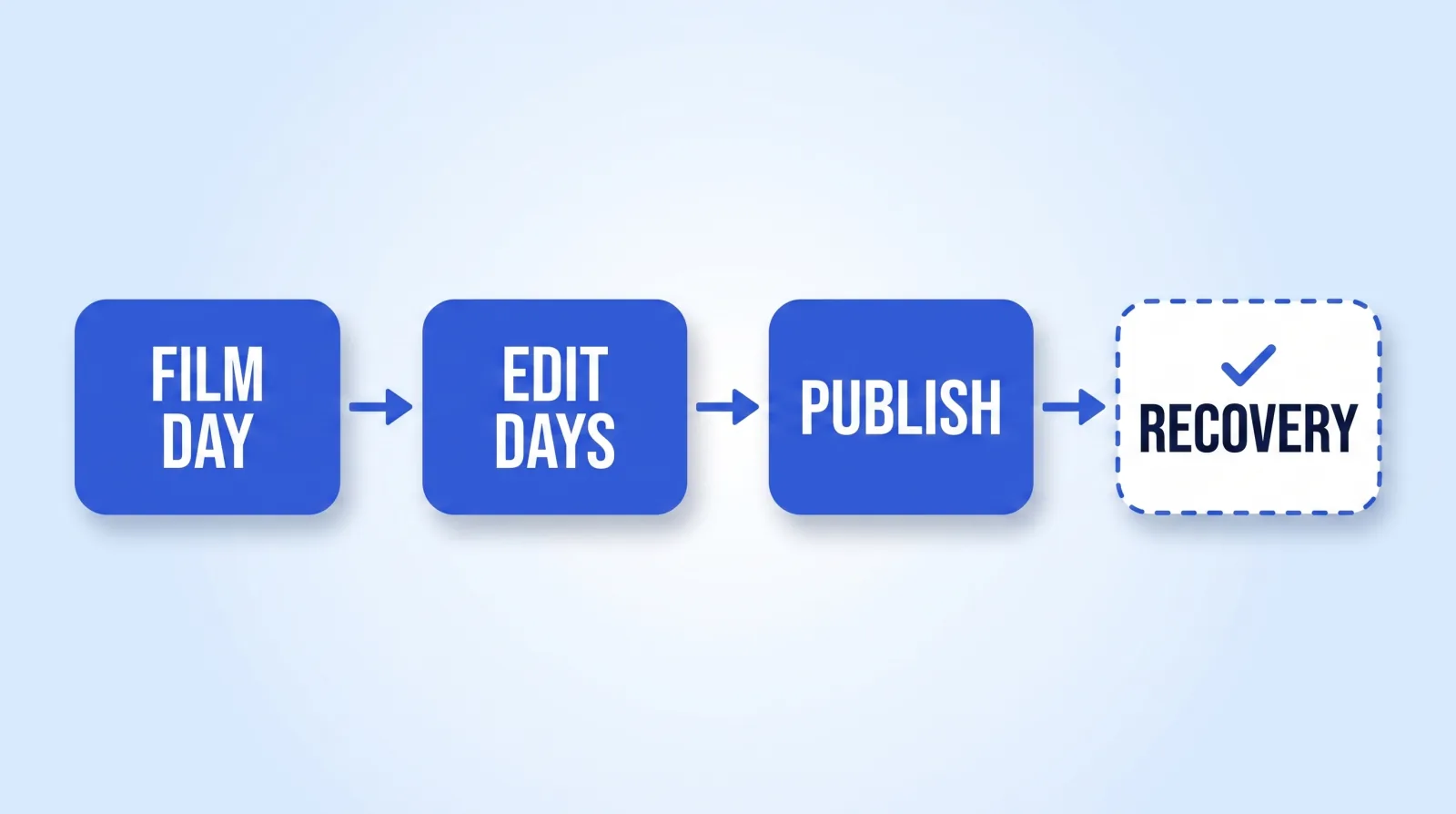
- ✅ Put one genuinely empty recovery block on the calendar and defend it like a client deadline.
- ✅ Keep a two-video buffer banked, so a bad week costs the buffer instead of the streak.
- ✅ Re-run this gate every quarter — capacity changes, and schedules don't update themselves.
The buffer in step 7 is the one people skip, and it's the one that does the most work. Publishing from a two-video bank means an illness costs you a stressful weekend instead of a broken streak.
The Bottom Line
Consistency beats volume, and the only cadence that stays consistent is one set at your floor rather than your ceiling. Upload frequency was never the ranking signal creators believed it was — the algorithm is matching videos to viewers, not counting your attendance.
If you're deciding between posting twice as often and posting half as often but finishing every video properly, take the second one. It's the version you'll still be running in a year.