A Pivot Doesn't Fail Because People Reject the New Topic
It fails because of who the algorithm has already decided you are. YouTube's own explanation of how recommendations work is built around the individual viewer — what that person watches, finishes, and comes back to — not around whatever topic a channel says it covers. Years of uploads train a very specific model of which viewers to put your videos in front of. Change the subject and that model is still running, still serving your new video to the old audience, and still reading their indifference as a quality signal.
That's the actual mechanic behind the "my views died after I switched niches" story, and it's why the pivots that work don't look like a switch at all. Across 10,000+ projects and 100M+ views, we've taken channels through repositioning strategy more times than we've launched new ones — and the ones that keep their reach treat a pivot as a controlled handoff between two audiences rather than a launch day.
1. Three Kinds of Pivot, Three Very Different Costs
"Pivot" gets used for three moves that cost wildly different amounts. Naming yours first determines everything else.
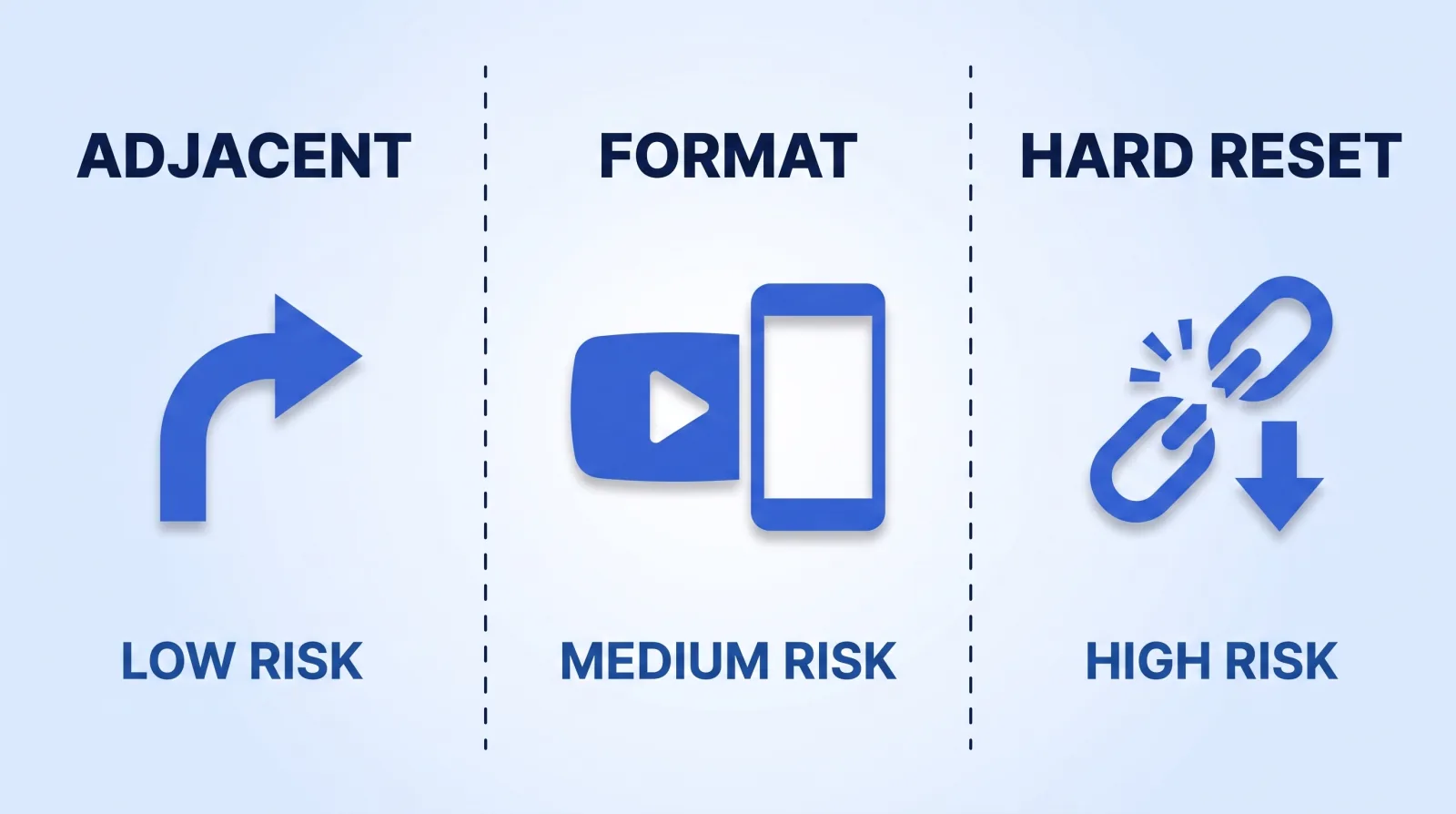
| Type | What changes | What the algorithm has to relearn | Typical reach dip (rough estimate) |
|---|---|---|---|
| Adjacent | Topic moves one step sideways | Almost nothing — same viewer profile | 0–15%, recovers in weeks |
| Format | Same subject, new container (long-form → docs, solo → interviews) | Session behaviour and watch patterns | 20–40%, 4–8 weeks |
| Hard reset | New subject, new audience | Everything | 50–80%, 3–6 months |
A finance channel moving from budgeting into small-business tax is adjacent — the viewer is the same person with the same problem, one stage later. A gaming channel becoming a filmmaking channel is a hard reset, no matter how much of the same personality carries across.
Most creators think they're doing an adjacent pivot and are actually doing a hard reset. The test isn't whether the topics feel related to you. It's whether the person who watched your last video would search for your next one.
2. What Carries Over — and What Genuinely Resets
The good news is that a pivot resets far less than creators fear. The bad news is that the thing it does reset is the thing that drives distribution.
| Asset | Survives a pivot? |
|---|---|
| Subscriber count | Yes — but dormant subs stop counting as reach |
| Monetization status | Yes, YPP eligibility is channel-level, not topic-level |
| Back catalogue watch time | Yes, and it keeps earning |
| Search authority on old keywords | Yes, indefinitely |
| Recommendation targeting | No — this is the one that resets |
| Brand-deal positioning | Partially; expect to re-pitch |
Subscriber counts are the cruellest part of this. Nothing visibly changes, so a creator assumes the audience came with them, while the subscribers who never open the new videos quietly teach the system that your content underperforms with its own audience. Watching that play out in real time is what the three KPIs that actually predict growth are for — during a pivot, average percentage viewed matters more than views, because it's the number the recommendation model is reading.
3. The 90-Day Pivot Sequence
This is the sequence we run for clients repositioning a channel. Ninety days is not a stylistic choice — it's roughly how long it takes for enough new-audience watch data to accumulate that the system stops defaulting to the old profile.
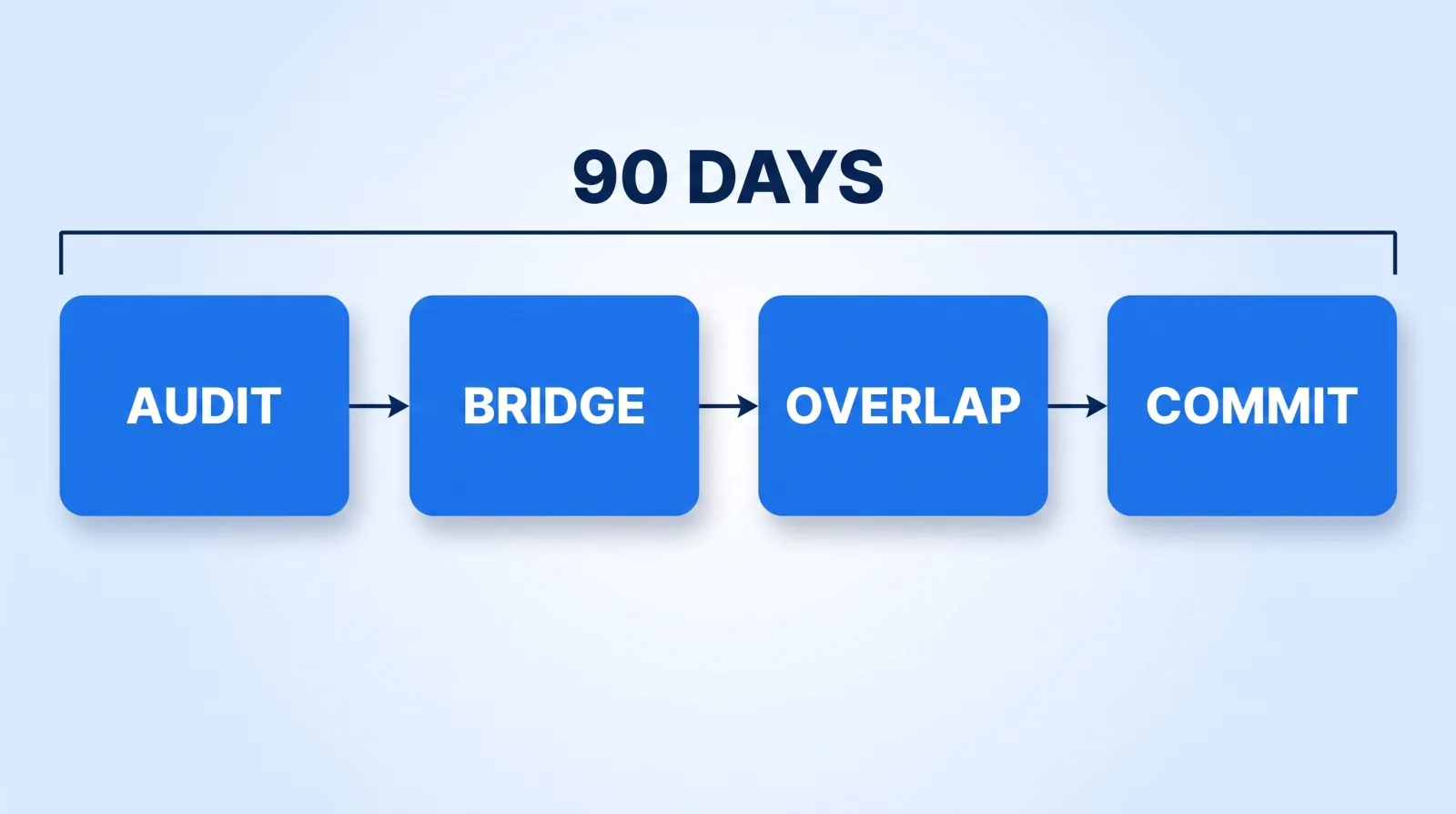
Days 1–14 — Audit. Pull your last 50 videos and sort by average percentage viewed, not views. Look for videos that already lean toward the new direction and overperformed. That's not a coincidence; it's your audience telling you the pivot is partly pre-approved. If nothing in the catalogue leans that way, you're running a hard reset and should plan for the longer timeline.
Days 15–45 — Bridge. Publish three to five videos that are legitimately about both things. Not a teaser and not an announcement video — a real video that the old audience would click and the new audience would find useful. A budgeting channel's bridge into small-business tax is "I tracked every expense in my first year self-employed," which is both.
Days 46–75 — Overlap. Roughly a 50/50 mix. Keep publishing to the old topic while the new one accumulates data. This is the phase creators skip, and skipping it is what turns a small dip into a deep one. Batch production makes this survivable — the mechanics are in our 90-day content calendar.
Days 76–90 — Commit. Only now do you change the channel name, banner, and about section, rebuild playlists around the new pillars, and update packaging. Doing this on day one is the single most common mistake: you strip the old audience's recognition cues before the new audience exists to replace them.
A note on packaging: keep your thumbnail language consistent through the entire pivot. Changing topic and visual style at once removes every remaining familiarity signal at the exact moment you need it. The visual identity system is the constant, and what makes a thumbnail get clicked doesn't change with the subject.
4. Pivot in Place, or Start a Second Channel?
The reflex is to start clean. It's almost always wrong.
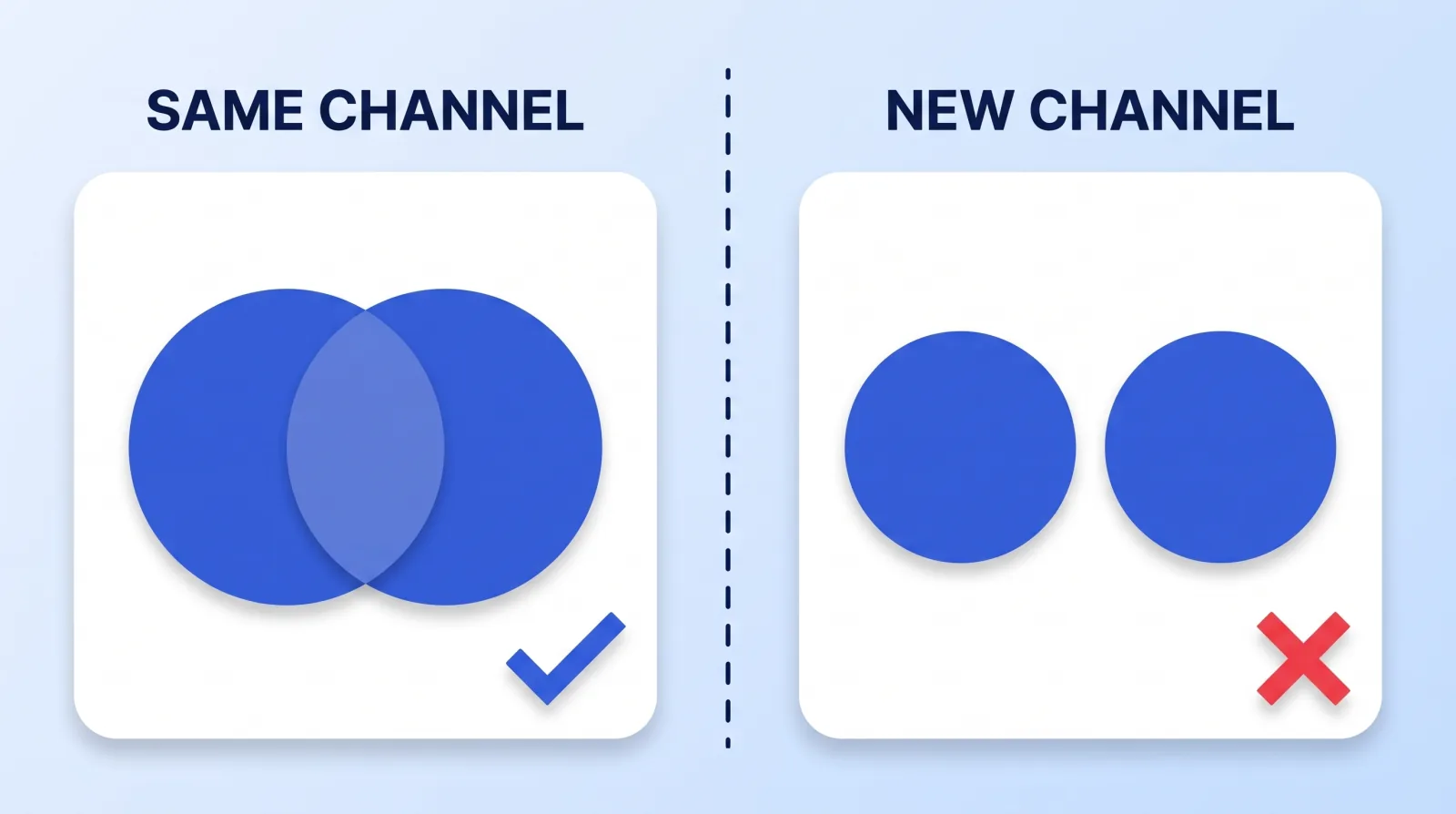
A new channel starts at zero on every signal that matters: no watch history, no recommendation model, no monetization, no search authority. You are trading a temporary reach dip for a permanent restart — on a platform whose audience and upload volume make cold starts harder every year. The video marketing benchmarks that make video look easy are all measured on channels that already have distribution.
Start a second channel in exactly three cases:
- Zero audience overlap. A cooking channel adding a stock-trading show. Not "different," genuinely unrelated.
- Format mismatch on cadence. A weekly cinematic channel adding daily vlogs, where mixing them wrecks the session profile of both.
- Different commercial buyer. B2B sponsors buying corporate-style video and consumer sponsors want clean, unmixed audiences in a media kit.
Everything else — including most cases that feel like a total reinvention — should be a pivot in place.
The Pre-Pivot Gate
Run this before the first bridge video. It takes an afternoon.
- ✅ Pivot type named honestly — adjacent, format, or hard reset.
- ✅ Last 50 videos sorted by average percentage viewed, with the overperformers in the new direction identified.
- ✅ Three to five bridge video concepts written that serve both audiences.
- ✅ Baseline numbers screenshotted: CTR, average percentage viewed, subs per 1,000 views.
- ✅ Nothing renamed yet — channel name, banner, and handle stay untouched until day 76.
- ✅ Thumbnail and title conventions locked for the whole 90 days.
- ✅ Existing sponsors told before they find out from the upload feed.
- ✅ A written stop condition — the number that would make you reverse — decided in advance.
That last one matters more than the rest. Pivots fail slowly, and without a number written down beforehand, three bad months become a year of drift.
The Bottom Line
A channel pivot costs you recommendation targeting, not subscribers, not monetization, and not your back catalogue. Bridge videos and a genuine overlap phase are what let the system relearn who to serve you to before your old audience goes quiet — and the rename belongs at the end of the pivot, not the start.
If you can't name a single video in your last 50 that points toward the new direction, you're not pivoting. You're launching, and you should plan and budget for it that way.