

The Short Answer: How to Hire a Video Ad Editor
To hire a video ad editor, write down what you're handing over (UGC clips, product footage or a long video to cut down) and where the ads will run. Shortlist three editors whose samples are paid ads, pay your top two to cut the same test ad with three hooks, check it against the platform specs, and put variants, turnaround, music and rights in writing.
Ads and promo videos came up in 77 of the 698 first messages from buyers that we analysed, the most-requested format after Shorts and YouTube videos. What an ad edit costs per ad and per month is in our guide to video ad editing cost. Long sales videos have their own guide: how to hire a VSL editor. This post covers short paid ads: choosing the editor and setting up the work.
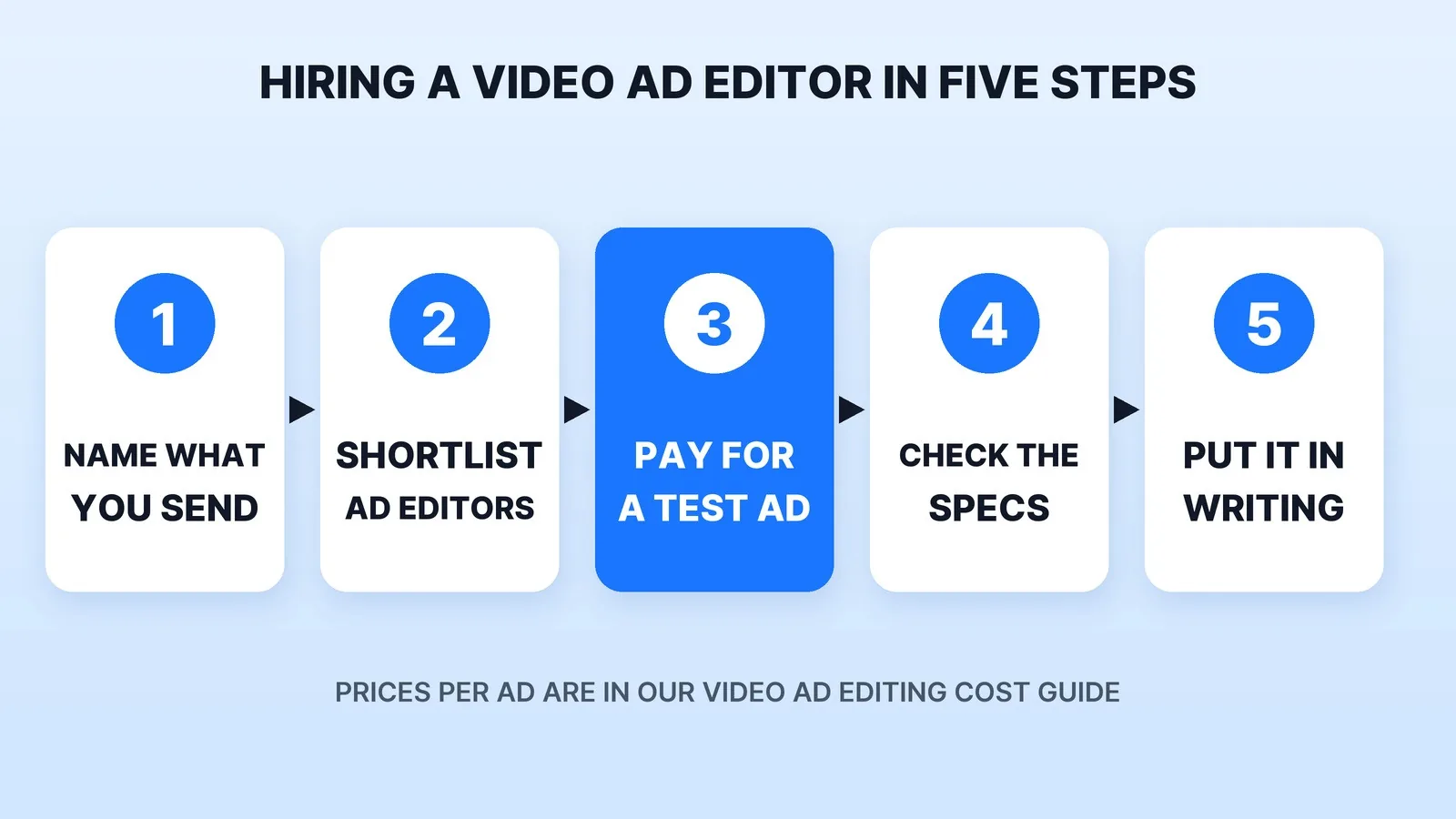
Step 1: Name What You're Sending and Where It Runs
An ad editor's job changes with the raw material, so start with what you have:
| What you send | What the editor does | Look for |
|---|---|---|
| UGC clips from creators | Picks the strongest takes, builds hook, problem, product and call to action, adds captions | Ads that feel native to the feed, not like a TV spot |
| Product or brand footage | Cuts a demo or offer ad around the product, with text and end card | Clean product shots and offer text you can read on a phone |
| A long video (webinar, podcast, YouTube video) | Finds the 15 to 60 seconds that sell and rebuilds them as an ad | Judgement: the cut-down still makes sense without the rest |
Then list the placements: YouTube pre-roll, Shorts, Instagram and Facebook feeds, Reels, TikTok. Each one decides the shape, the length and where text can sit. If you also want someone to run the campaigns, say so now. Editing the ads and buying the media are different jobs, and many editors only do the first.
Step 2: Shortlist Editors Whose Samples Are Ads
A beautiful brand film doesn't show that someone can cut a direct-response ad. Ask each candidate for three ads they edited that ran with spend behind them, and ask what they did on each: the script, the cut, the hooks, the captions. Watch every sample twice, once with sound off, because a feed ad has to sell on mute.
Freelance marketplaces, ad creative subscriptions and studios all sell this work. Our freelance marketplaces comparison lays out the trade-offs between a marketplace seller and a managed service, and our BeCreatives comparison shows how a creative subscription differs from a per-project studio. For a refresher on what a strong ad looks like before you judge one, read our guide to viral video ads for e-commerce brands.
Step 3: Pay Your Top Two for the Same Test Ad
Give both finalists the same footage, the same offer and the same brief, and ask for one ad with three different hooks: the first two or three seconds changed, the rest the same. Hooks are where ads win or lose, and three versions show whether the editor can write openings or only polish one. Pay both. Then compare:
- Does each hook stop a thumb in the first second, with no slow logo intro?
- Is the offer clear on mute, with captions and offer text you can read at phone size?
- Is the call to action on screen long enough to act on?
- Did they follow your claims rules, with nothing on screen you can't back up?
- How did they handle your notes on the first round?
Step 4: Check the Test Ad Against the Specs
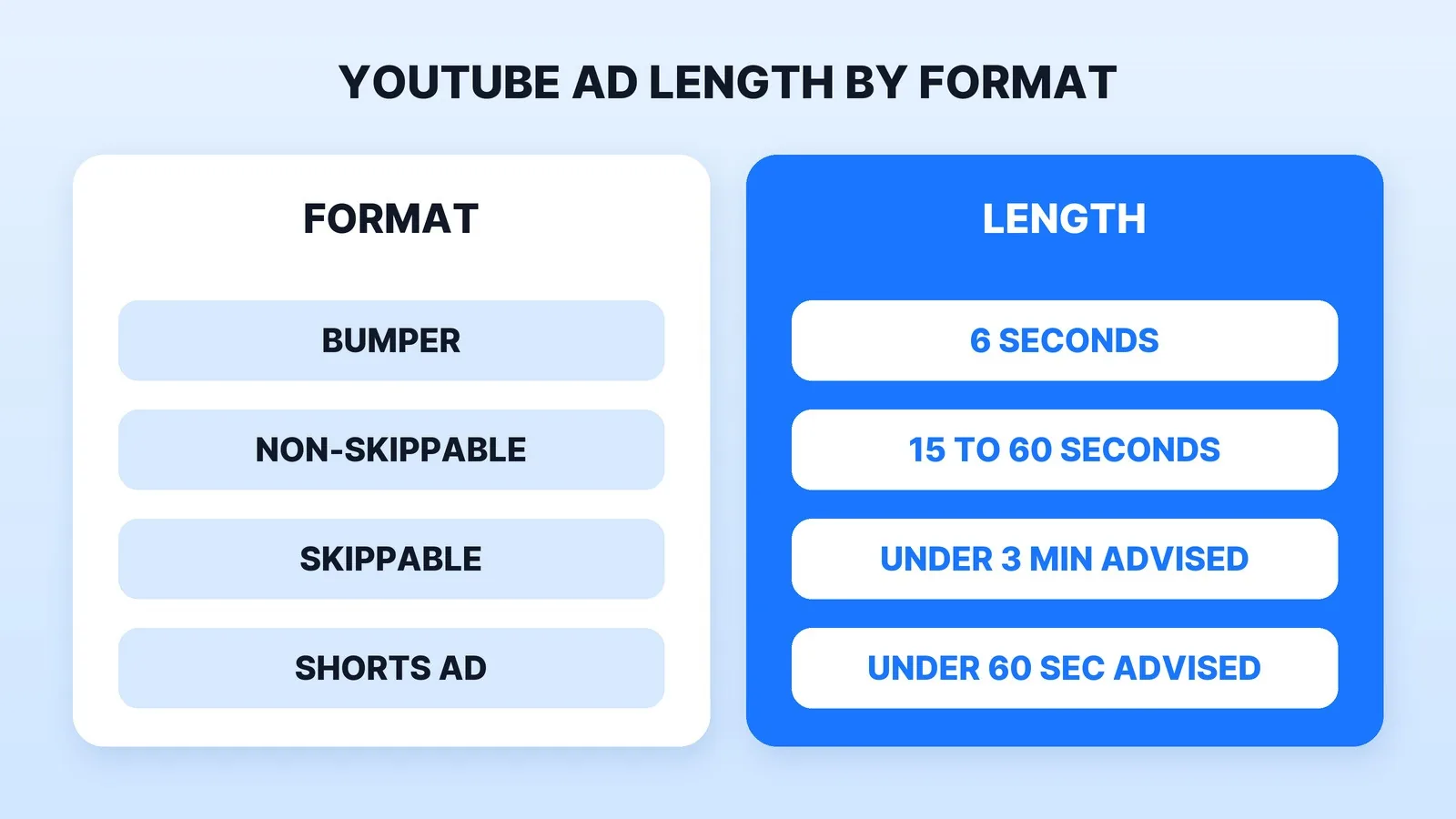
- Length per format. Google's video ad formats page lists bumper ads at 6 seconds, non-skippable in-stream ads at 15 to 60 seconds depending on the campaign subtype, skippable in-stream ads with no maximum (under 3 minutes recommended), and Shorts ads under 60 seconds recommended. Agree a length for every placement before the edit starts.
- Shape and size. Google's video ad specs recommend 1920x1080 for horizontal, 1080x1920 for vertical and 1080x1080 for square, and accept 4:5 for vertical too. One master edit should come back in every shape you'll run.
- Safe zones. Buttons, overlays and calls to action cover different parts of the frame on each format, and Google publishes safe-zone templates so your logo, product and text stay clear. Drop a frame into our safe zone checker to see the same thing for each app.
- Legible text and clean sound. Google's editorial policy doesn't allow videos with "illegible text, poor sound quality, or blurry, unclear, or unrecognizable visuals". Check the test ad on a phone, at low volume.
- AI labels. If the editor uses AI-generated voices, faces or footage, Google's specs page notes that regulations in the EU, India, New York, California, South Korea and Vietnam require labels on ads with certain AI-generated or edited assets. Ask the editor to tell you which parts were made with AI.
Step 5: Put It in Writing
Before the first paid batch, agree on:
- Variants per concept: how many hooks, lengths and calls to action each ad comes back with.
- Turnaround, counted from when you send the footage, and the number of revision rounds.
- Deliverables: a master per placement, caption files if you need them, and the thumbnail or cover frame.
- Music cleared for paid use. A track licensed for a creator's YouTube channel isn't automatically cleared for ads. Epidemic Sound's pricing FAQ, for example, says its music can be used in ad campaigns on a Pro or Enterprise plan. Ask which licence covers each track.
- Ownership. Under the U.S. Copyright Office's work-made-for-hire rules, commissioned work counts as made for hire only in nine listed categories, one of which is a part of "a motion picture or other audiovisual work", and only with a written agreement signed by both sides. Get that agreement, or a written transfer of copyright. UGC creators' footage needs its own usage rights from the creator, and if a creator also posts the ad on their own YouTube channel, YouTube asks them to tick the paid promotion box.
Where Mark Studios Fits
Mark Studios edits commercials and ad videos: direct-response ads built as hook, problem, offer and call to action, two to four hook variants per concept when you order them, burned-in captions for sound-off feeds, and a cut for every placement from one master, 16:9 to 9:16. Online stores can see how that applies to product and UGC ads on our e-commerce page. If you want the campaigns run as well, Mark also builds and runs ad campaigns on Facebook, Instagram, Google and YouTube. Mark Studios has completed 8,000+ orders with 4,500+ reviews, 99% on time, with work behind 100M+ views, and is Top Rated on Fiverr with a 4.9★ rating.
The Bottom Line
Write down what footage you're sending and where the ads will run, shortlist three editors whose samples are paid ads, and pay your top two for the same test ad with three hooks. Check it for length, shape, safe zones, legible text and AI labels, then put variants, turnaround, deliverables, music licensing and copyright in writing.


