

The Short Answer: How to Hire an App Developer
To hire an app developer, write a one-page scope for the first version, shortlist three developers who have shipped apps you can download today, and test those apps on your own phone. Pay your favourite for a short discovery phase before the full build, and get it in writing that the App Store and Google Play accounts, the source code and the copyright are yours.
What an app costs by route, from marketplace gigs to fixed-price studios, is in our separate guide to app development cost. This guide covers choosing the person and setting up the project so the app stays under your control after the developer moves on.
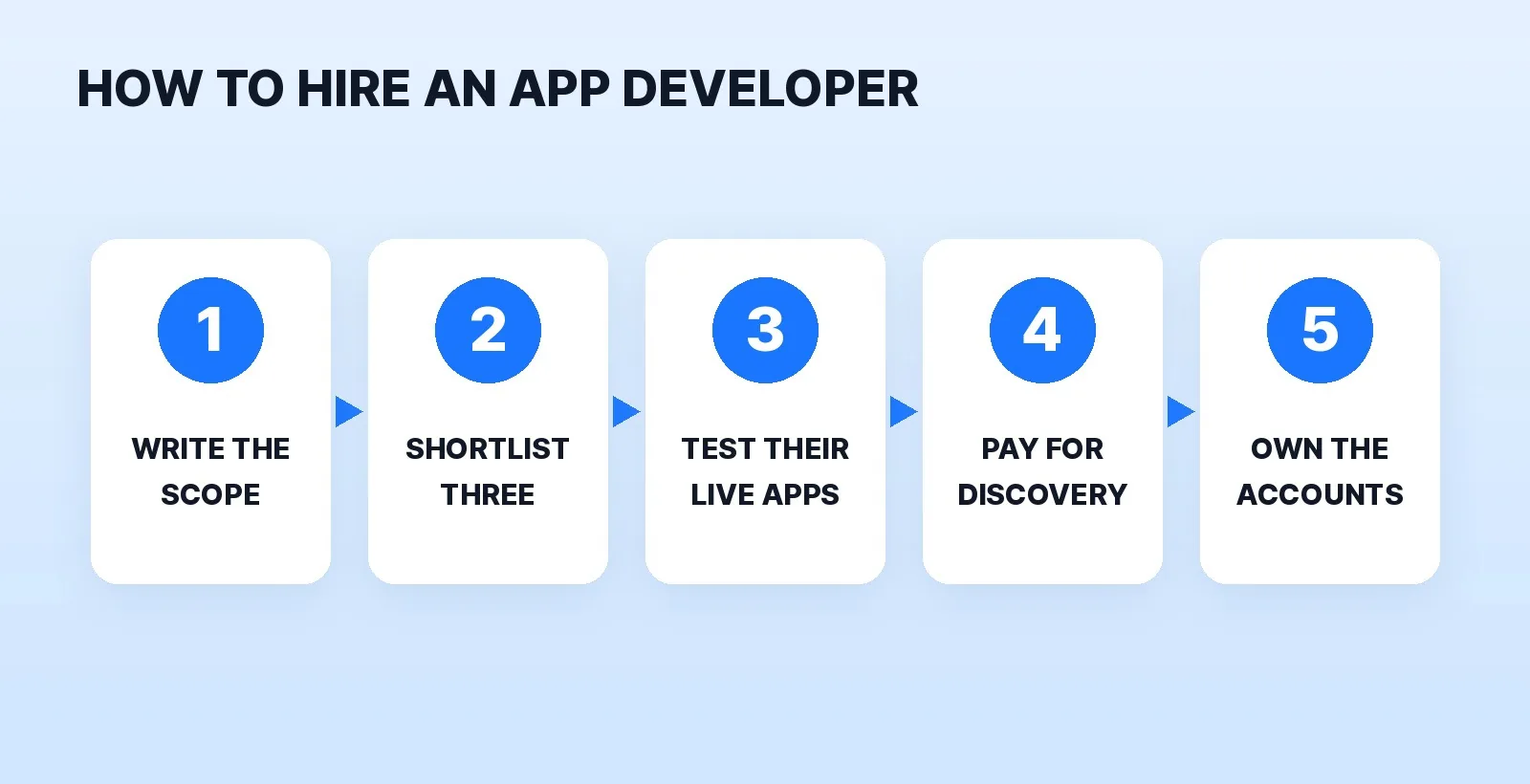
Step 1: Write the First-Version Scope on One Page
"App developer" covers designers who only make screens, freelancers who build one platform, and studios that design, build and launch on both stores. Before you message anyone, answer five questions on one page:
- What is the one thing a user does in the app? Book, order, track, learn, chat. That core flow is the first version; everything else goes on a version-two list.
- iPhone, Android or both at launch? This decides between native builds and one cross-platform codebase.
- Does it need an account, payments or a backend? Sign-in, a database and an admin panel are where a "simple" app grows.
- Does it need the phone itself? Camera, location, offline use and push notifications are the usual reasons to build an app instead of a mobile website.
- Who maintains it after launch? Apple and Google release new versions of iOS and Android every year, so someone has to ship updates.
If the honest answer to question 4 is no and people will use it once, a fast mobile website may do the job for less. Our guide on how to hire a web designer covers that route.
Step 2: Shortlist Three Who Have Shipped Apps You Can Download
There are four good places to look:
| Where to look | What you see before you message | What to check |
|---|---|---|
| A marketplace (Fiverr, Upwork) | Reviews, rates, delivery times | Whether past buyers got a store-listed app or just screens and a prototype |
| An app you use in your industry | Real software in daily use | Who built it: check the developer name on the store listing or ask the owner |
| A fixed-price studio | Published packages, a process, case studies | Who actually writes your code, and who answers after launch |
| A referral from another founder | An honest account of the whole project | How the developer handled bugs and changes after launch |
Our freelance marketplaces comparison lays out the trade-offs between a marketplace seller and a managed service. If you're building a software product, our SaaS video page shows how demo and launch videos fit around the build.
Step 3: Test Their Live Apps, Not the Screenshots
Ask each candidate for the store links of three apps they built, then install them on your own phone:
- It's live and current. The store listing shows when the app was last updated. An app untouched for years may no longer work on new phones.
- The core flow works. Sign up, do the main task, sign out and back in. Turn on airplane mode mid-task and see what happens.
- Reviews mention bugs, not just features. Read the one- and two-star reviews and check whether the developer replied and shipped a fix.
- Both platforms behave the same, if they claim a cross-platform build.
A developer who has never had an app approved will meet store review for the first time on your project. Apple says App Review typically reviews at least 50% of submissions in under 24 hours and 90% in under 48, but a rejection sends the build back for changes, so ask each candidate what their last rejection was and how they fixed it.
Step 4: Pay for Discovery Before the Full Build
Instead of a free proposal, pay your top choice for a short discovery phase: a screen list, wireframes of the core flow, a technical plan (native or cross-platform, which backend) and a written scope with milestones. It's small, fixed work, and it shows how the developer thinks before you commit the full budget. If the fit is wrong, you keep the scope and wireframes and take them to the next developer.
Pay the rest in milestones tied to things you can test: a clickable prototype, a test build on your phone, store submission, launch. Our guide on how to pay a freelancer covers deposits and escrow, and the same terms work for an app developer.
Step 5: Keep the Store Accounts, Code and Copyright in Your Name
The worst way to lose an app is to a developer who published it under their own store account and then went quiet. Before the build starts, agree in writing:
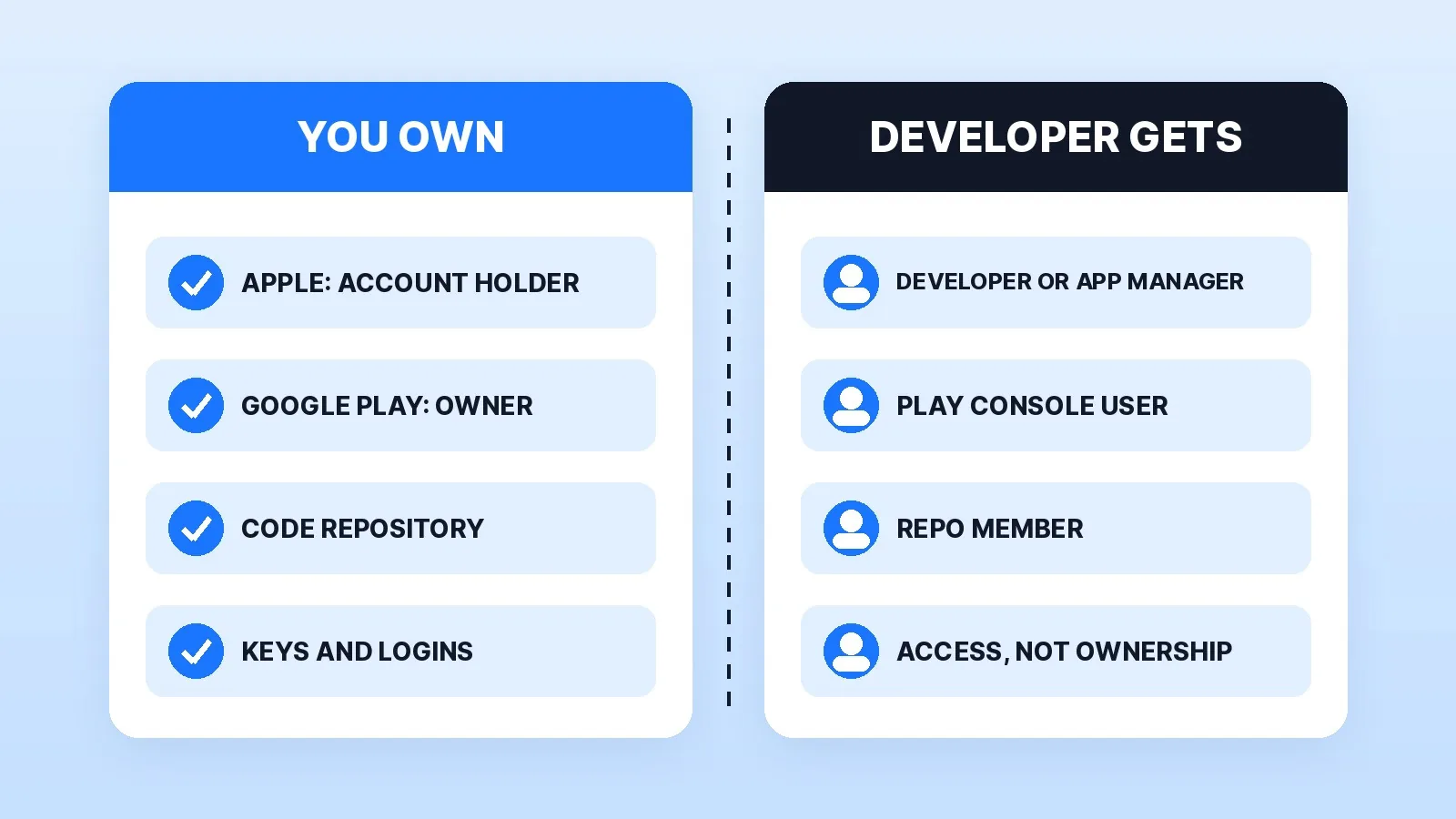
- The Apple developer account is yours. On Apple's role permissions, the person who enrolls becomes the Account Holder, the only user who can sign legal agreements and renew the membership. Enroll yourself; a company needs a legal entity and a D-U-N-S Number, and the program is 99 USD a membership year. Add your developer with the Developer or App Manager role.
- The Google Play account is yours. Google's Play Console permissions make the first registered account the account owner, with full access and control of users. Registration is a US$25 one-time fee, and a personal account must meet extra testing requirements before an app goes live. Invite the developer as a user.
- The code lives in your repository, in a GitHub or GitLab organisation you own, with the developer added as a member.
- You hold every key and login at the end: signing keys and certificates, the backend and database accounts, analytics, push notification services and any API keys, paid for on your card.
- Copyright is transferred to you. Under the U.S. Copyright Office's work-made-for-hire rules, a freelancer's commissioned work only counts as made for hire in nine listed categories, and only with a written agreement signed by both sides. Software may not clearly fit, so ask for a written assignment of copyright on final payment. For a large contract, have a lawyer read it.
- What happens after launch: how long bugs in their own work are fixed for free, and what a maintenance plan covers.
Where Mark Studios Fits
Mark Studios builds mobile apps for iPhone and Android, from discovery and MVP scope through UX/UI design, a native or cross-platform build, testing on real devices and the App Store and Google Play launch, with full source and account handoff at the end. Because video is our core work, the store previews and launch ads are cut in-house; our guide to what a product video costs prices that part if you hire it out. Mark Studios has completed 8,000+ orders with 4,500+ reviews, 99% on time, and is Top Rated on Fiverr with a 4.9★ rating. Whoever you hire, judge them on apps you can download and a paid discovery phase.
The Bottom Line
Write a one-page scope for the first version, shortlist three developers who have shipped apps you can install, and test those apps on your phone before you talk price. Pay for discovery before the full build, and keep the Apple and Google accounts, the code repository, the keys and the copyright in your name from day one.


