A 1.36% Failure Rate Sounds Fine Until It's Your Only Copy
Backblaze's Drive Stats for 2025 put the annualized failure rate across 344,196 drives at 1.36%, with a lifetime rate of 1.30%. Those are excellent numbers — for a data center that keeps redundant copies of every byte. For a creator whose shoot lives on one shuttle SSD, 1.36% a year is a coin you flip every twelve months on footage you cannot re-shoot.
Drive death still isn't the failure we see most often. Across 10,000+ video editing projects and 200M+ views, the expensive one is quieter: nobody can find the file. Drone and multicam footage chews through storage fastest of all, so it's usually the first thing that goes missing. A sponsor asks for a re-cut nine months later, the editor who built the timeline has rolled off, the project is on a drive labelled NEW FINAL 2, and a two-hour job turns into a two-day archaeology dig. File management isn't housekeeping. It decides whether a video is a reusable asset or a one-time event.
1. One Project Folder, Numbered, and Never Improvised
Every project we take on gets the same skeleton, built before a single clip comes off a card. The leading numbers force sort order, so the folder reads identically in Finder, on a NAS, in Google Drive, and in an editor's file browser on the other side of the world.
2026-08-12_acme_launch-film/
├── 01_CAMERA/          # untouched card dumps — read-only after ingest
│   ├── A001_fx3/
│   └── B001_a7siv/
├── 02_AUDIO/           # field recorder, lavs, room tone
├── 03_MUSIC-SFX/       # licensed tracks + the license PDFs
├── 04_GRAPHICS/        # logos, lower thirds, brand kit
├── 05_PROXIES/         # generated, disposable, never backed up
├── 06_PROJECT/         # .prproj / .drp + autosaves
├── 07_EXPORTS/
│   ├── v01_review/
│   └── v04_final/
└── 08_DELIVERY/        # captions, thumbnails, client handoff
Four rules keep it from rotting:
01_CAMERAis read-only after ingest. Nothing inside it gets renamed, trimmed, transcoded, or deleted. It is the negative. Every other folder is reproducible; that one isn't.- The folder name is
YYYY-MM-DD_client_project. Date first means chronological sort for free, and it survives being dragged into any archive without context. - Versions are
v01,v02,v03. Neverfinal, neverFINAL-real, neverfinal-v2-USE-THIS. The highest number wins, and that rule needs no explanation to a new editor. - License PDFs live next to the audio they cover. Subscription libraries like Epidemic Sound issue a per-track licence you can export; when a Content ID claim lands eighteen months later, the proof is in the project folder rather than an inbox — the enforcement mechanics are in our guide to YouTube music licensing.
This structure is also half of a good handoff. The other half is the written brief, which we break down in how to brief a video editor.
2. Proxies Are the Cheapest Speed Upgrade in Post
A proxy is a small, easy-to-decode copy of your footage that the timeline uses while you cut. You edit the proxy; the software relinks to the original camera file at export. Nothing about the final quality changes.
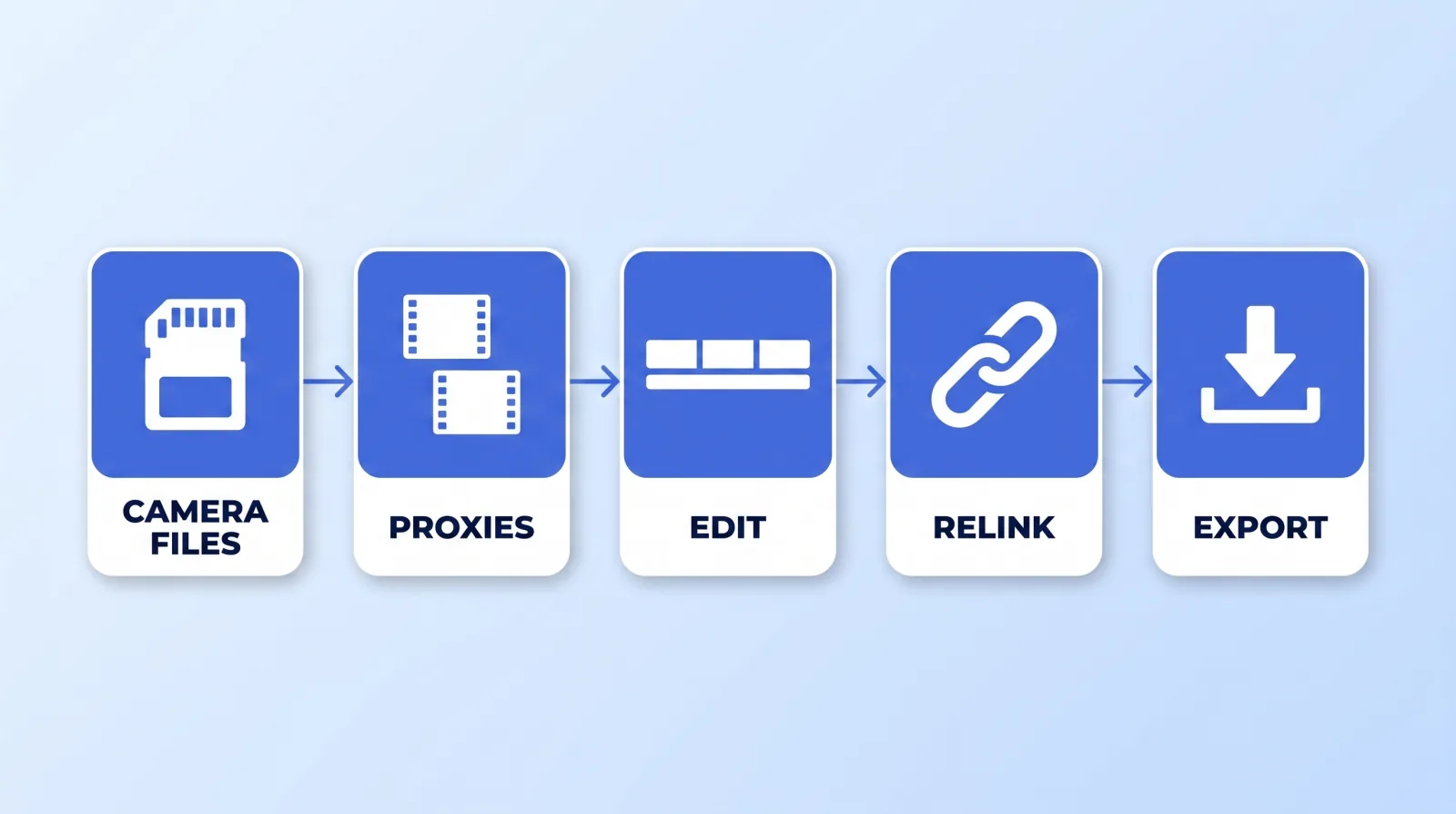
Editors skip this step because generating proxies takes twenty minutes up front. That twenty minutes buys back hours of scrubbing lag on 4K and 6K media, and it is the single biggest reason a remote editor's machine "can't handle" a project. DaVinci Resolve and Premiere both generate and relink proxies natively — there is no third-party tool to buy.
| Setting | What we use | Why |
|---|---|---|
| Codec | ProRes Proxy or H.264 | Both scrub cleanly on a laptop |
| Resolution | Half of source (1080p from 4K) | Enough to judge framing and focus |
| Bitrate | 8–15 Mbps | ~5–8% the size of the camera file |
| Audio | Copied, not compressed | Sync work needs the real waveform |
| Location | 05_PROXIES/, mirrored structure | Relinking never breaks |
Two things worth pinning down: never back up the proxy folder — it's regenerable in twenty minutes and it can be larger than everything else combined — and never color grade against a proxy. Grading is a full-resolution job on real media, for the reasons laid out in our color grading guide.
3. The 3-2-1 Rule, Applied to Video
The rule the Library of Congress digital preservation program has recommended for years is three copies, on two different kinds of media, with one of them offsite. It predates the creator economy and it still hasn't been improved on.
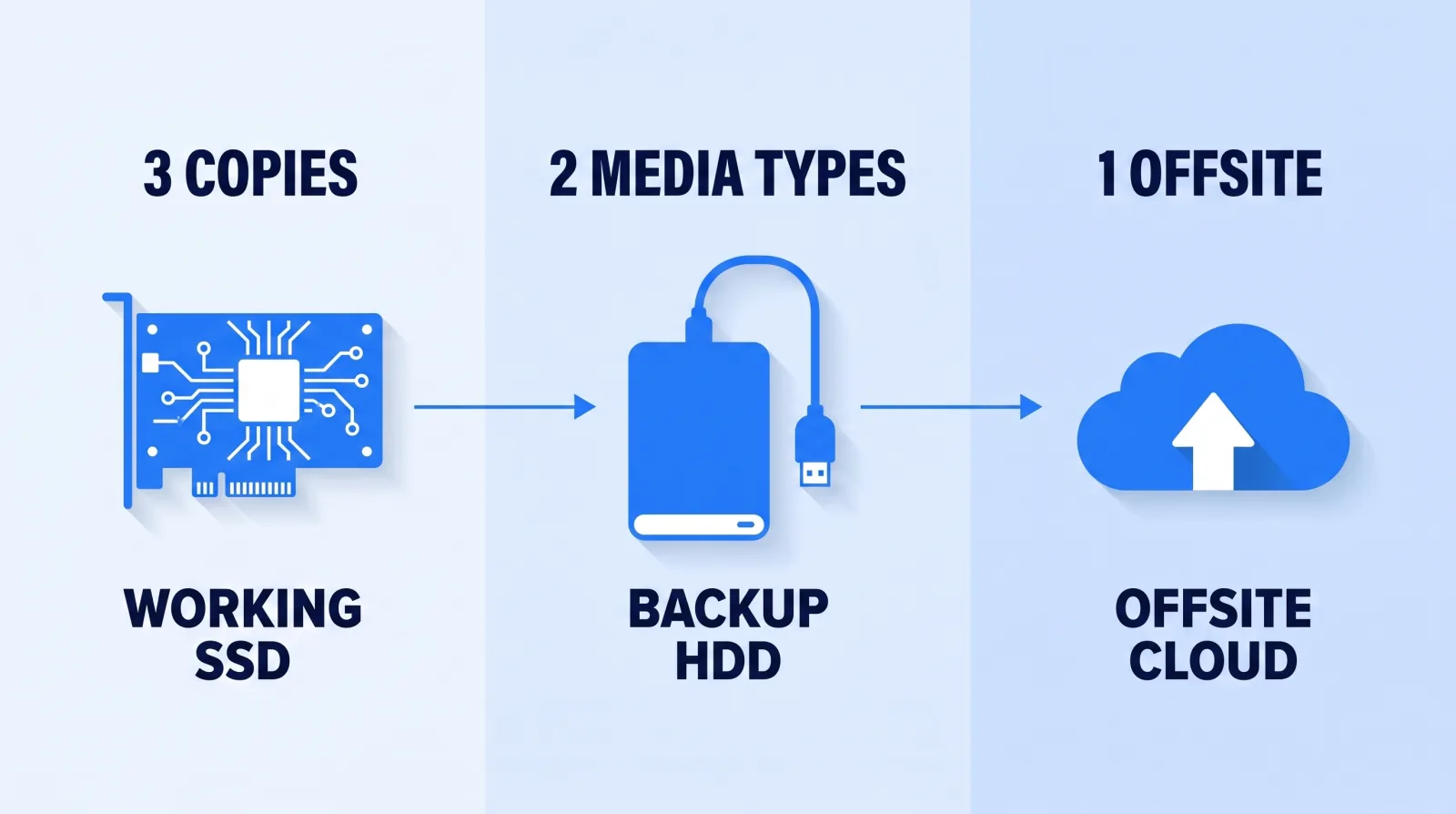
Translated to a video pipeline:
| Copy | Where | When it's written |
|---|---|---|
| 1 | Working SSD or NAS the editor cuts from | At ingest |
| 2 | Second physical drive, different make | Same day as ingest |
| 3 | Cloud object storage or a shuttle drive stored elsewhere | Within 48 hours |
The two rules people get wrong: a copy on the same drive is not a copy, and a copy in a sync folder is not a backup — sync propagates your deletions and your ransomware to every device attached to it. Use versioned storage, or a target that only ever receives new files.
A NAS with two mirrored disks counts as one copy, not two. Mirroring protects against a disk dying; it does nothing about the unit being stolen, flooded, or accidentally wiped from an admin panel. That's what the offsite copy is for, and it is the one everybody defers.
4. Hot, Warm, Cold — and What You're Allowed to Delete
You are not obligated to keep everything forever. You are obligated to know where the keepers are.
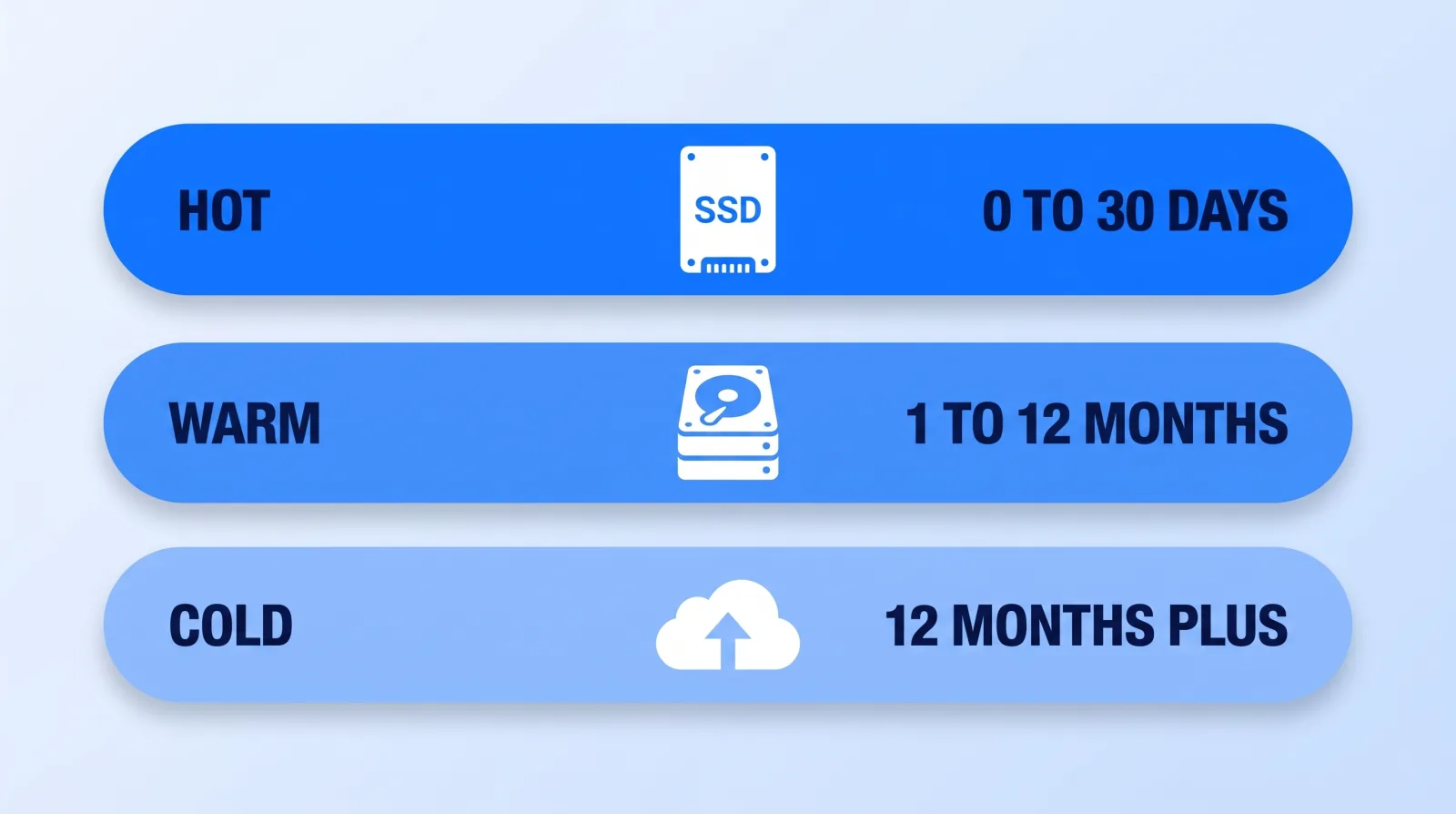
| Tier | Age | Media | Keep |
|---|---|---|---|
| Hot | 0–30 days | Working SSD / NAS | Everything, including proxies |
| Warm | 1–12 months | Spinning disks, two copies | Camera files, project, masters, delivery |
| Cold | 12 months+ | Archive-class cloud, one offsite drive | Selects, project file, master export, brand assets |
At the cold tier, dropping unused camera dumps is a defensible call for talking-head and podcast work. It is not defensible for anything with a client, a brand, or an on-camera performance you'd need to re-shoot. Our rule for client work: the camera originals stay for as long as the relationship plus two years. Sponsors come back for re-cuts far more often than creators expect.
Whatever the tier, the master export gets its own copy — a clean, unburned, no-captions file at YouTube's recommended upload encoding settings. That single file is what every future re-upload, re-license, and platform migration starts from.
The Five-Minute Wrap Gate
This is what runs at the end of every project before an editor closes it out. It takes about five minutes, and it's the same discipline that lets us scale a distributed roster — the operational side of hiring and managing an editing team.
- ✅ Project folder named
YYYY-MM-DD_client_project— no spaces, nofinal. - ✅
01_CAMERAverified against the card checksums, then set read-only. - ✅ All media consolidated into the project folder — nothing linked from a desktop or a downloads folder.
- ✅ Master export in
07_EXPORTS/at full quality, no captions burned in. - ✅ Captions, thumbnail, and any client-facing files in
08_DELIVERY/. - ✅ Music and stock license PDFs saved beside the assets they cover.
- ✅ Second copy written and the offsite copy queued or confirmed.
- ✅
05_PROXIES/excluded from the backup job.
Reviews and approvals should never live in this folder at all. Keep them where they're threaded and timestamped — Frame.io or equivalent — so feedback doesn't arrive as five filenames in a chat thread.
The Bottom Line
A numbered folder structure, proxies that keep the timeline responsive, and three copies on two media types with one offsite will prevent essentially every file disaster that hits creators. None of it is technically hard, and all of it has to be decided once rather than per project.
The test isn't whether you can find a file today. It's whether a new editor, handed the drive and nothing else, could open the project and export a re-cut without asking you a single question. If the answer is no, that's the work.