

Your Comment Count Is Not a Ranking Signal
YouTube's public description of how recommendations work names what the system reads: "a user's viewing behavior, likes, dislikes, subscriptions, and feedback, including from satisfaction surveys." Read that list again and notice what is missing. Comment volume is not in it, and it is not in YouTube's longer account of the recommendation system either.
So the "comment below to boost the algorithm" line every creator has recited is, at best, unproven. What the comment section actually is: the only surface on your channel that strangers can publish to, permanently attached to your video, visible to every future viewer deciding whether to subscribe. That makes it a moderation problem and a customer-service problem — not a growth hack.
Across 10,000+ projects at Mark Studios — work that has driven 100M+ views — the channels with genuinely good comment sections are almost never the ones replying the most. They are the ones that built a filter first and a reply habit second, in that order.
Build the Filter Before You Build the Habit
YouTube's comment settings give four moderation levels per video, and most channels have never moved off the default.
| Level | What it does | Use it when |
|---|---|---|
| None | Holds nothing | Small, known audience only |
| Basic | Holds potentially inappropriate comments | The sane default for most channels |
| Strict | Holds a broader range of potentially inappropriate comments | Kids-adjacent, health, finance, politics |
| Hold all | Nothing publishes until you approve it | Crisis, brand launch, a video going unexpectedly wide |
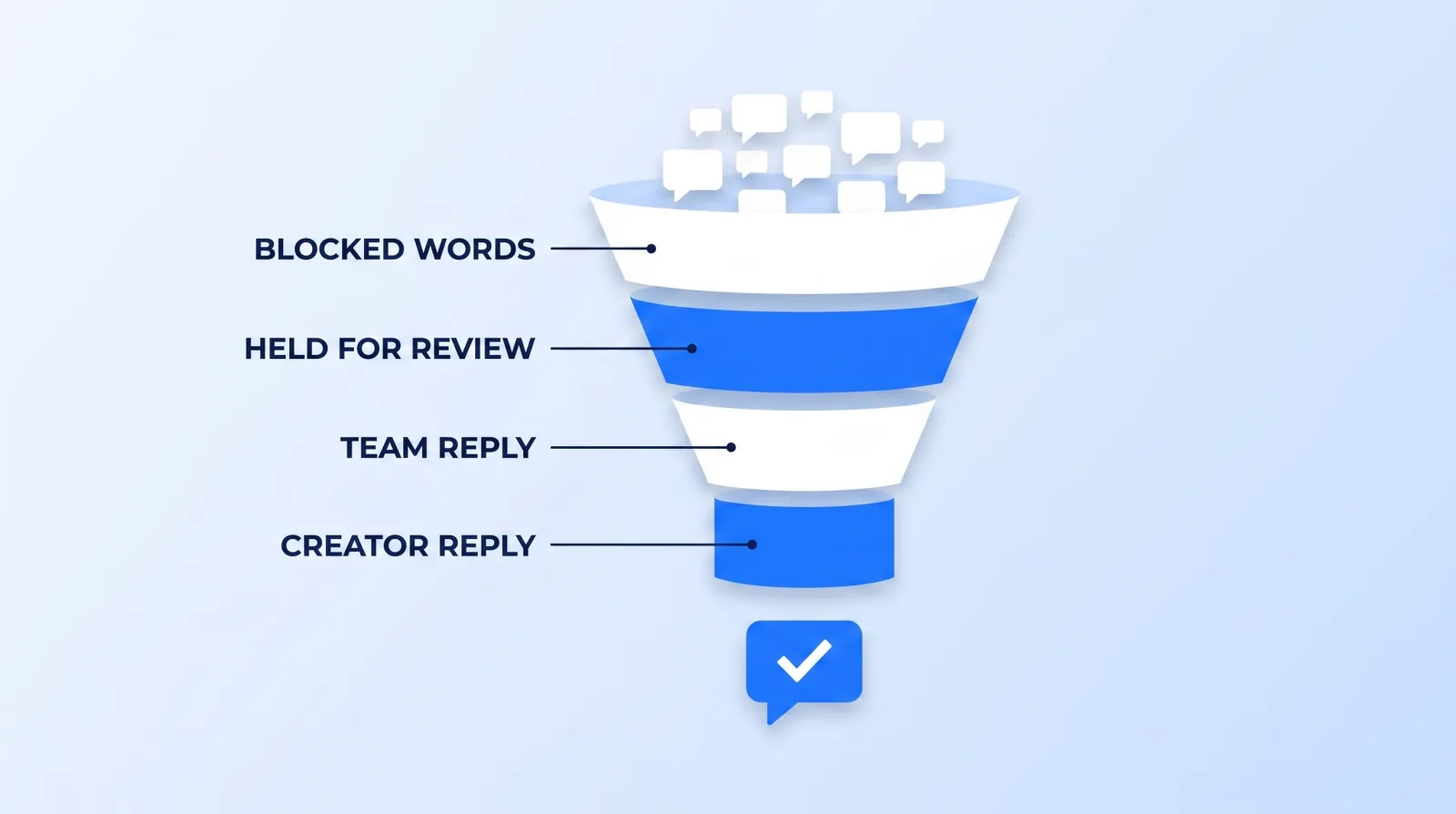
Above those sit three channel-level tools, and this is where creators get caught: blocked words, blocked links, and hidden users cannot be set on a single video. YouTube's own FAQ says so plainly — they apply to every video on the channel and to your channel homepage. Decide once, for the whole channel.
- Blocked words. Comments containing or closely matching your terms are held for up to 60 days. The same list blocks matching live chat messages and stops those words being used in clips of your videos.
- Blocked links. You can hold every comment containing a URL. This is the single highest-yield setting on the page, because it kills most scam and impersonation traffic in one click. Links from you, your moderators, and approved users pass through.
- Approved users. Their comments publish automatically and skip filtering for blocked links, blocked words, and inappropriate-content detection entirely. Powerful, and worth using sparingly.
Everything caught lands in the Held tab in YouTube Studio, stays there for up to 60 days, is invisible to the public unless you approve it, and can be reviewed in over 100 languages.
There is one more lever nobody uses. On an individual video you can restrict commenting to subscribers and members, with a minimum subscription time of any duration, one hour, one day, or one week. It is not available channel-wide, so you apply it per video or through bulk edits. On a video you expect to attract a brigade, a one-week minimum ends the problem before it starts.
The Three Buckets
Once the filter is doing its job, triage is simple enough to hand to somebody else. Every surviving comment is one of three things:
- A question. Answer it. This is the only bucket with compounding value, because the answer is public and the next fifty people with that question read it instead of asking.
- A signal. Repeated confusion at 4:30, a request for a topic, a correction you got wrong. This does not need a reply; it needs to be written down and taken into the next planning session.
- Noise. Praise, insults, emoji, bots. Heart the praise, hide the abuse, and move on.
The reason most creators burn out on comments is that they process all three buckets with the same energy. Bucket 3 deserves about four seconds. Track questions answered and signals captured; comment count belongs with the vanity metrics we tell clients to ignore.
Hide, Don't Argue
Hiding a user removes their comments, live chats, and community posts from your channel, and blocks them from making clips of your videos. Crucially, they are not notified, which is the entire point: a public block is an invitation to escalate, and a silent hide ends it.
The tradeoff is real. Comments from hidden users stop appearing on your Comments page in Studio, so you cannot review them afterwards. You are choosing not to see it, permanently.
Hiding is the right tool for someone who is merely tiresome. Where a comment crosses into targeted abuse, hiding is not enough — report it under YouTube's harassment and cyberbullying policies so it is actioned at the platform level rather than just on your channel. A hidden user is still harassing everyone else.
What to Delegate, and the Role That Makes It Safe
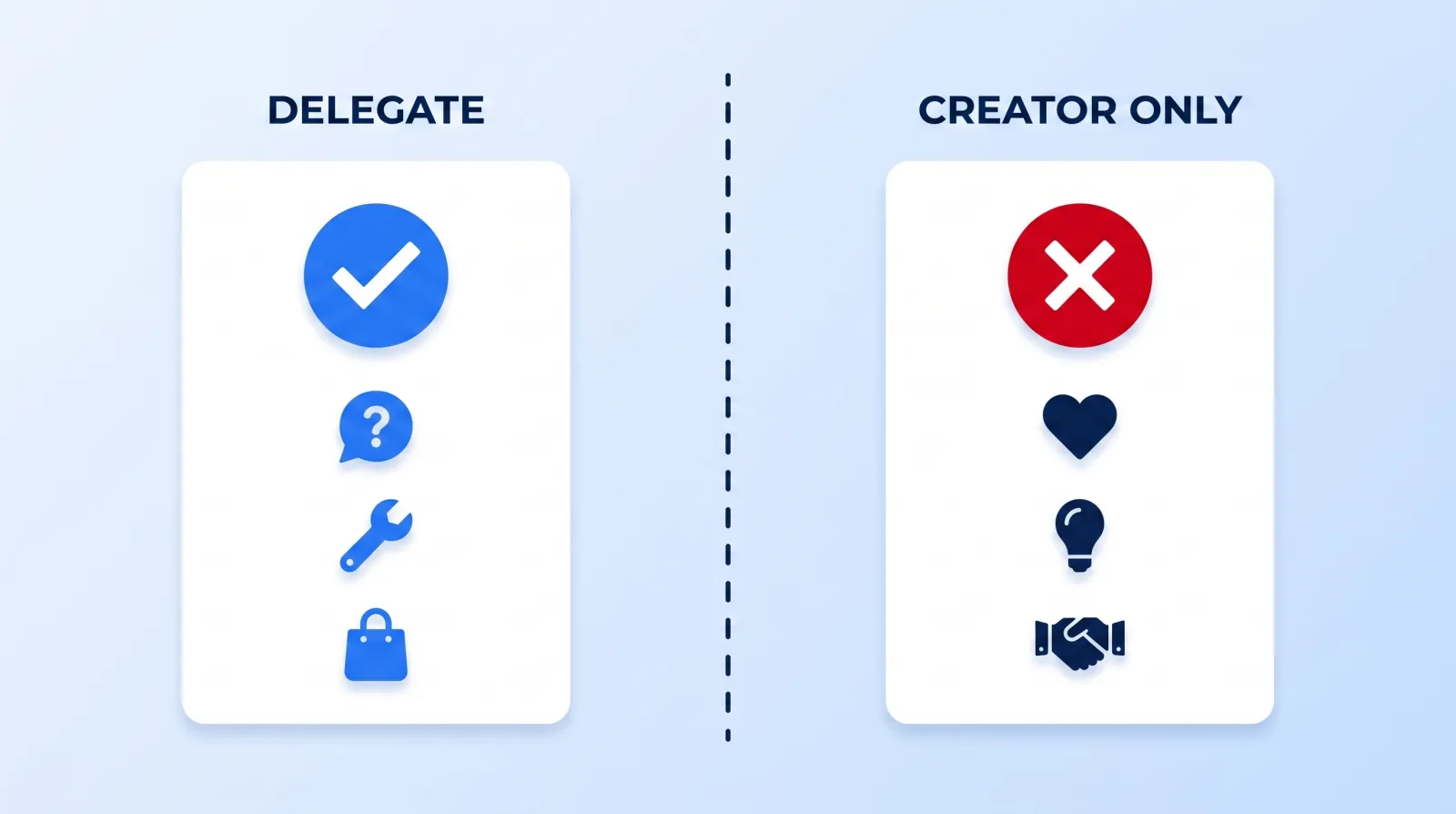
The blocker is almost always the same: creators do not want to hand over their Google account, so they hand over nothing. Channel permissions exist precisely for this. They grant five levels of access to your channel's data and tools without giving anyone access to your Google Account — and they are the reason a comment moderator is a safe hire.
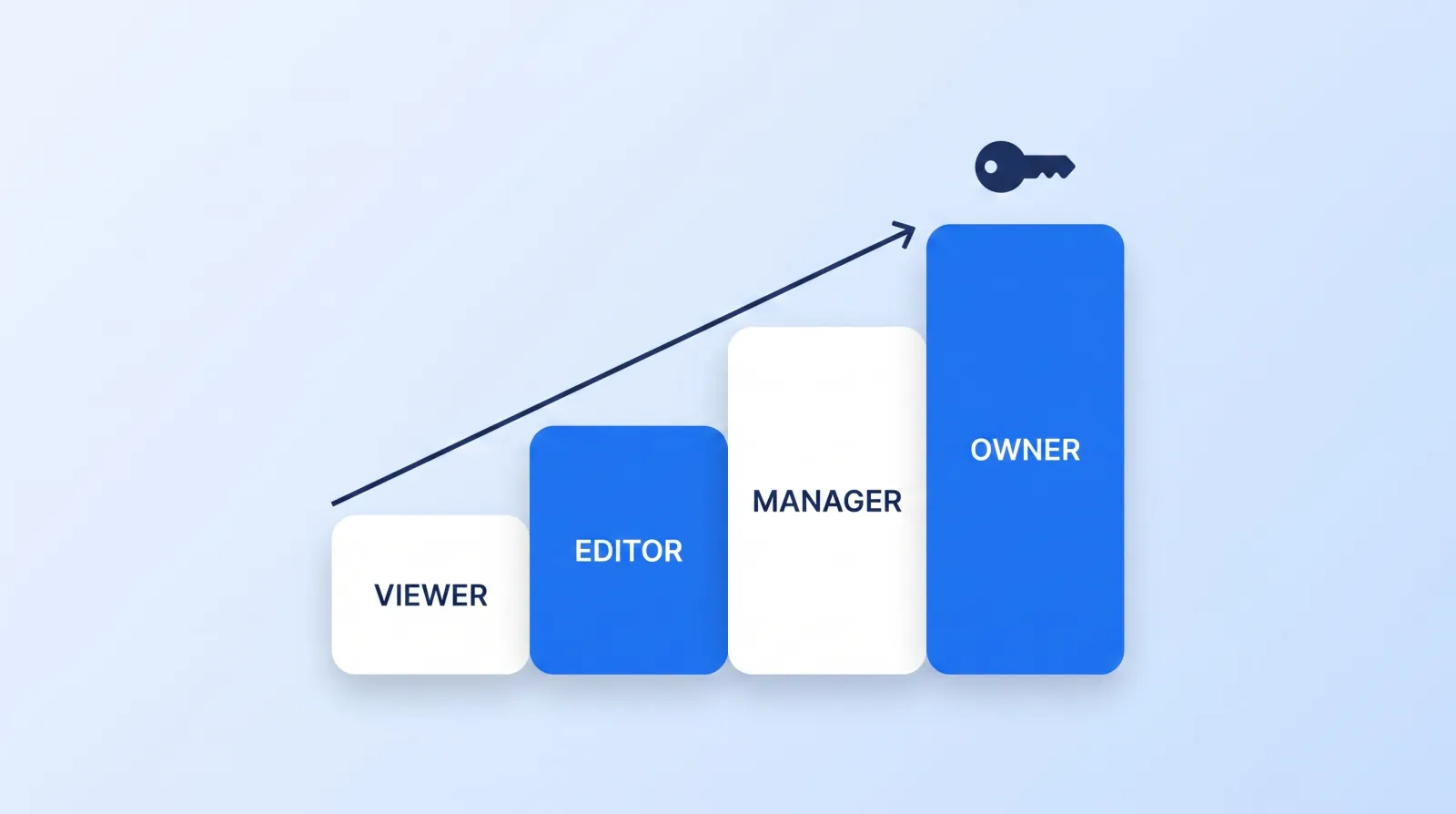
| Role | Reply to comments as the channel | Sees revenue data | Manage permissions |
|---|---|---|---|
| Viewer | No | Yes | No |
| Editor (Limited) | Yes | No | No |
| Editor | Yes | Yes | No |
| Manager | Yes | Yes | Yes |
Editor (Limited) is the role you want for a comment moderator. It carries the same abilities as Editor — including replying to comments as the channel from YouTube Studio — while cutting off revenue data. Deleting Community posts stays Manager-only, so a moderator cannot quietly remove your posts either. If you are already running distributed help, the same hiring and onboarding discipline in our guide to managing a global editing team applies here.
The 20-Minute Comment Block
Run this once per day, timed, and stop when the timer stops. It is the same principle behind a sustainable production cadence: the work expands to whatever room you give it.
- ✅ Clear the Held tab first — approve, delete, or hide. Anything older than 60 days is gone whether you look at it or not.
- ✅ Sort by newest on the video published in the last 48 hours — this is where questions concentrate and where an answer earns the most reads.
- ✅ Answer questions only. Not praise, not disagreement, not bait.
- ✅ Heart, don't type, for anything that just needs acknowledging.
- ✅ Pin one comment per video — the correction, the resource link, or the question everyone is about to ask. It is the only comment guaranteed a read, and it works exactly like the packaging levers in our piece on playlists, end screens, and cards.
- ✅ Log signals in one file, not in your head.
- ✅ Hide and move on. No replies to bad faith, ever.
Step 7 is the one people fail. One public argument in your own comment section costs more subscriber trust than fifty unanswered questions, and it never ends where you think it will.
The Bottom Line
Comment volume is not a documented ranking input, so stop optimising for it. Set the filter once at the channel level, restrict links, moderate at Basic or Strict, and hand channel management to a moderator with the Editor (Limited) role so the work leaves your desk without your revenue data or your password going with it.
Then spend twenty minutes a day answering questions in public. That is the part no tool does for you, and it is the only part that compounds.


