

The Short Answer: How to Hire a Video Editor on Upwork
To hire a video editor on Upwork, post a job that states your format, your raw footage length, one reference video and your deadline. Shortlist proposals by portfolio work in your format first and Job Success Score second. Then pay one editor for a fixed-price test on a real video before you commit. Upwork's Basic plan adds a 5% marketplace fee plus a one-time contract fee of $0.99 to $14.99.
Is Upwork good for hiring a video editor? It's good when you want editors to come to you, compare their proposals side by side, and keep the one you pick for months. The catch is the spread. Upwork's own rate page puts video editors at $10 to $60 an hour, proposals run from beginners to pros, and sorting them is your job. One creator summed up their Upwork hire this way: "After fees, it really wasn't worth it."
We write this from the editor's side of the inbox. Across 10,000+ projects for 4,500+ clients at a 4.9★ rating, we've read thousands of first messages, and the hires that work start the same way. Everything here about Upwork's rules comes from Upwork's own pricing page, help center and Terms of Service, checked October 8, 2026.
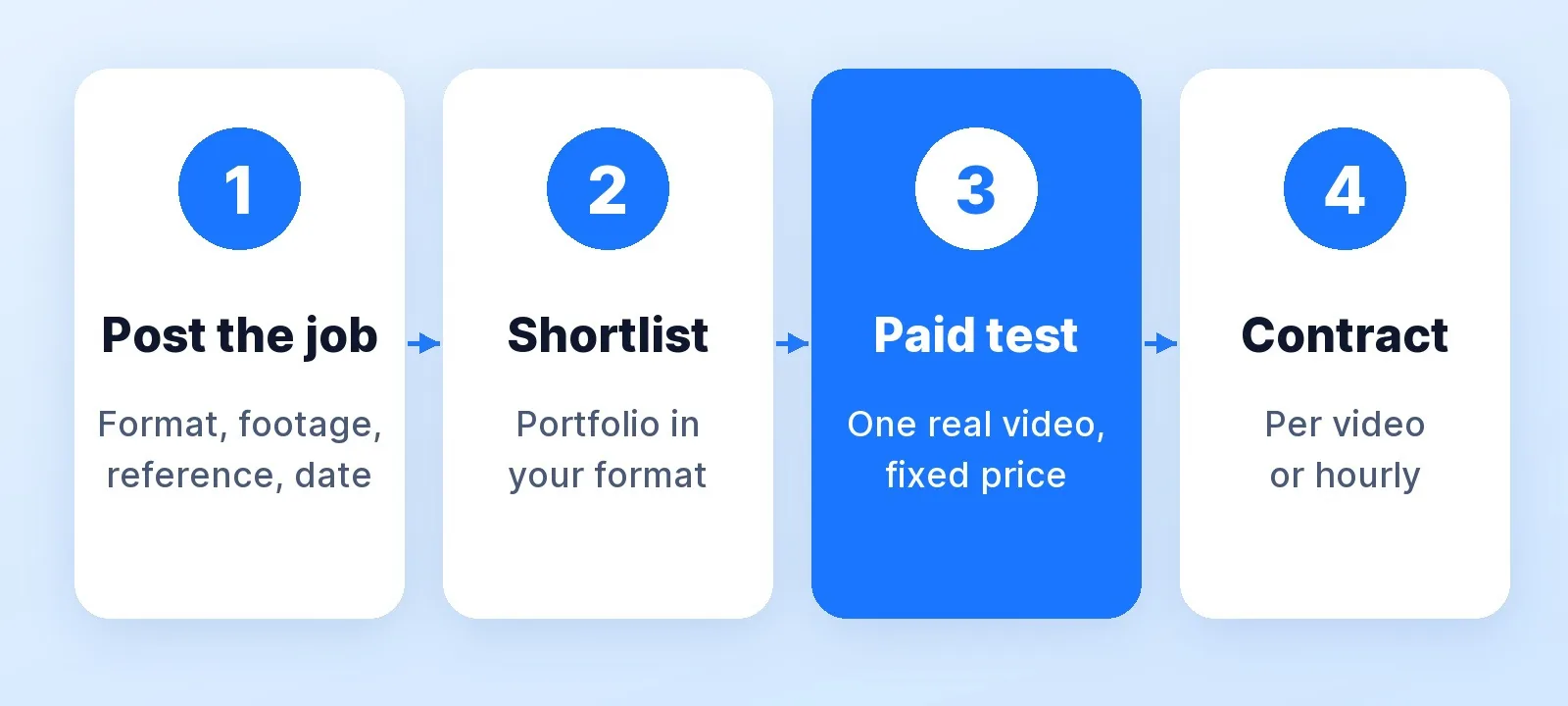
Step 1: Write a Job Post an Editor Can Quote
Editors price raw footage, not finished length, so "need a YouTube editor, long-term" gets generic proposals at generic prices. In our own inbox, 55% of first messages (384 of 698) arrived with a reference link or a "like this", and 42% described the raw footage the buyer already had. Those are the buyers we can quote on the first reply.
Upwork's AI job post generator drafts a post from one or two sentences. Use it if you like, then make sure these lines survive the edit:
Title: YouTube editor for a weekly 10–12 min talking-head show

The job: one video a week, 10–12 min finished, from ~45 min of raw
footage (2 camera angles + screen recordings), shared in Google Drive.
Reference: [link]. Match the pacing and caption style, not the music.
Deliverables: 16:9 master + 3 vertical Shorts cut from it.
Schedule: footage lands Monday, first cut Thursday, publish Saturday.
Start: one paid test episode (fixed price), then ongoing.
To apply: link 2 videos you edited in this format and tell me
one thing you'd change about the reference.
The last line does the filtering, because a copy-paste proposal can't answer it. For the handoff once someone starts, use our free video editing brief template and the guide to sending a reference video an editor can actually use.
Step 2: Read Proposals, Job Success Score and Badges
Start with the portfolio, not the badge: watch two pieces in your format past the first minute, where pacing problems show.
Job Success Score (JSS) is Upwork's measure of client outcomes. Per its help center, it weighs client feedback, how contracts ended and long-term relationships. Freelancers at 90% and above "have consistently delighted their clients", scores in the 80s show solid work with room for improvement, and 79% or below may signal trouble meeting expectations. The score is recalculated daily over 6, 12 and 24 months, and the profile shows the best of the three.
| Badge | What it takes, per Upwork |
|---|---|
| Rising Talent | A promising newcomer; can be earned before a first JSS |
| Top Rated | JSS of 90%+, $1,000+ earned in the last 12 months, first project 90+ days ago (criteria) |
| Top Rated Plus | Top Rated, plus $10,000+ earned in 12 months and large contracts without negative outcomes (criteria) |
| Expert-Vetted | A screening by Upwork's Talent Managers, including an interview (criteria) |
One trap: an agency profile's JSS aggregates every contract across the agency, so the person who cuts your video may not be the person whose portfolio you watched. Ask who will edit, by name. And none of these badges tells you whether someone can cut your format. Only the test in step 4 does.
One example is ours. Mark Studios takes editing work on Upwork too, and Mark's Upwork profile shows a 100% Job Success Score across 15 jobs (checked October 8, 2026). Scores move, so check any profile, ours included, on the day you hire.
Step 3: Fixed-Price or Hourly Contract?
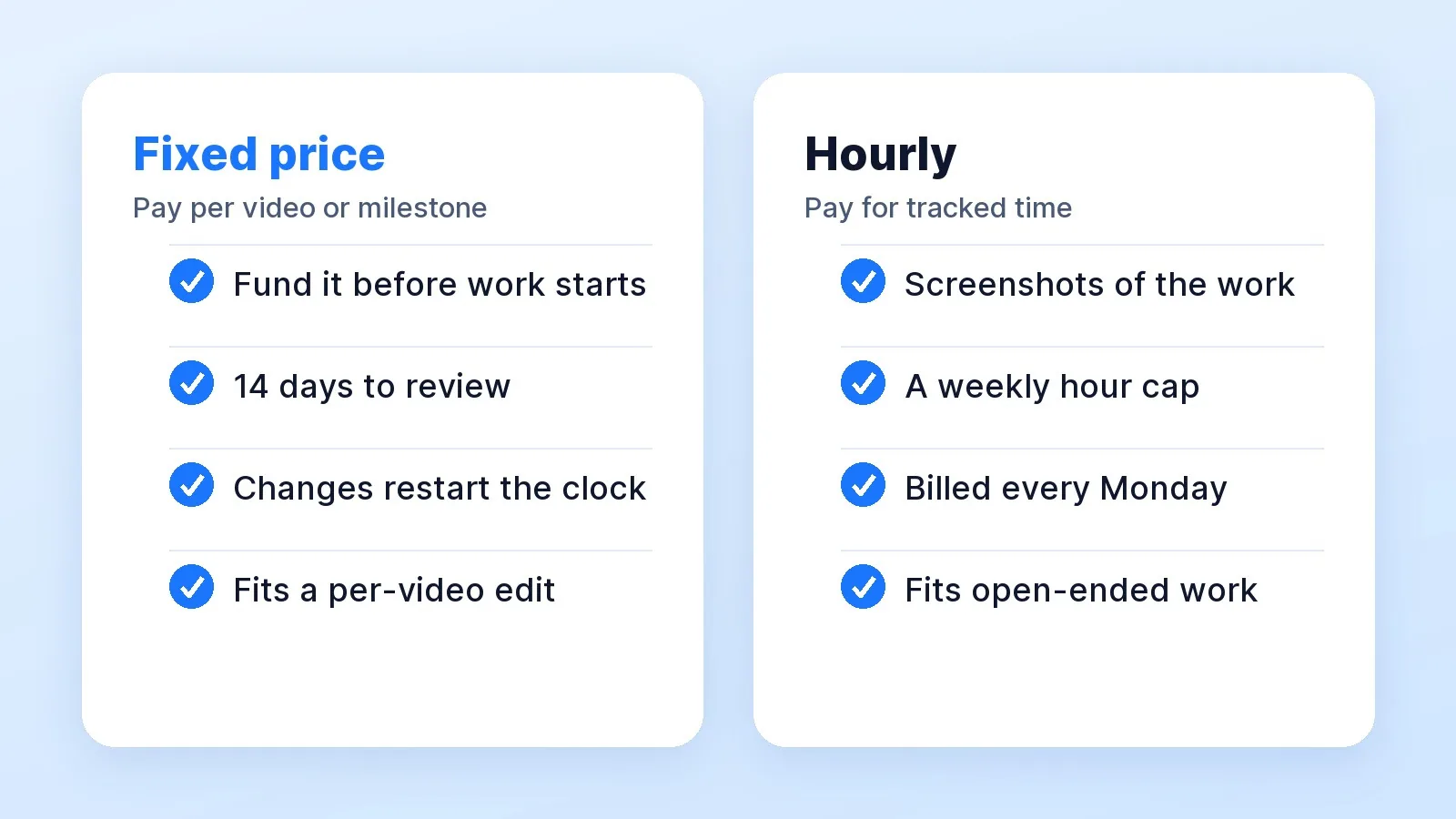
Upwork's contract guide sets out the difference:
- Fixed-price. You fund each milestone into escrow before work begins. When the editor submits, you have 14 days to approve the work or request changes, and a resubmission starts a new 14-day window. If you do nothing, the money releases automatically. If you release funds before work is submitted, you can't dispute that payment through Upwork.
- Hourly. The editor logs time, and the time tracker in Upwork's desktop app takes about six screenshots an hour for your Work Diary. You set a weekly hour limit. Hours bill every Monday, and you have until Friday to review them and dispute if needed.
For editing, a fixed price per video is usually the cleaner deal. An edit is a deliverable, and screenshots of a timeline tell you little about whether the cut is good. Hourly suits open-ended work like clearing an archive or managing a channel. If you do go hourly, set the weekly cap from real numbers: our video editing time calculator estimates the hours by format and style.
Step 4: Run a Paid Test Before You Commit
Pay for one real video as a fixed-price milestone. Not a 30-second sample and not unpaid "test work": the episode you'd publish anyway. Before you release payment, check six things:
- Did they follow the brief? Length, deliverables, aspect ratios.
- Did they match the reference where you asked, and leave the rest alone?
- Did they ask questions before starting? Good editors ask which takes, which music and how tight.
- Was it on time, or did they flag a delay early?
- Did the first cut need one round of notes, or five?
- Did everything stay on Upwork? Messages, files and payment.
Our guide to vetting a video editing service has the questions to ask once the first cut is in.
What Upwork Costs a Client in 2026
| Cost | Basic plan | Business Plus |
|---|---|---|
| Marketplace fee | 5% on the pricing page; the help center says "up to 7.99%" | 10% |
| Paying from a US bank account | 3% | 8% |
| Contract initiation fee | $0.99–$14.99 per new contract | Up to $4.99, only on new contracts under $100 |
| Video editor rates | $10–$60/hr on Upwork's rate page | Same marketplace |
So a $300 fixed-price edit on the Basic plan costs about $315 plus the initiation fee, and checkout shows the exact total. Fiverr, for comparison, adds 5.5% plus $3.50 on orders under $200.
Plan for the long run before you start. Upwork's Terms of Service require you to pay anyone you met there through Upwork for 24 months. Taking the relationship off the platform sooner costs a conversion fee of at least $1,000 and up to $50,000, and skipping it risks a permanent suspension.
Upwork vs Fiverr for Hiring a Video Editor
| Upwork | Fiverr | |
|---|---|---|
| How you find editors | Post a job; editors send proposals | Browse gigs; message sellers |
| How you pay | Hourly, or fixed-price milestones | A package or a custom offer |
| Review window | 14 days per submission | 3 days per delivery |
| Track-record signal | Job Success Score and badges | Seller levels and reviews |
| Best for | An editor you'll keep for months | A defined job, priced fast |
The full walkthrough for the other platform is in how to hire a video editor on Fiverr, and Fiverr vs Upwork vs an agency runs the fee math side by side.
Red Flags in Upwork Proposals
- No mention of your format or your reference. It's a template.
- A price before they know your footage length.
- A request to move chat or payment off Upwork. It breaks the 24-month rule and drops your payment protection.
- A request to release a milestone before work is submitted. Money released early can't be disputed.
- An agency portfolio with no named editor.
- Promises of views. An editor controls the cut, not the algorithm.
When a Studio Beats an Upwork Hire
| Your situation | Best route |
|---|---|
| One video, or testing whether outsourcing works | A fixed-price Upwork test |
| A weekly show, and you have time to manage an editor | A retained Upwork freelancer |
| A weekly show, and you want to stop managing it | A studio that owns the result |
Upwork gives you a person, but you still run the hiring, the briefs, the reviews and the replacement search. We've counted those hours in the hidden cost of managing your own video editor. A founder-led channel that wants the whole thing handled should weigh agency vs freelancer vs in-house. Our YouTube video editing service shows how Mark Studios runs a channel end to end, backed by 8,000+ orders and a 4.9★ rating. If you'd rather keep everything on Upwork, you can hire Mark there too.
The Bottom Line
Upwork works when your job post does the filtering: format, footage length, a reference, a deadline and one question a template can't answer. Shortlist on portfolio work in your format, treat Job Success Score as a floor, and pay for one real fixed-price test before you sign anything ongoing. Budget for the fee and the 24-month rule from day one.


