What Should You Outsource First When Launching a YouTube Channel?
Outsource thumbnail design first and the edit second. Keep the topics, the titles and your delivery on camera. YouTube's own guidance says 90% of the best-performing videos have custom thumbnails, and the edit is where launch hours go. The banner and logo, where most launch checklists start, can wait.
That order runs against how most launches go. New channels spend their first week on a banner, a logo and an About section, because those feel like starting. Yet YouTube's traffic-source report lists channel pages as one source among more than a dozen, next to Browse features, Suggested videos and search. In most of them, the first thing a stranger meets is a thumbnail and a title. YouTube says as much: "Usually, viewers will first see your thumbnail and title."
Rank Every Launch Job by Hours and Taste
Every launch job sits somewhere on two scales: how many hours it costs you on every upload, and how much of your own judgement it needs. Outsource the jobs that are heavy on hours and light on taste. Keep the ones that are the channel.
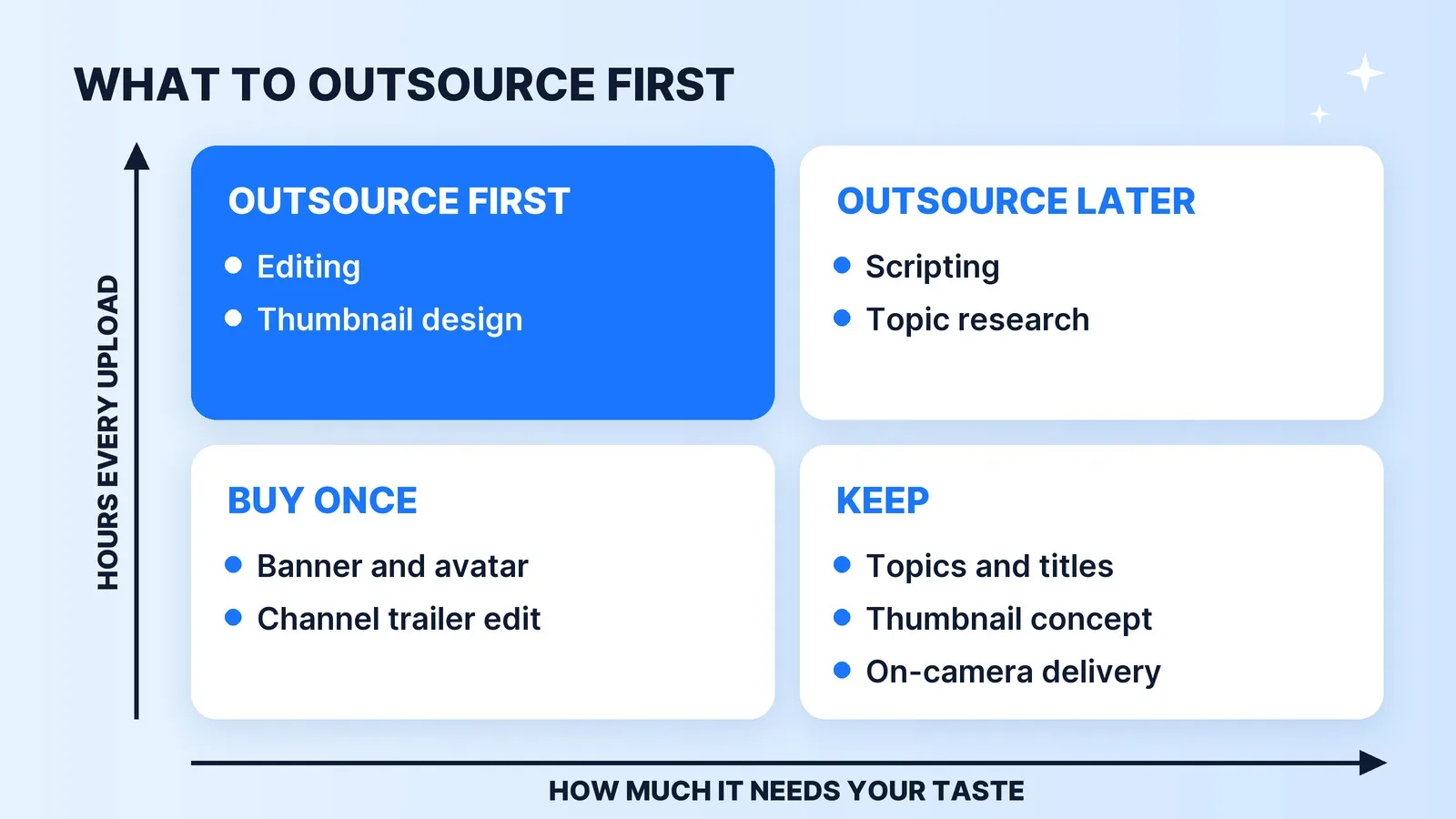
| Launch job | How often | Needs your taste? | When to outsource it |
|---|---|---|---|
| Thumbnail design | Every upload | Low, once you write the concept | From the first upload |
| Editing | Every upload | Medium until the format settles | The first time it costs you an upload |
| Banner, avatar, trailer edit | Once | Low | Buy once, or spend an afternoon |
| Scripting and topic research | Every upload | High | After your voice is settled |
| Topics, titles, thumbnail concept | Every upload | All of it | Keep |
| On-camera delivery | Every upload | All of it | Keep |
Our editors log about 7.5 hands-on hours for a standard 10-minute talking-head video, broken down in the real hours behind a 10-minute video. A thumbnail takes a fraction of that, but it's the skill first-time creators are least trained in, and it decides whether those 7.5 hours get watched at all.
Thumbnails First: You Write the Concept, a Designer Builds It
Outsourcing the thumbnail doesn't mean outsourcing the idea. The split that works is simple. You decide what the thumbnail says: one image, and at most a few words, that make the title's promise visible. The designer handles composition, cut-outs, contrast and how it reads at phone size. A designer can't invent your angle, and most creators can't make a face pop against a busy background, so each side does the part they're good at.
Two account settings decide how much of this you can use at launch, and nobody can switch them on for you:
- Custom thumbnails need a verified account. YouTube's thumbnail help page says you can upload your own "if your account is verified." Phone verification unlocks them, along with videos longer than 15 minutes, as part of YouTube's intermediate features.
- A/B testing needs advanced features. Test & Compare runs up to three titles and thumbnails against each other and keeps the version with the highest watch time. A brand-new channel has no history to qualify on, so it unlocks advanced features by verifying with an ID or a short video.
YouTube has been widening title and thumbnail testing since 2024, which means your designer should hand you two or three variants, not one. Send them your concept, the title and a few reference thumbnails from your niche. Our thumbnail pre-publish checklist is the review pass we run on every one before it ships.
The Edit Second, the First Time It Costs You an Upload
The launch risk with editing isn't quality. It's cadence: a channel that can't publish can't learn anything about its audience.
If you're funding the channel yourself, edit the first few videos so you know what you want, then hand off the edit the first time it costs you an upload. Start with the rough cut (syncing, culling takes, cutting dead air), which needs the least of your taste. We work through the break-even math for that call in should you hire a video editor before you're monetized. Before the first handoff, write a one-page brief with a reference video; the template is in how to brief a video editor.
If the channel is a business asset for a founder, a consultant or a practice, the math flips. Your hour costs more than the edit from day one, so hand off the edit from the first upload and spend your time on camera and on topics. That's the track our video editing for founders page covers. If you're a business in Palm Beach County without a filming setup, we can also film on location and edit in-house.
Choosing who edits is its own decision. A freelancer and a managed team trade price against cover and QA, and our comparison of freelance marketplaces and managed teams lays out the trade-offs.
What to Keep, and What to Buy Only Once
Three things stay with you through the launch, whatever the budget:
- Topics and titles. They are the channel. A strategist can bring research and an editor can sharpen the wording, but the final call on what you make and what you promise should be yours until your first ten uploads show what your audience clicks. YouTube's warning applies: if a title doesn't match the video, "viewers may stop watching, which can impact discoverability."
- On-camera delivery. Early viewers are deciding whether they like you. That can't be delegated.
- The comments. Early comments are free audience research. Read and answer them yourself while the volume allows.
Two things are one-time purchases, not monthly ones. The first is channel art. A template banner, a clear avatar and a two-line About section are enough to launch, so don't hold the first upload for them. Once ten uploads tell you what the channel actually is, rebuild the page properly; your channel page is a landing page covers that rebuild, and our design and branding team does banners, avatars and brand kits as a one-off. The second is strategy. A positioning session before launch helps, but a monthly strategy retainer before you have click-through and retention data is advice without evidence.
If You'd Rather Hand Over the Whole Launch
Some launchers don't want to assemble a designer, an editor and a strategist one at a time. In a review of 704 buyer conversations in our own inbox, about 7% of first messages came from someone launching a channel. For them we run a YouTube strategy and launch package: a four-week sprint covering the strategy, the channel build, five finished videos, 15 thumbnails (three test variants per video) and a 90-day roadmap. Desi G's channel launch is one we ran from zero: we built her visual identity, edited the videos and designed the thumbnails, and her debut video pulled 6.3K views. Across 10,000+ projects for 4,500+ clients and 100M+ views on client channels, the advice we give every launcher is the same: protect the upload schedule first.
The Launch Checklist
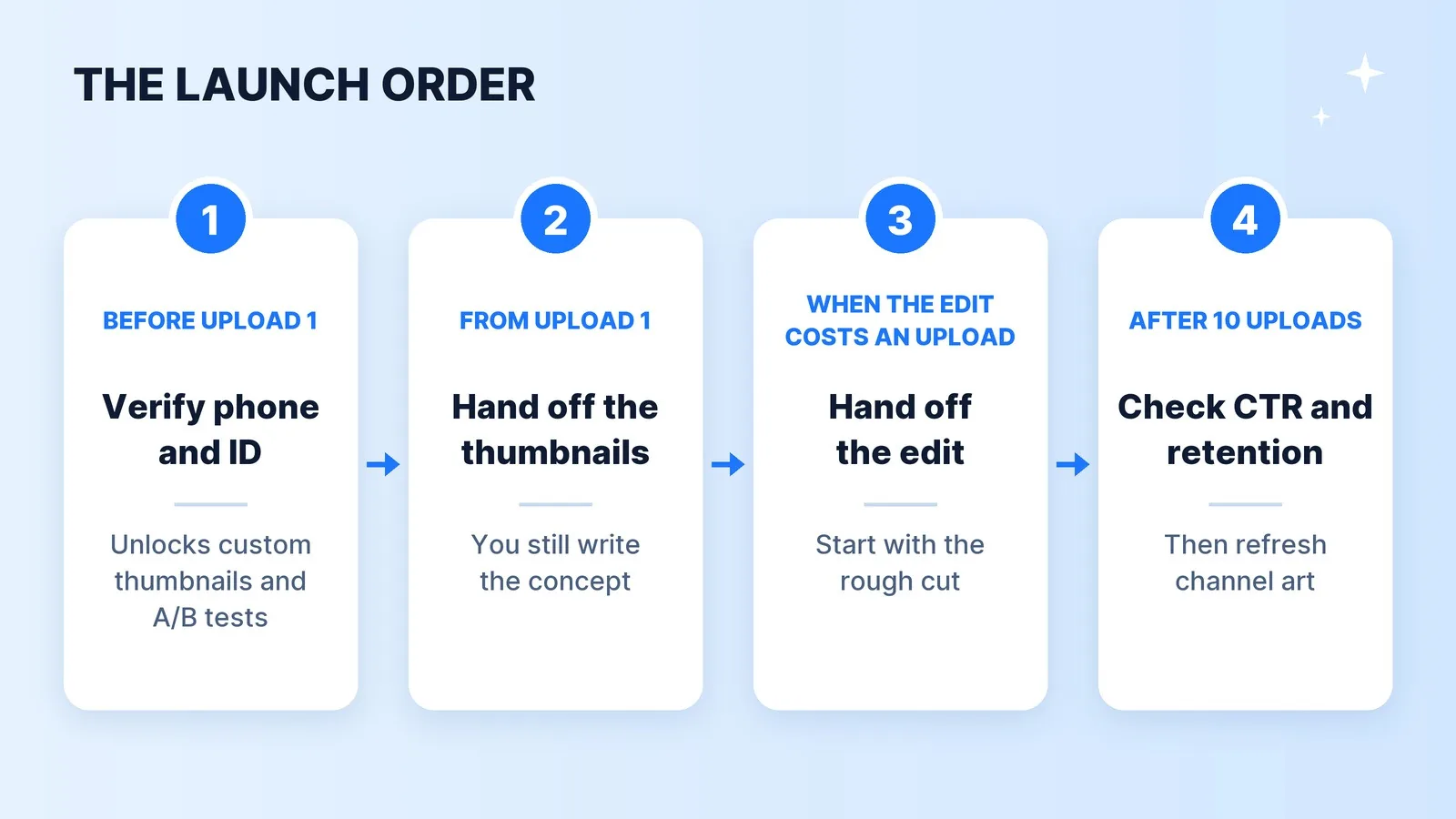
- Verify your phone number before the first upload, so custom thumbnails are available.
- Verify with an ID or a video to unlock advanced features, including Test & Compare.
- Write a one-page format: what each video is, who it's for, and one reference video.
- Write every title and thumbnail concept yourself, and hand the design to a designer from upload one.
- Edit the first few videos yourself unless your hour costs more than the edit, then hand it off the first time it costs you an upload.
- Put up a template banner and avatar in an afternoon, and move on.
- After ten uploads, read click-through rate and retention in YouTube Analytics, then decide what to outsource next.
The Bottom Line
Outsource the hours, not the decisions. At launch that means a thumbnail designer working from your concept, an editor as soon as the edit costs you an upload, and an afternoon, not a week, on channel art. Keep what makes the channel yours: the topics, the titles and the person on camera.