

A Channel Is Reach You Rent. A Site Is the Only Surface You Own.
Every view on a platform is borrowed. The recommendation changes, the format gets deprioritised, the account gets a strike, and the audience you thought you had turns out to have been an arrangement between the platform and each individual viewer. The layer you own is a website — and the reason to build one in 2026 is not nostalgia for blogs. It is that a site is the only place where your video has a URL, a transcript, and a machine-readable description attached to it, which is what both search engines and answer engines actually consume. If you need the posts written for you, our list of the best SEO blog writing services compares who writes and publishes them.
Google's own video SEO guidance is unusually direct about the shape this has to take: to be eligible for video features you should "create a dedicated watch page for each video," and it warns that "just because the watch page is indexed doesn't mean that the video will also be indexed." Two separate hurdles, and plenty of creator sites clear neither.
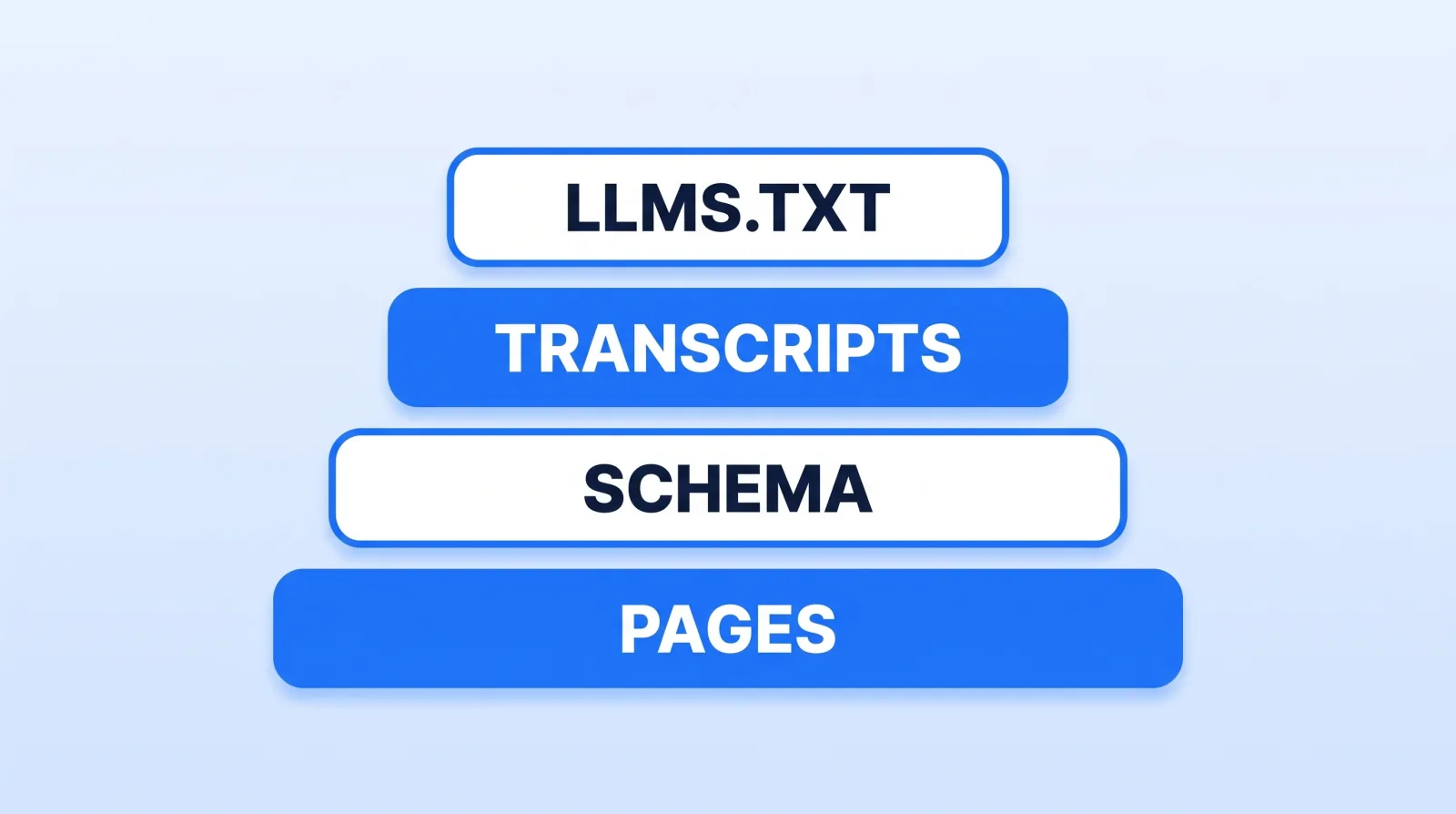
Layer One: Pages a Crawler Can Actually Read
Start with the thing most modern site builds get wrong. Google processes JavaScript sites in three phases — "1. Crawling 2. Rendering 3. Indexing" — and rendering is a queue: "The page may stay on this queue for a few seconds, but it can take longer than that." Their own recommendation is unambiguous: "server-side or pre-rendering is still a great idea because it makes your website faster for users and crawlers, and not all bots can run JavaScript."
For a video site that means the transcript, the title and the description must exist in the HTML that arrives, not in a payload a script fetches afterwards. Speed is part of the same bargain — Core Web Vitals currently asks for LCP within 2.5 seconds, INP of 200 milliseconds or less, and CLS of 0.1 or less, with INP having replaced FID as a stable metric in 2024. A page carrying an autoplaying hero video and three tracking scripts can easily miss all three.
Layer Two: One Video, One Page
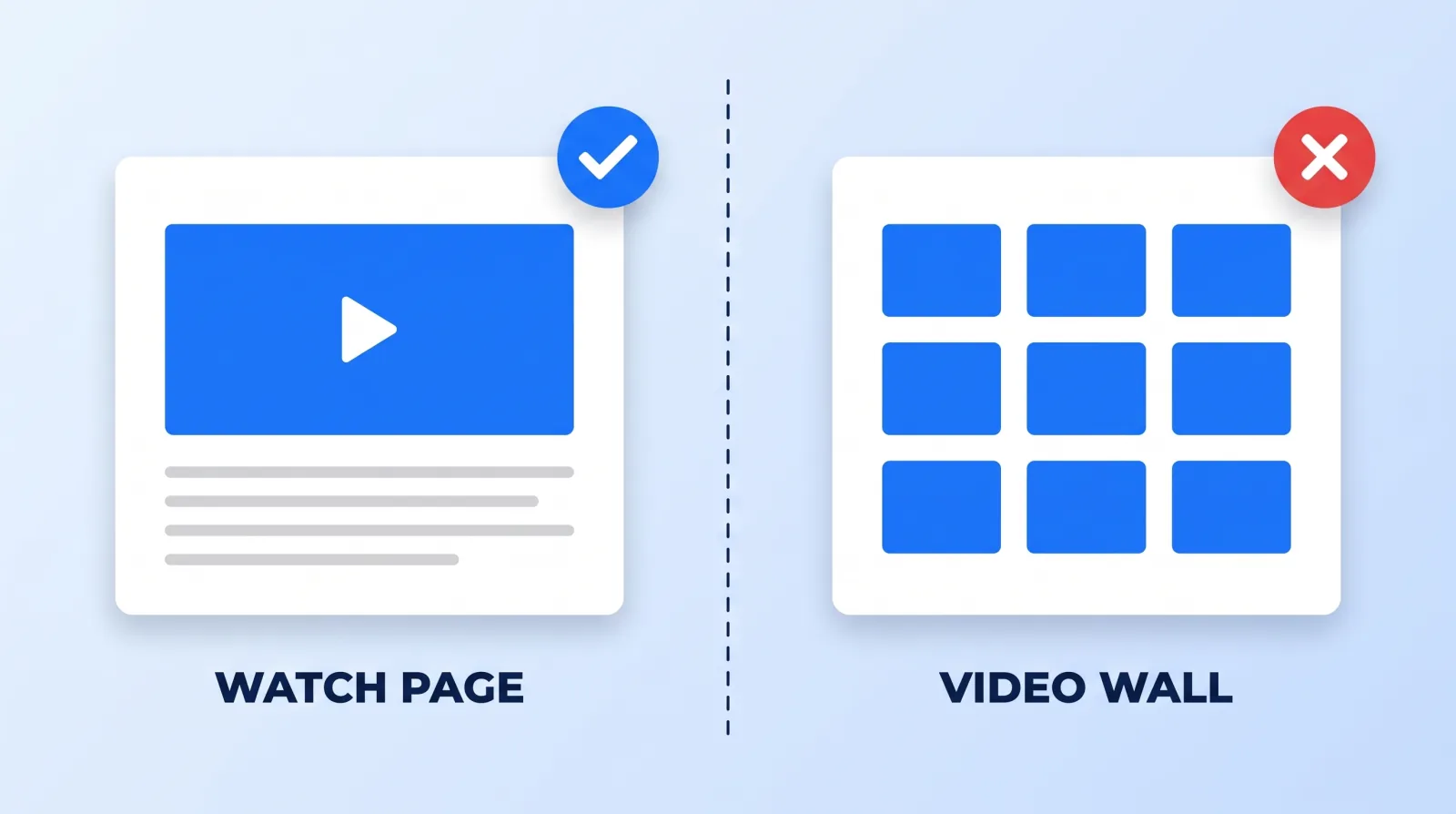
A common creator-site mistake is the video wall: a single /videos page with a grid of forty embeds. It looks like a portfolio and indexes like a single page. Forty videos share one URL, one title, and no text.
The alternative is a watch page per video — embed at the top, full transcript below, and the metadata that makes the page mean something. Google requires that "the video can't be hidden behind other elements" and notes that a watch page's "main purpose is to show users a single video." It also flags a failure mode worth knowing: "if the video's thumbnail URL changes too often, Google may not be able to successfully index your videos," so use "a single unique and stable thumbnail URL for each video."
The transcript is the load-bearing part. A ten-minute video is roughly 1,500 words of speech that currently exists nowhere a search engine can read. Publishing it turns one video into a page that can rank for dozens of long-tail phrases you never targeted — and you already have the text if you are producing captions as part of delivery, which is also why captions belong in the repurposing pipeline rather than being bolted on at the end.
Layer Three: Structured Data, Because Text Alone Is a Guess
Marking a watch page up with VideoObject tells Google what it is looking at rather than leaving it to infer. Per Google's schema documentation, videos marked this way "can appear in several different places on Google, including the main search results page, Video mode, Google Images, and Google Discover," and the markup lets you "influence the information that's shown in video results, such as the description, thumbnail URL, upload date, and duration."
Only three properties are required — name, thumbnailUrl and uploadDate — with the note that the name must be "unique text... for each video on your site." One rule catches people out: the structured data "must be added to a page where users can watch the video," because "it's a bad user experience to point users to a page where they can't watch the video." Schema on a listing page is not a shortcut around building watch pages.
| Layer | What it is | What breaks without it |
|---|---|---|
| Pages | Server-rendered HTML, fast | Nothing gets read reliably |
| Watch pages | One video per URL, transcript below | Forty videos compete as one page |
| Schema | VideoObject on every watch page | Google guesses at your metadata |
llms.txt | A markdown map of the site | Answer engines parse your nav and ads |
Layer Four: The Answer-Engine Layer
This is the newest part and the cheapest to add. The /llms.txt proposal starts from a problem any creator site has: "An HTML page wraps its information in navigation, ads, and JavaScript, and converting it back into clean text is difficult and imprecise. Context windows, while larger than they were, are still too small for most websites in their entirety, and every wasted token costs time and money." The fix is a markdown file at the site root listing your pages with one-line descriptions.
We run this on markstudios.com — a llms.txt index plus a full-text dump — because a clean summary of every page is easier for an answer engine to read than a page it has to scrape around a nav bar. It costs an hour to generate and nothing to maintain if your build does it.
When You Actually Need an App
Almost never, at first. An app is worth building when you have something a browser genuinely cannot do: offline downloads for a course library, push notifications your audience has asked for, or a paid membership where the app is the product rather than a wrapper around your website. If your app would be a list of your videos, that is a website, and it will get found and your app will not.
The honest sequence is site first, watch pages second, schema third, llms.txt fourth — and an app only once the owned audience exists and is asking for one. Course libraries are the common exception, because downloads and progress tracking are real app features, which is why we treat course creators as their own track. That build is what our web design and development work covers, and where an app genuinely is the right answer, app development picks it up from there. The channels best placed to survive a platform change are the ones already sending people somewhere they own. Everything upstream of that still starts with the video itself, which is what channel management and the membership layer are for.
The Bottom Line
Build a watch page per video with the transcript in server-rendered HTML, mark each one up with VideoObject, and drop an llms.txt at the root. That is the whole ecosystem, in order, and it is the only version of your audience that no platform decision can take away. An app comes after all of it, or not at all.


