

What Is an Explainer Video?
An explainer video is a short video, a few minutes at most, that explains one thing: what a product, service or idea is, the problem it solves and how it works. Many are animated, but a person on camera or a screen recording can do the same job. What makes it an explainer is the job, not the style.
They're among the most common business videos. In Wyzowl's 2026 State of Video Marketing survey, 68% of video marketers said they make explainer videos, a close second to social media videos (69%). On the viewer side, 96% of people said they have watched an explainer video to learn about a product or service, and 63% said a short video is how they'd most like to learn about one, against 12% who'd rather read an article.
6 Types of Explainer Video
"Explainer video" covers several production styles. They share a structure and differ in how the explanation is shown:
| Type | What's on screen | Often used for |
|---|---|---|
| 2D character animation | Illustrated characters act out the problem and the fix | Consumer apps and services with a human story |
| Motion graphics | Animated icons, text, charts and UI, no characters | Software, finance, data-heavy products |
| Whiteboard | A hand draws the story on a white background | Processes, training, education |
| Screen recording | The real product, with zooms, callouts and a voiceover | Software features, onboarding, help centers |
| Presenter-led (live action) | A real person explains on camera, with graphics cut in | Doctors, lawyers, founders, YouTube channels |
| Kinetic typography | Words animated over a voiceover | Social posts, quick turnarounds |
On YouTube, "explainer" often means the presenter-led kind: one expert explaining a topic, with graphics and b-roll doing the showing. That's a talking head video built to explain. For two real examples, see how Mark Studios edited Dr. Nick Norwitz's science explainers for his YouTube channel, and the short brand videos we built from only a client's voiceover, where on-screen text and b-roll carry the visuals, the same setup a kinetic-typography explainer uses. An "AI explainer video" is one of these types made partly with AI voices or generated visuals; the structure below still applies.
What an Explainer Video Says: the 4-Part Script
A clear explainer script follows four beats, and the script decides more than the animation style does. Before anything gets designed or filmed, check that your script has these:
- The problem. Open on the viewer's problem, in their words, not your company name. They should recognize themselves in the first lines.
- The fix. One sentence on what you offer. If it takes a paragraph, the product isn't defined yet.
- How it works. Three steps at most, shown, not listed. This is where most of the runtime goes.
- The next step. One call to action: book a demo, start a trial, get a quote. Not three.
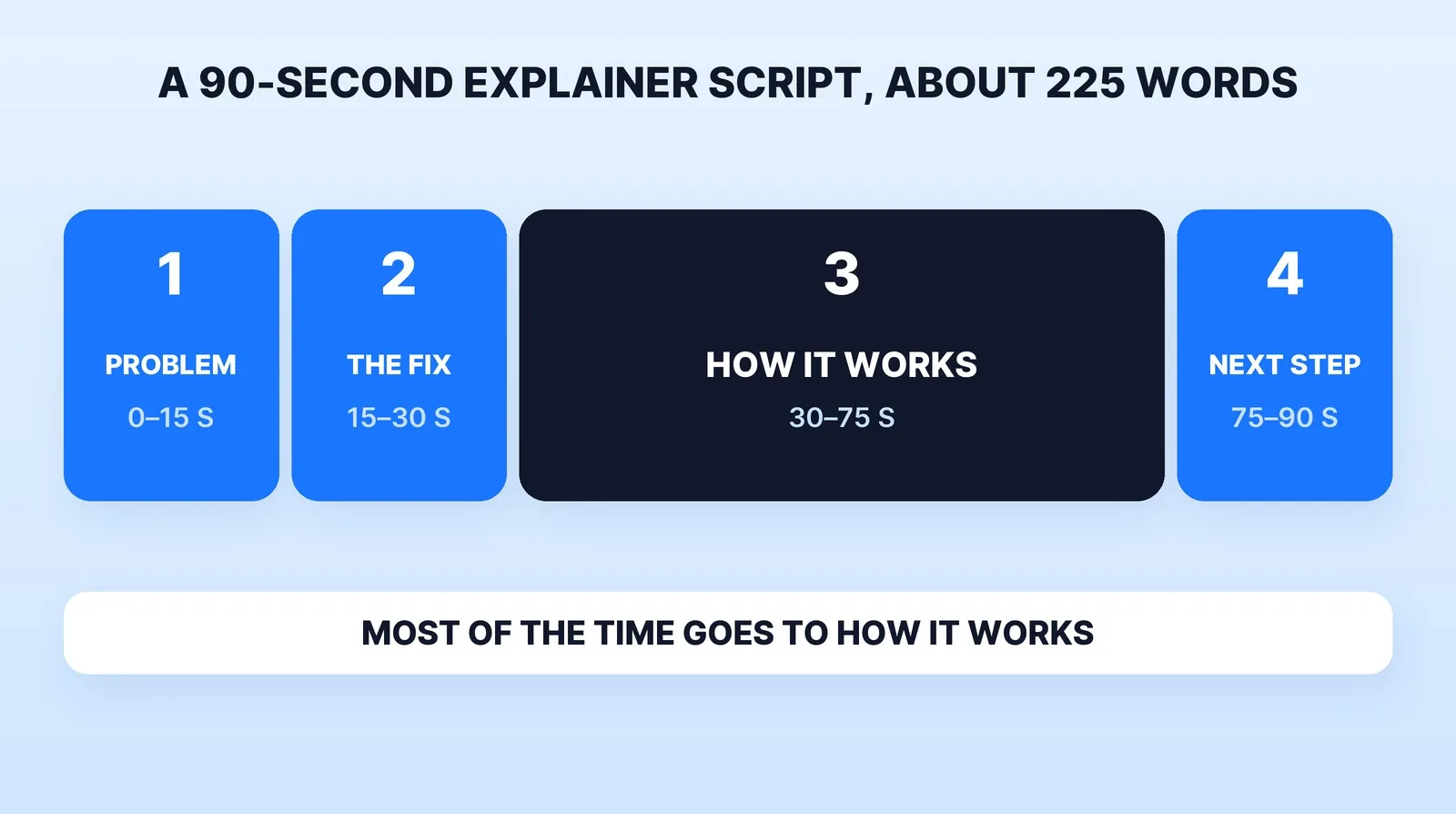
Write to a word count, not a feeling. At a conversational 150 words per minute, a 60-second explainer is about 150 words and a 90-second one about 225; our free script length calculator does the math for other paces. Lock the script and record the voiceover before animation starts, because a line changed after a scene is animated means animating that scene again. Plan captions too: for prerecorded video with speech, the W3C's accessibility guidance says captions are required at WCAG Level A, and they help anyone watching with the sound off.
How Long Should an Explainer Video Be?
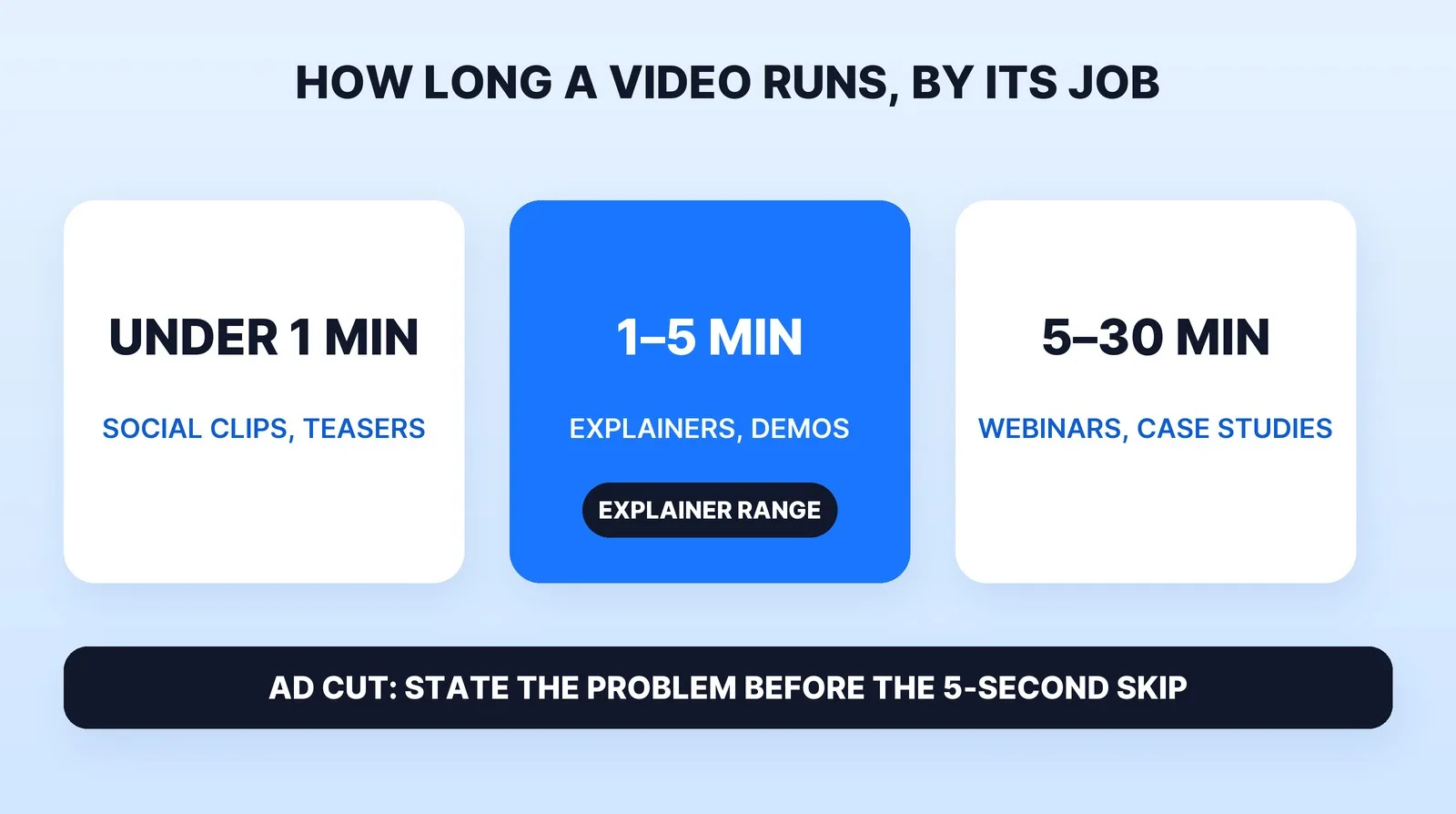
Somewhere between one and five minutes, and as short as the explanation allows. Wistia's guide to video length, based on over 13 million videos in its 2026 State of Video Report, puts videos that "educate or explain" in the 1-to-5-minute range and names explainers there. It also finds most viewers drop off around the halfway point, so the problem and the fix belong in the first half.
Placement changes the length:
- Homepage or landing page: the full explainer, near the top of the page.
- Ads and social: a cutdown under a minute. Videos under a minute average a 52% engagement rate in Wistia's data. On YouTube, viewers can skip a skippable in-stream ad after 5 seconds, according to Google Ads Help, so the ad cut states the problem first.
- Help center and onboarding: longer, feature-by-feature screen recordings.
If you want the video itself to show in Google's video results, give it a page of its own too. Google's video SEO guidance asks for a dedicated watch page for video features; a product page with the video embedded is fine for visitors but isn't a watch page.
Explainer Video vs Product Demo, Testimonial and VSL
An explainer is one of four videos a business often makes, and each answers a different question:
| Explainer | Product demo | Testimonial | VSL | |
|---|---|---|---|---|
| The question it answers | What is this, and why should I care? | How does it work, screen by screen? | Did it work for someone like me? | Why should I buy now? |
| Who's speaking | A narrator or presenter | A product expert | A real customer | The seller |
| Where it runs | Homepage, ads, sales emails | Sales calls, trials | Sales pages, social | A dedicated sales page |
A testimonial video proves it works, and a video sales letter closes the sale. If you're a B2B company deciding which to make first, our post on explainer vs product demo vs customer story walks through that call.
Who Makes an Explainer Video?
An explainer video is five jobs: the script, the storyboard and design, the voiceover, the animation or filming, and the edit with music, sound and captions. A studio does all five; a freelancer often covers one or two, so you fill the gaps.
They're common in B2B software and SaaS, where a product is hard to picture until someone shows it, and in health, where a patient needs a procedure explained in plain words. To compare providers, our Yum Yum Videos comparison covers an explainer specialist's estimates and timelines, our list of B2B SaaS video production companies covers the field, and our animated explainer video cost guide lists market prices by style.
Animated explainer videos at Mark Studios are made to your script: Mark animates it, adds the voiceover, music, sound and captions, and delivers it in every aspect ratio you post in. For a presenter-led explainer, businesses in South Florida can have Mark film it on location in Palm Beach County.
Mark Studios has completed 8,000+ orders with 4,500+ reviews, 99% on time, with work behind 100M+ views, and is Top Rated on Fiverr with a 4.9★ rating. Whoever makes yours, send a written script or at least the problem, the fix and the one action you want, so the first draft explains the right thing.
The Bottom Line
An explainer video explains one product, service or idea in a few minutes at most: the problem, the fix, how it works and the next step. The style, animated, screen-recorded or on camera, follows from what you need to show. Get the script right and short first; everything after it is cheaper to change.


