

Your Audience Came Back for a Person, Not a Production Value
In HubSpot's survey of more than 700 consumers, 63% said they prefer relatable, authentic social video over polished, high-production work — Gen Z was the only group leaning the other way, and only 52 to 48. On YouTube specifically, Google and Kantar found that 80% of surveyed US viewers return to the same creators again and again, and Google's creator marketing research has 68% agreeing that YouTube creators are more trustworthy than traditional celebrities. People subscribe to a person. The edit is how that person reaches them.
Which is why the real risk in outsourcing is not a bad edit. It is a competent one. A trained editor is taught to remove exactly the material that makes a host sound like themselves: the half-second pause before a punchline, the tangent that pays off four minutes later, the laugh at their own mistake. Take all of that out and the video gets tighter and faster — and the regulars quietly notice it no longer sounds like the channel they subscribed to.
The "it doesn't feel like me anymore" complaint usually doesn't name a mistake. Nothing is wrong on the timeline. The editor followed the brief. The brief described the fonts and never described the judgement. Our plan for the first 30 days of outsourcing your video editing covers the style sheet that pins down specs; this post is about the layer a style sheet cannot hold.
Voice Lives in the Cut Decisions, Not the Brand Kit
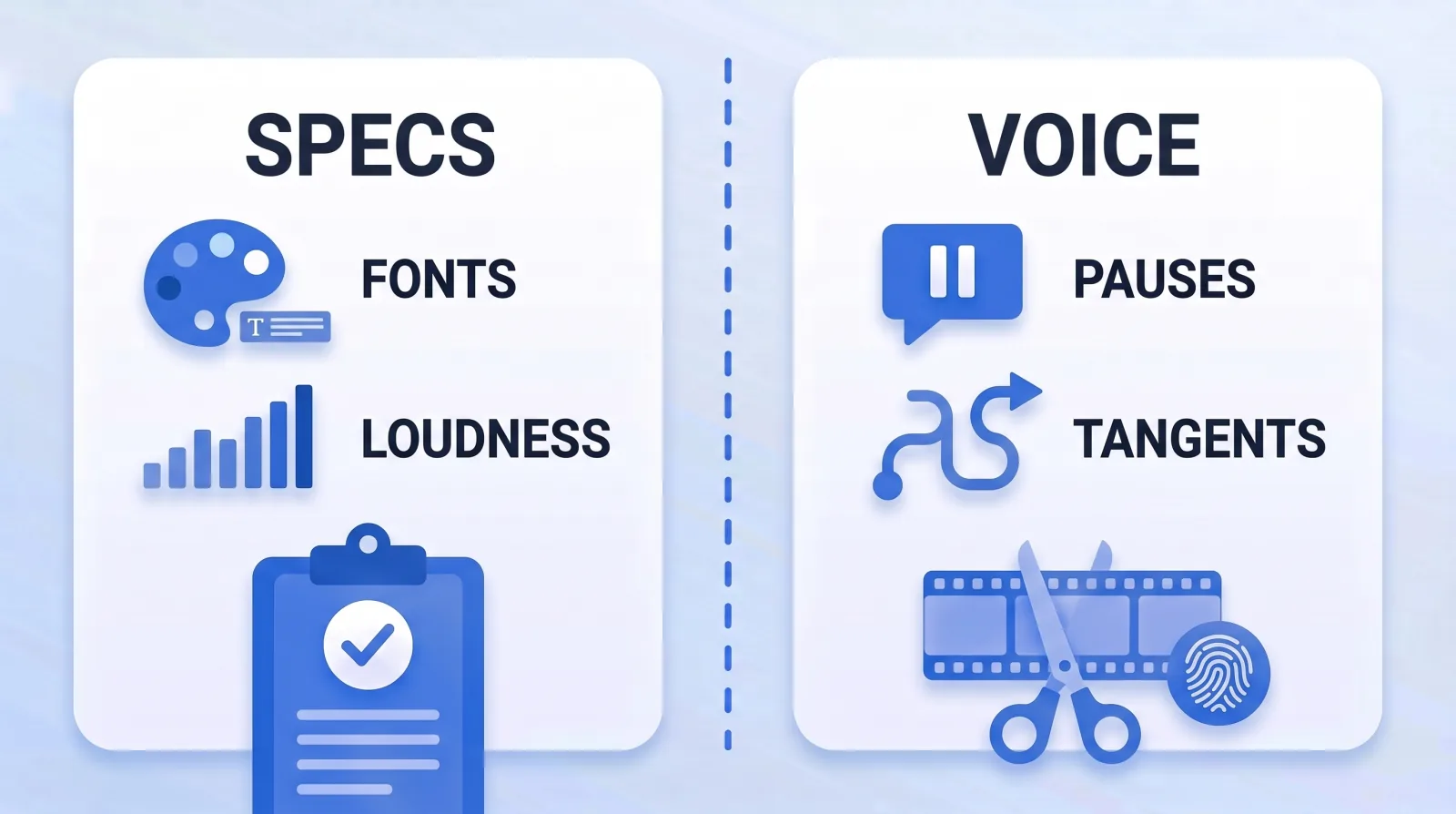
When a creator says "my voice", they usually mean five different layers, and each one transfers to an editor differently:
| Layer | What it covers | How it transfers | Who owns it |
|---|---|---|---|
| Specs | Fonts, caption style, colour, loudness, export | A written style sheet | Editor follows exactly |
| Structure | Cold open, segment order, sponsor slot | A repeatable show format | Agreed once, rarely changed |
| Rhythm | How long pauses breathe, cut density, where music drops out | An annotated reference cut | Creator sets the range |
| Personality | Tangents, jokes, self-corrections, reactions left in | Keep rules with examples | Creator locks it down |
| Taste | Music choices, how literal the B-roll is, sound effect density | Tolerance bands | Shared |
The first two layers are easy, and they are what most handoffs contain. The bottom three are where outsourced channels lose themselves, because they are judgement calls made hundreds of times per video and nobody writes judgement down. Pacing and editing rhythm is the hardest of them to describe in words, which is exactly why it needs an example rather than an adjective.
How Outsourced Edits Drift Toward Generic
Voice rarely disappears in one upload. It erodes through three predictable mechanisms.
- Portfolio defaults. Every editor has a house style that won them their last five clients: punch-in zooms on every emphasis, a whoosh on every cut, zero dead air. Applied to a calm, considered host, it reads as someone else's channel wearing your face. Over-editing is as much a tell as under-editing — both show up in why your edit looks amateur.
- Sanding off personality for runtime. Tangents are the easiest minutes to cut when a video runs long, and self-corrections look like errors to someone who does not know the host. Each removal is defensible. Together they remove the person.
- Slow regression. A note given on video 6 fixes video 6. Unless it becomes a rule, the editor's instincts reassert themselves by video 14, and by video 30 nobody can say when the channel changed.
The third is the dangerous one, because per-video review cannot see it. Every cut looks fine next to the one before it.
Write Keep Rules, Not Just Cut Rules
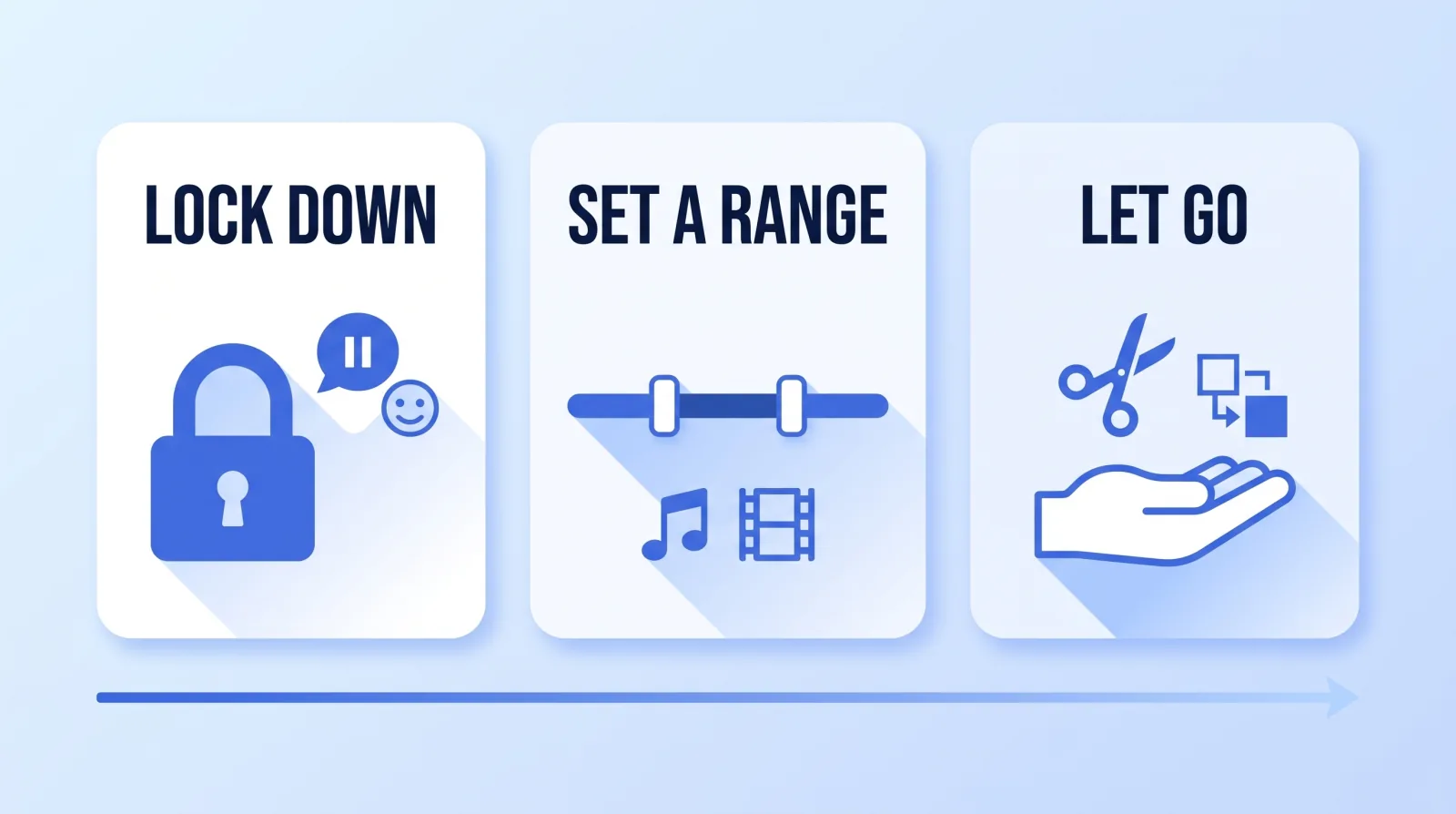
Most editing briefs are lists of things to remove: ums, long pauses, the bit where the dog barked. A voice document adds the list nobody writes — what to protect — and sorts every decision into three bands.
VOICE DOC — Channel X

LOCK DOWN
  keep ......... the beat of silence before a punchline
  keep ......... one tangent per video if it pays off later
  keep ......... self-corrections that get a laugh; cut plain flubs
  never ........ sound effects on jokes
  never ........ zoom punch-ins on consecutive sentences

SET A RANGE
  music ........ under B-roll sections only, never under stories
  b-roll ....... one cutaway every 20-40s of talking head
  captions ..... key phrases only, not a full transcript

LET GO
  exact cut points inside a take
  transition choice, b-roll selection, lower-third timing
The "let go" band matters as much as "lock down". An editor corrected on every cut point stops exercising judgement and starts delivering timid, over-literal edits, which flattens the voice from the other direction. Specify the handful of things that are genuinely yours and hand over the rest.
Then make the rules concrete with an annotated reference cut. Pick one of your own strongest videos — not a creator you admire, your own — and leave timecoded comments explaining why moments survived: "kept this pause, the joke dies without it", "this tangent stays for the callback at 8:40". A review tool with timecoded comments, such as Frame.io, makes this a thirty-minute job. If you rough-cut in Descript's transcript editor, its ignore option crosses text out while keeping it visible, which shows an editor both what you removed and what you deliberately left.
Test the Editor's Instincts Before You Trust Them
A document describes a voice. Only a test shows whether the editor absorbed it. Before the first real project, and again whenever the editor changes, run a keep-or-cut calibration:
- Pull ten short moments from raw footage — pauses, tangents, flubs, asides, a joke that half-lands.
- Label each one yourself as keep, trim or cut, privately.
- Send the same ten to the editor with the voice doc and reference cut, and ask for the same labels with a one-line reason each.
- Compare the answers. Eight or more matches means the voice has transferred and you can review at the level of the whole video. Fewer than eight means the mismatches become new rules in the voice doc.
- Rerun it with the new rules until the editor clears eight.
It costs an hour and replaces weeks of "this doesn't feel right" revision rounds. When notes are still needed, write them the way our guide to revision notes that actually get fixed describes, and promote any note you give twice into the voice doc.
This is also where the case for in-house hiring usually rests: "a staff editor will learn my voice." Sometimes true — but an undocumented voice lives in one person's head and walks out with them, while a documented one transfers to anyone who passes the test. We lay out the cost side on our in-house editor vs studio comparison. For founders building a personal brand, where the host's voice is the product, this test is the most important hour of the whole handoff.
Catch Drift With a Quarterly Voice Audit
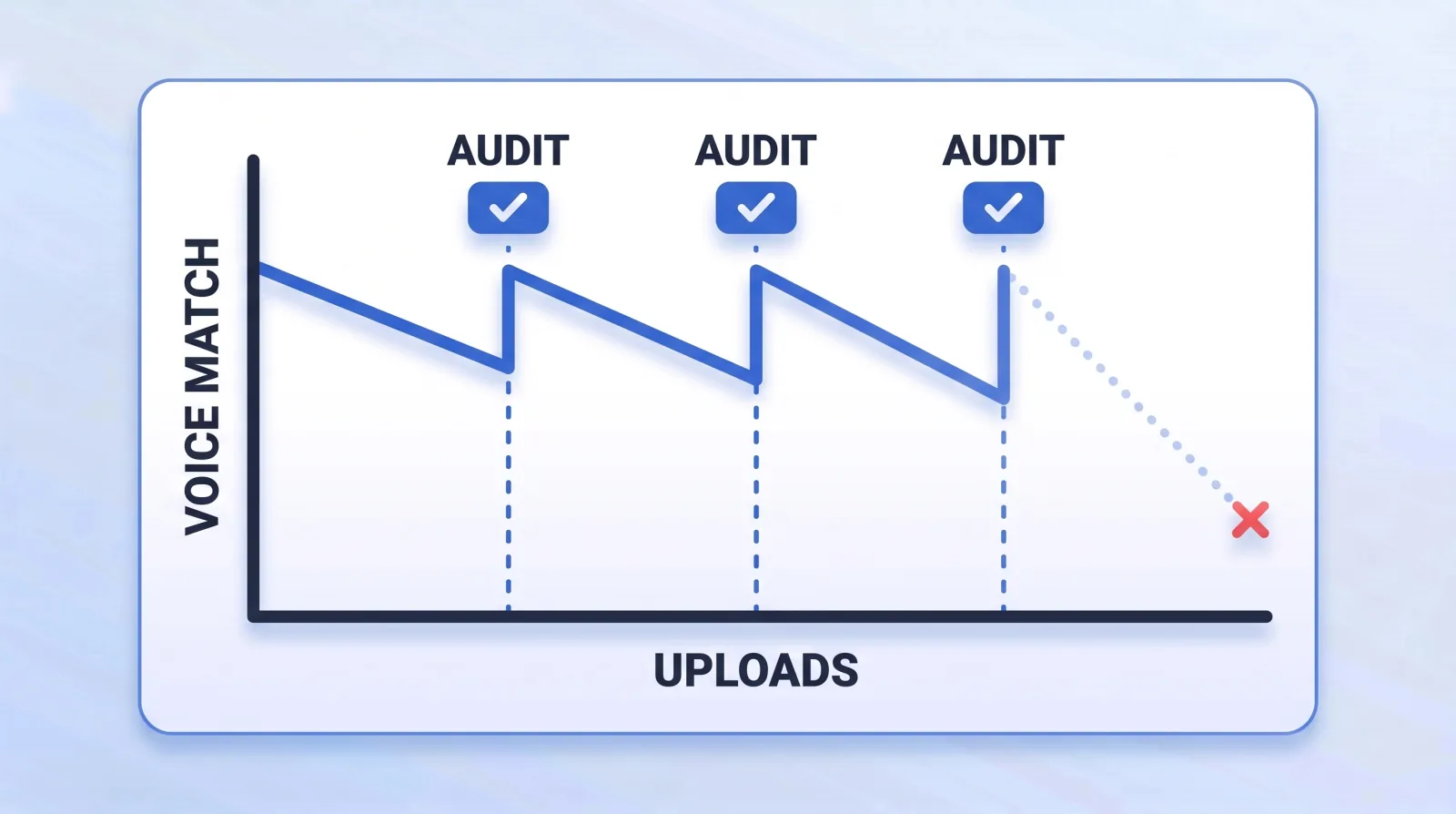
Per-video review catches mistakes. Drift needs a side-by-side. Once a quarter, or every ten to twelve uploads, run this audit:
- Fix a benchmark video — the one you would show a stranger to explain the channel — and never swap it casually.
- Watch the first two minutes of the benchmark and the latest upload back to back. Trust the first impression.
- Count edit density in one minute of each: cuts, zooms, sound effects, on-screen text. If the latest runs at roughly double the benchmark, the editor's defaults are winning.
- Check the retention data. YouTube's key moments for audience retention report shows where viewers leave, and its comparison against YouTube videos of similar length exposes a change in shape, not just in the average.
- Read the comments for tone, not praise. "Feels different", "miss the old intros" and "why so fast" tend to show up before the analytics move.
- Update the voice doc with whatever the audit found, and rerun the keep-or-cut test if more than two rules changed.
The Bottom Line
Outsourcing does not cost a channel its voice; handing over specs without judgement does. Write keep rules alongside cut rules, annotate one of your own videos, test the editor's instincts before trusting them, and audit against a fixed benchmark every quarter. Do that, and the edit gets faster and more consistent while still sounding like the person your audience keeps coming back for.


