

YouTube Gives You Six Hours to Fix a Twelve-Hour Stream
Two numbers in YouTube's own documentation do not line up, and almost nobody notices until it costs them a video.
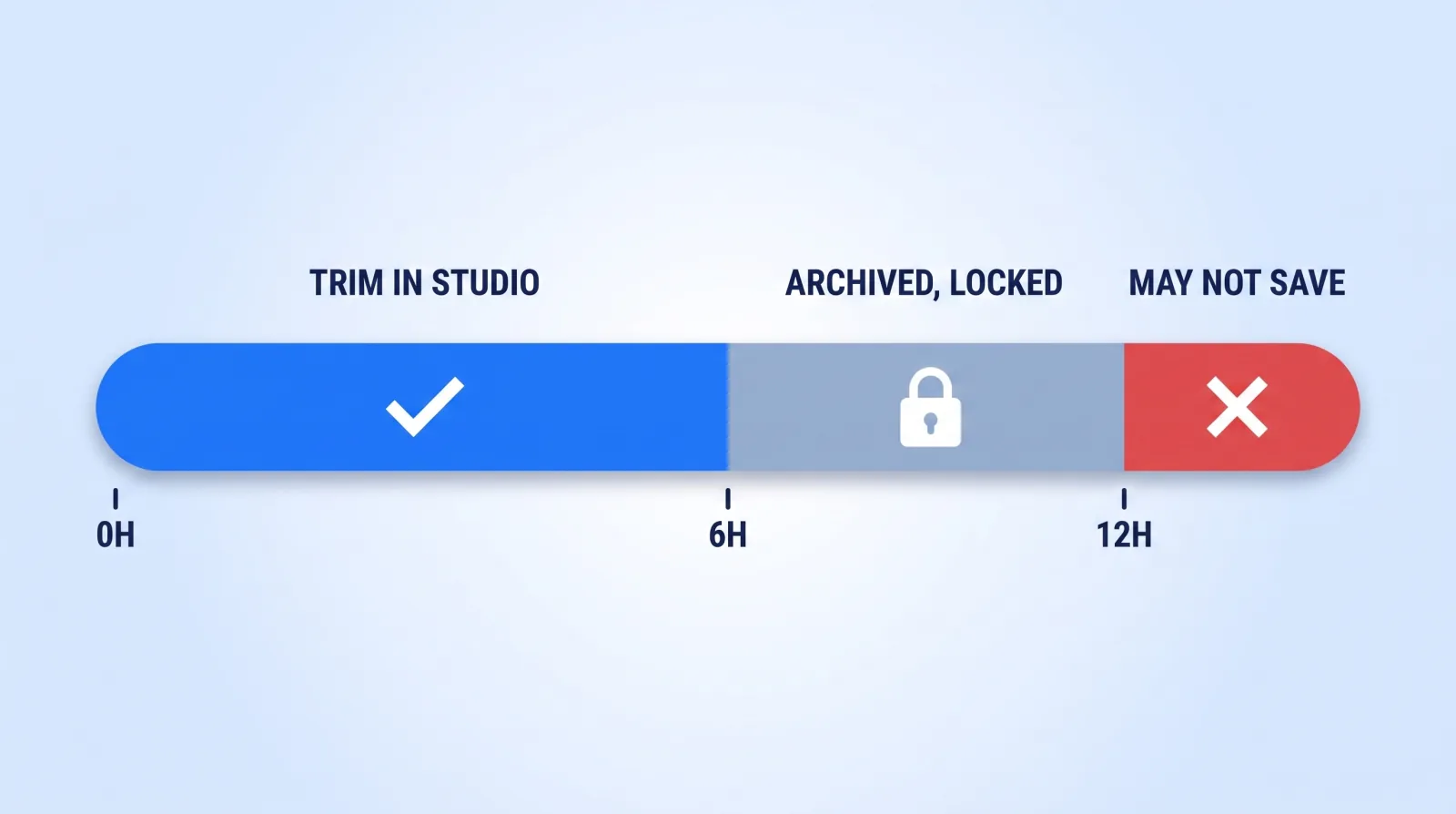
YouTube's archiving documentation states that "if your live stream is less than 12 hours, YouTube can automatically archive it for you," and that "if your stream exceeds 12 hours, it may not be captured at all." Meanwhile YouTube Studio's Editor — the only tool that trims a published video without losing its URL — says plainly: "This feature is available for videos shorter than six hours."
So a seven-hour stream gets archived and can never be trimmed inside YouTube. It sits on your channel at full length, dead air included, permanently, unless you re-upload it as a new video and throw away every view, comment, and ranking signal the broadcast earned.
Other platforms put a clock on the file itself. Twitch keeps past broadcasts for 14 days for Affiliates and 60 for Partners, and Facebook and TikTok keep live replays for 30 days, so download the source before you plan the edit. The sources for each window are collected in our live streaming statistics.
Across 10,000+ projects at Mark Studios — work that has driven 100M+ views — the live archive is the most consistently wasted asset we find when clients bring us in for livestream video editing. Creators invest in multi-cam production setups, run a genuinely good three-hour stream, and then leave the file sitting public under the title "Live Stream — Aug 29" with a thumbnail YouTube picked from frame 400.
Live and On Demand Are Two Different Videos in the Same File
YouTube already reports these as separate audiences, and most creators have never opened the filter. In YouTube's live stream metrics documentation the wording is explicit: "In YouTube Analytics you can sort by Live, On demand, or Live & on demand."
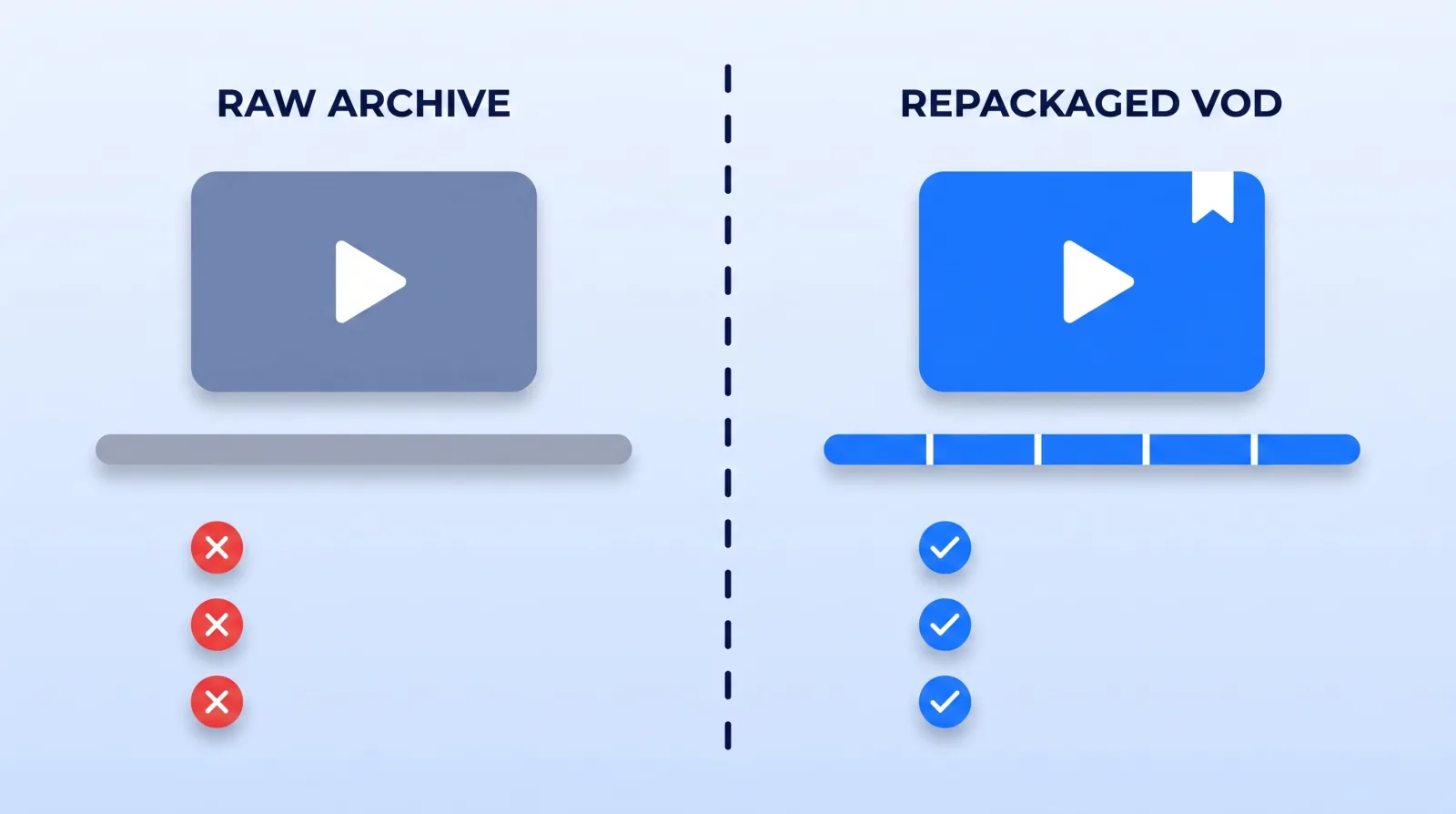
Run that filter on any archive older than a month and you learn something uncomfortable. The live audience showed up for you; the on-demand audience showed up for a topic. They are not the same people, they do not want the same video, and the raw archive is built for the first group only.
| What live viewers tolerate | What on-demand viewers do |
|---|---|
| Ten minutes of "waiting for people to join" | Leave inside eight seconds |
| Chat read aloud, answered by name | Skip forward, then bounce |
| The actual topic arriving 40 minutes in | Never get there |
| No structure, because they came to hang out | Look for chapters, find none |
DVR helps the first group — it "lets viewers pause, rewind, and continue during your stream." It does nothing at all for the person who arrives three weeks later. The fix is not running a different stream. It is making a different video out of the stream you already ran.
The Trim Is Irreversible — Do It in This Order
Before touching anything, understand what the Studio Editor will and will not forgive.
The good news, quoted from Google's own page: "You don't have to re-upload a video to trim it. The video's URL, view count, and comments will stay the same." That is the entire argument for trimming in place instead of re-uploading — you keep the watch history, the comments, and whatever ranking the broadcast earned.
The bad news is on the same page, and it is newer than most creators' mental model:
- "As of June 2025, you are not able to undo changes made with YouTube Studio Editor after saving using the Revert to original feature." There is no undo.
- "For unedited video with over 100,000 views, you may not be able to save changes to it, except to blur faces." The restriction lifts for YouTube Partner Program channels — so if you are not in YPP and the stream popped, you are locked out of your own edit.
- The six-hour ceiling above.
Which makes the order matter, and it is not the order most people use.
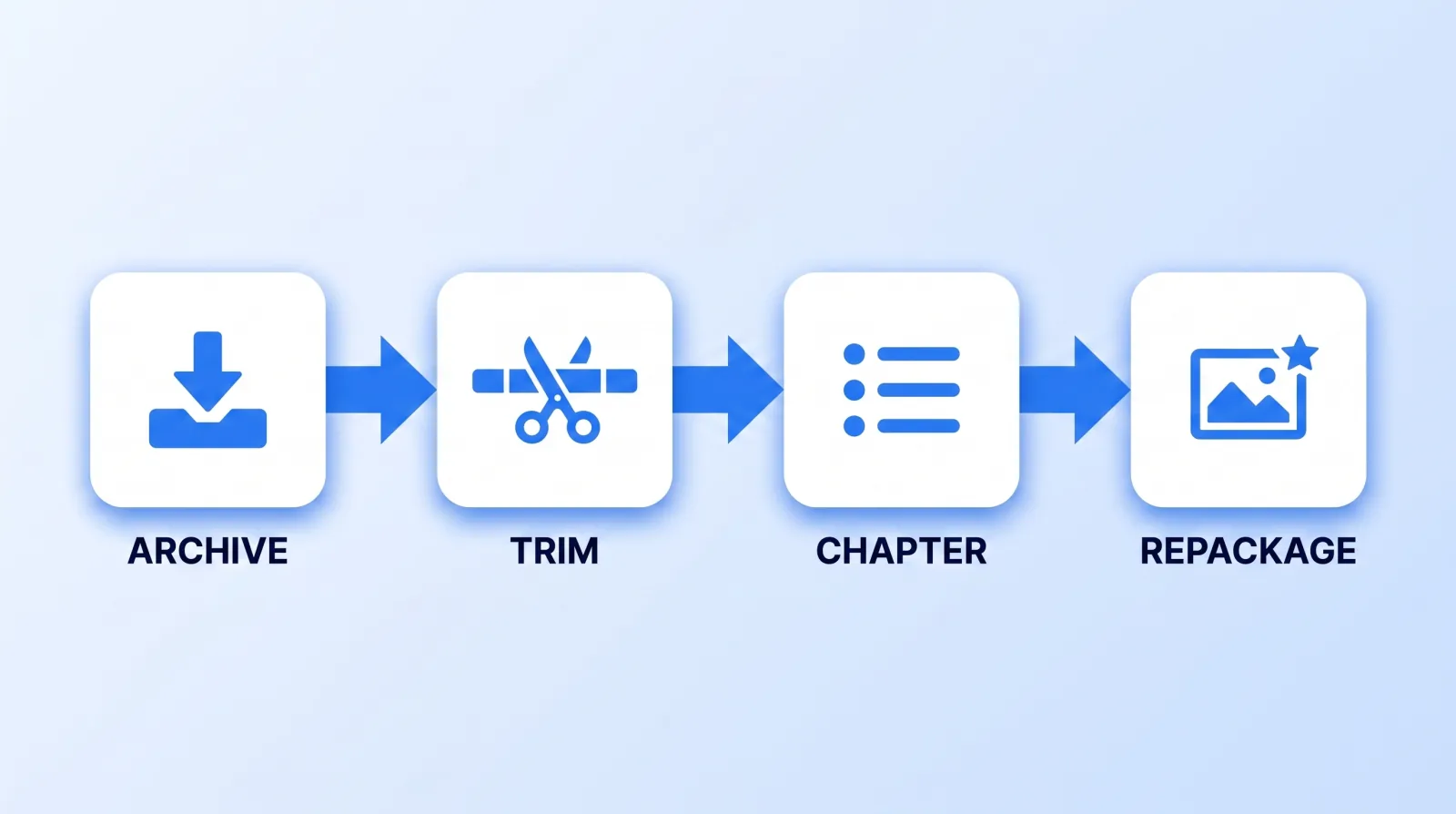
- Pull the local recording first. YouTube's archiving page says it outright: "We recommend recording a local archive as a backup." Do it before any trim, because since June 2025 the trim is the point of no return. That same file feeds your long-form to shorts pipeline — never cut verticals from a re-download.
- Trim within 24 hours, while views are low enough that the 100,000-view restriction cannot bite and while you still remember where the dead air is.
- Cut the pre-roll, the technical failures, and the silent outro. Nothing else. Aggressive mid-stream surgery desynchronises the chat replay and rarely earns back the risk.
We hold client streams unlisted for the first hour after going offline for exactly this reason: it forces the trim to happen before the archive accumulates views, and it removes the one failure mode you cannot walk back.
Chapters Are the Only Navigation a Three-Hour Video Has
A trimmed archive is still a two-hour scrub bar. Chapters are what let a viewer enter in the middle instead of bouncing off the length.
YouTube's chapter requirements are strict enough that most creators fail them by accident:
- "Make sure that the first timestamp you list starts with 00:00."
- "Your video should have at least three timestamps listed in ascending order."
- "The minimum length for video chapters is 10 seconds."
Miss any one and no chapters render at all — no warning, no error, just a plain progress bar. The failure we see most often is a description whose timestamps start at 01:12, because that is where the intro ended.
Build the chapter map from your stream rundown, not from a scrub-through. If you ran the stream against a segment list you already have the titles; you are only attaching times to them. And write those titles as search queries, not show segments. "Q&A part 2" is a segment. "How to price a monthly retainer" is a chapter someone can find.
Repackage: The Archive Is Not the Video
This is the step that separates a stream which keeps earning from one that merely exists.
| Element | What the stream had | What the VOD needs |
|---|---|---|
| Title | "Live Q&A — Aug 29" | The strongest single question answered, phrased as a search |
| Thumbnail | Auto-selected frame | A purpose-built cover, same rules as any YouTube thumbnail |
| Description | Stream announcement | Chapter list first, then summary, then links |
| Playlist | None | A topical playlist, not a "Live Streams" dump |
That last row is where the compounding lives. A "Live Streams" playlist is an archive shelf. A topical playlist files the VOD next to your best evergreen video on the same subject, which is how playlists, end screens and cards build session time — and it gives the video a real traffic source line instead of leaving it dependent on cold search.
The Post-Stream Pre-Flight
Run this within 24 hours of going offline. It takes about twenty minutes.
- ✅ The local recording is downloaded and filed before anything is edited
- ✅ The archive is unlisted until the repackage is finished
- ✅ The stream ran under six hours — or you have accepted it can never be trimmed
- ✅ Pre-roll, technical failures and the silent outro are cut, with no undo available
- ✅ At least three chapters exist and the first one is 00:00
- ✅ Chapter titles read as search queries, not as show segments
- ✅ A purpose-built thumbnail replaced the auto-selected frame
- ✅ The video sits in a topical playlist, not a "Live Streams" bin
- ✅ Analytics filtered to On demand at day 28, to see whether any of it worked
Item 9 is the one everyone skips, and it is the only one that tells you whether the other eight are worth doing on your channel.
The Bottom Line
A live stream is two products shipped in one file: the broadcast, which is finished the moment you go offline, and the VOD, which has not been made yet. Most channels ship the first and leave the second as a grey wall of runtime nobody enters.
Twenty minutes of trimming, three real chapters and a purpose-built thumbnail turn identical footage into a video that keeps ranking after the chat has gone quiet. Just pull the local file before you touch the trim — since June 2025, that decision is permanent.


