Instagram Reel cover template
A transparent 1080 × 1920 overlay that marks the part of your Reel cover the 3:4 profile grid keeps. Design over it, then check your finished cover below.
- Free, no sign-up
- Your image stays on your device
- Grid measured November 10, 2026
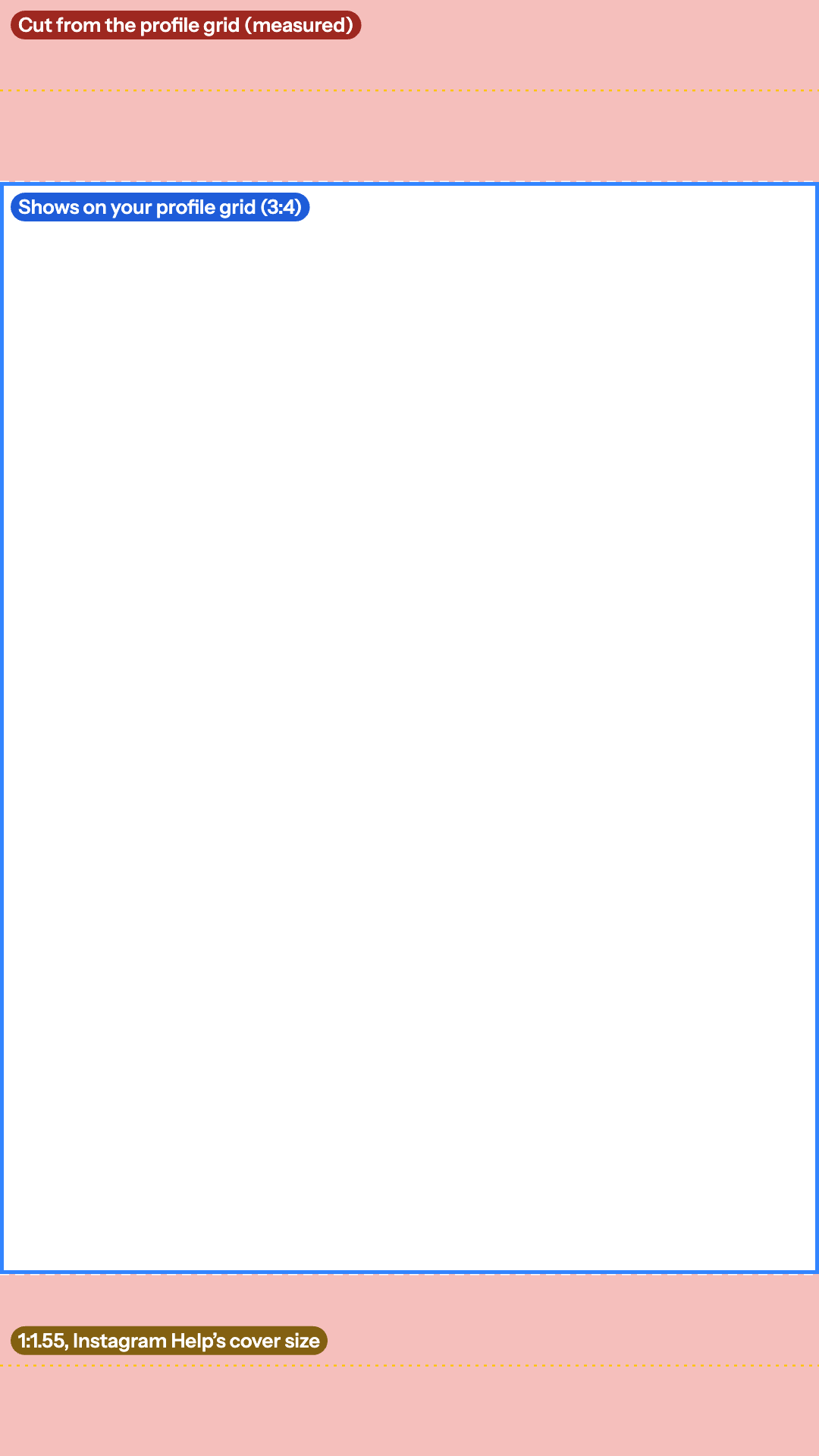
Free Reel cover overlay
A 1080 × 1920 PNG with a transparent background, so your design shows through while you work.
- The middle 1080 × 1440 the grid shows, in blue
- The 240 px cut at the top and bottom, shaded
- Instagram Help's 1:1.55 cover shape, dotted
Placing text on the reel itself? Reels safe zone template · Reels checker
Check a cover: drop the image and see it on the full Reel frame and as a profile grid tile.
Drop your Reel cover
Or paste it with Ctrl+V or ⌘V. PNG, JPG or WebP. Your image stays on your device.
No cover yet? Download the 1080 × 1920 template with the grid crop marked (transparent PNG).
Example: a still from a Short Mark Studios edited. It is the 540-pixel copy from our site, so it is smaller than a real 1080 × 1920 cover.
On your profile grid
Show
Both PNGs are drawn in your browser at your image's size.
Reel cover size and the grid crop
Instagram Help's page on reel sizes recommends a cover photo of 420 × 654 pixels, a 1:1.55 ratio, for reels that can be anything from 1.91:1 to 9:16. Many covers are made at the reel's own 1080 × 1920 instead, so this template uses that frame and marks the 1:1.55 shape as a dotted line: the middle 1080 × 1,682 of the cover.
What the profile grid shows
Instagram doesn't publish how the grid crops a post, so we measured it on instagram.com in Chrome on November 10, 2026: profile tiles are 3:4 (280 × 373 pixels in a 1,137-pixel-wide window), and Instagram fills each tile with the image cropped to its centre. A 1080 × 1920 cover keeps its middle 1080 × 1440 and loses 240 pixels at the top and the bottom. Photos are cropped the same way, at the sides when they are wider than 3:4.
| Image | Size | Grid shows | Cut |
|---|---|---|---|
| Reel cover, 9:16 | 1080 × 1920 | 1080 × 1440 | 240 px at the top and the bottom |
| Instagram Help's cover, 1:1.55 | 420 × 654 | 420 × 560 | 47 px at the top and the bottom |
| Photo, 4:5 | 1080 × 1350 | 1,013 × 1,350 | 34 px at each side |
| Photo, 1:1 | 1080 × 1080 | 810 × 1,080 | 135 px at each side |
| Photo, 3:4 | 1080 × 1440 | All of it | Nothing |
The crop is our measurement of the web profile, not an Instagram spec, so the template draws its edges dashed. Instagram can change its layout, so keep a little room inside the blue box, and remember the cover can't be changed once the reel is up: Instagram Help says that right now you can't edit a cover photo after you've uploaded it.
How to use the template
- Canva: make a 1080 × 1920 design, upload the PNG, stretch it over the page and lock it. Keep the title and faces inside the blue box, then delete the template before you download.
- Photoshop: open a 1080 × 1920 document, choose File > Place Embedded and pick the PNG. Keep it as the top layer and turn off its eye icon before you export.
- Figma: drag the PNG into a 1080 × 1920 frame, size it to fill the frame and lock it. Hide the layer before you export.
Then drop the finished cover in the checker above to see it as a grid tile before you share the reel.
Sources: Instagram Help Center: Reel size & aspect ratios on Instagram, read on November 10, 2026; profile grid measured on instagram.com on November 10, 2026.
Embed this template
Teachers, bloggers and course creators can put this Instagram Reel cover template on their own page for free. Paste the code below into your page's HTML. It loads from markstudios.com, so it stays current when we update the numbers.
Questions, answered.
Anything else? Message Mark and you'll get a written reply within one business day.
What size should an Instagram Reel cover be?
Instagram Help recommends 420 × 654 pixels (1:1.55) for cover photos. Many creators make the cover at the reel’s own 1080 × 1920 (9:16) instead, so it matches the video. Either way, keep the title and faces inside the middle 3:4, the part the profile grid shows.
How does Instagram crop a Reel cover on the profile grid?
Profile grid tiles are 3:4, and Instagram fills each one with the image cropped to its centre (measured on instagram.com in November 2026). A 1080 × 1920 cover keeps its middle 1080 × 1440 and loses 240 pixels at the top and the bottom.
What is the Instagram grid safe zone?
For a 1080 × 1920 Reel cover, the middle 1080 × 1440 pixels, from 240 to 1,680 pixels down. For a 1080 × 1350 photo, the middle 1,013 pixels across; for a square 1080 × 1080 photo, the middle 810. A 1080 × 1440 photo fits the tile exactly.
Can I change a Reel cover after posting?
Instagram Help says that right now you can’t edit your cover photo after you’ve uploaded it, so check the crop before you share the reel.
Is my image uploaded when I check it?
No. The checker opens the image in your browser and draws the crop on top. Nothing leaves your device.
Rather have your Reels edited for you?
Mark Studios edits Reels, TikToks and Shorts with captions placed inside each app’s safe zone, and you work directly with Mark.
- Founder-led US company
- NDAs by default
- Stripe & PayPal payments
- Top Rated on Fiverr