YouTube banner template
A free 2560 × 1440 PNG with YouTube's text-and-logo safe area marked: the centred 1,544 × 423 box that every TV, computer, tablet and phone shows. Design over it, then check or fit your finished banner below.
- Free, no sign-up
- Your image stays on your device
- Specs from YouTube Help
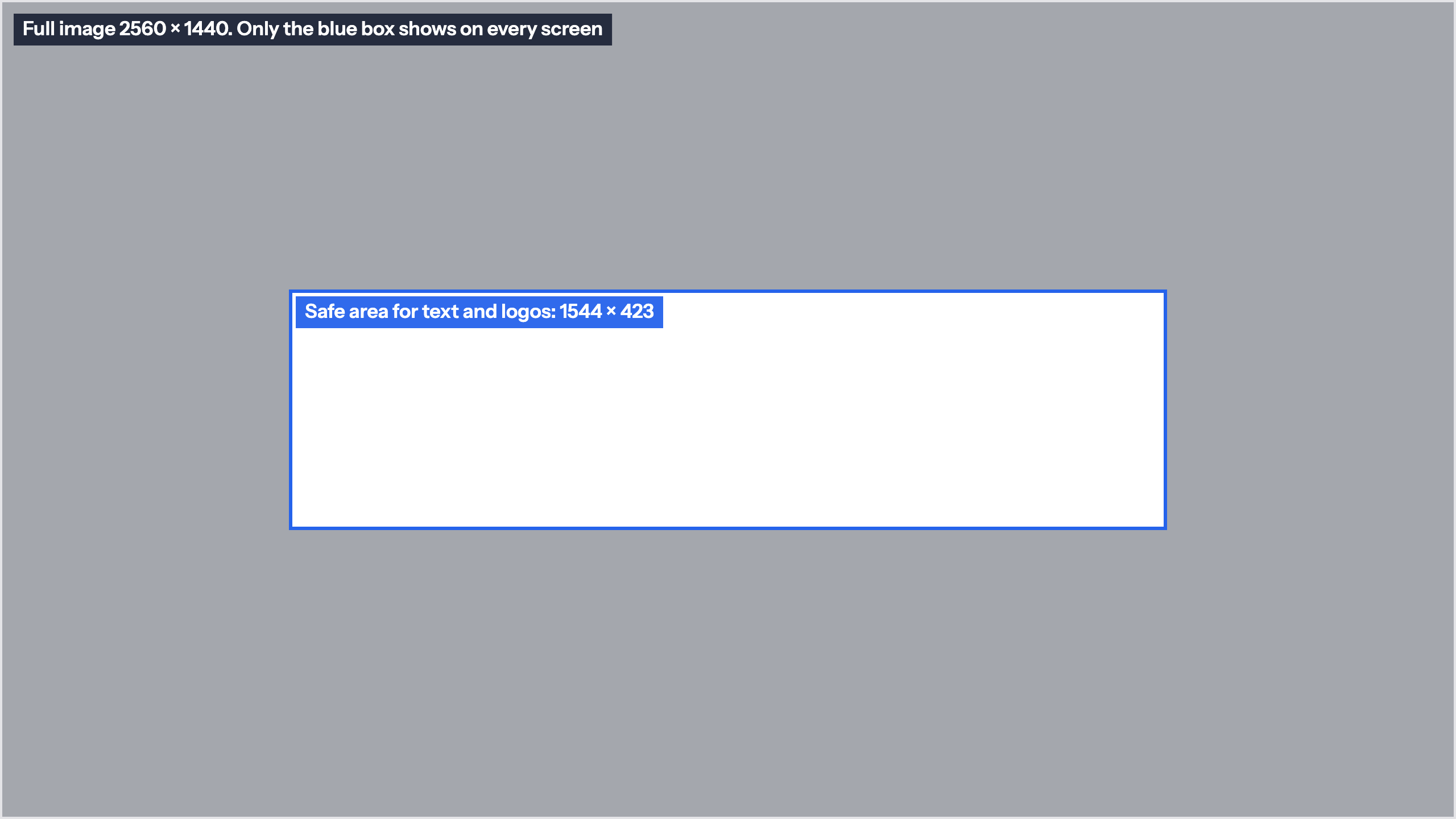
Free YouTube banner template
A PNG to use as the top layer while you design, then hide before you export.
- 2560 × 1440, the size Google recommends
- Safe area for text and logos: 1,544 × 423, centred
- Outside the box shaded, inside transparent
Made one already? Check it with the banner checker
Or drop a banner below to test it against YouTube's limits and see what each screen keeps.
Drop your banner here
Or paste it with Ctrl+V or ⌘V. JPG or PNG.
No banner yet? Download the 2560 × 1440 template with the text-and-logo safe area marked (PNG).
Spec check
Against YouTube's banner requirements, as read on October 28, 2026.
Safe area

Safe for text and logos
What every device is guaranteed to show:
Fit it to 2560 × 1440
Puts your image on YouTube's recommended 2560 × 1440 canvas, with the text-and-logo safe area outlined (1544 × 423 at this size), and saves a JPG under 6 MB. Nothing is uploaded.
Safe for text and logos
Background
YouTube banner size and safe area
YouTube asks for a banner of at least 2048 × 1152 pixels in a 16:9 shape, 6 MB or smaller, and Google's developer documentation recommends uploading 2560 × 1440. YouTube crops the banner differently on TVs, computers, tablets and phones: computers and phones show a wide, short strip from the middle. The part every screen shows is the centred 1,235 × 338 pixels of a 2048 × 1152 banner, which scales to 1,544 × 423 at 2560 × 1440: the blue box on this template, from 508 to 2,052 pixels across and 509 to 932 down.
How to design with it
Open the PNG as the top layer of a 2560 × 1440 document in Canva, Photoshop, Figma or any editor. Put your channel name, tagline, upload schedule and logo inside the blue box and use the shaded area for background that some viewers never see. Avoid borders and frames around the edge, which get cut unevenly. Hide or delete the template layer, export a JPG or PNG under 6 MB, and drop it in the checker above to see it the way each screen does. The thumbnail checker does the same for your video thumbnails.
Sources: YouTube Help: Manage your channel branding and Google for Developers: YouTube Data API, ChannelBanners: insert, read on October 28, 2026.
Embed this template
Teachers, bloggers and course creators can put this YouTube banner template on their own page for free. Paste the code below into your page's HTML. It loads from markstudios.com, so it stays current when we update the numbers.
Questions, answered.
Anything else? Message Mark and you'll get a written reply within one business day.
What size is the YouTube banner template?
This one is 2560 × 1440 pixels, the size Google recommends; YouTube’s minimum is 2048 × 1152. Both are 16:9, so the safe area scales with the image: 1,544 × 423 at 2560 × 1440 and 1,235 × 338 at 2048 × 1152.
Where is the safe area on a 2560 × 1440 banner?
In the centre: 508 to 2,052 pixels across and 509 to 932 pixels down, a 1,544 × 423 box. That part shows on every device; the rest is cropped on some screens.
Is the banner template transparent?
The safe area is transparent and everything outside it is shaded at about 40%, so your design shows through while you see which parts may be cropped. The two labels sit in the shaded area and the top-left corner, so hide the template before you export.
How do I use the template in Canva or Photoshop?
Start a 2560 × 1440 design, place the PNG over it as the top layer and line it up with the edges. Keep your name, tagline and logo inside the blue box, then hide or delete the template layer before you download a JPG or PNG under 6 MB.
Can I check a banner I already made?
Yes. Drop it in the checker on this page: it tests the size, the 16:9 shape and the 6 MB limit, outlines the safe area on your image, and can fit any image to 2560 × 1440. The image never leaves your device.
Rather have the banner designed?
Banners, avatars and thumbnail templates as one channel kit, sized to what YouTube renders, and you work directly with Mark.
- Founder-led US company
- NDAs by default
- Stripe & PayPal payments
- Top Rated on Fiverr