YouTube thumbnail template
A free transparent PNG for 1280 × 720 or 4K thumbnails, with the bottom-right corner marked where YouTube puts the video length. Design over it, then check your finished thumbnail below.
- Free, no sign-up
- Your image stays on your device
- Corner measured November 10, 2026
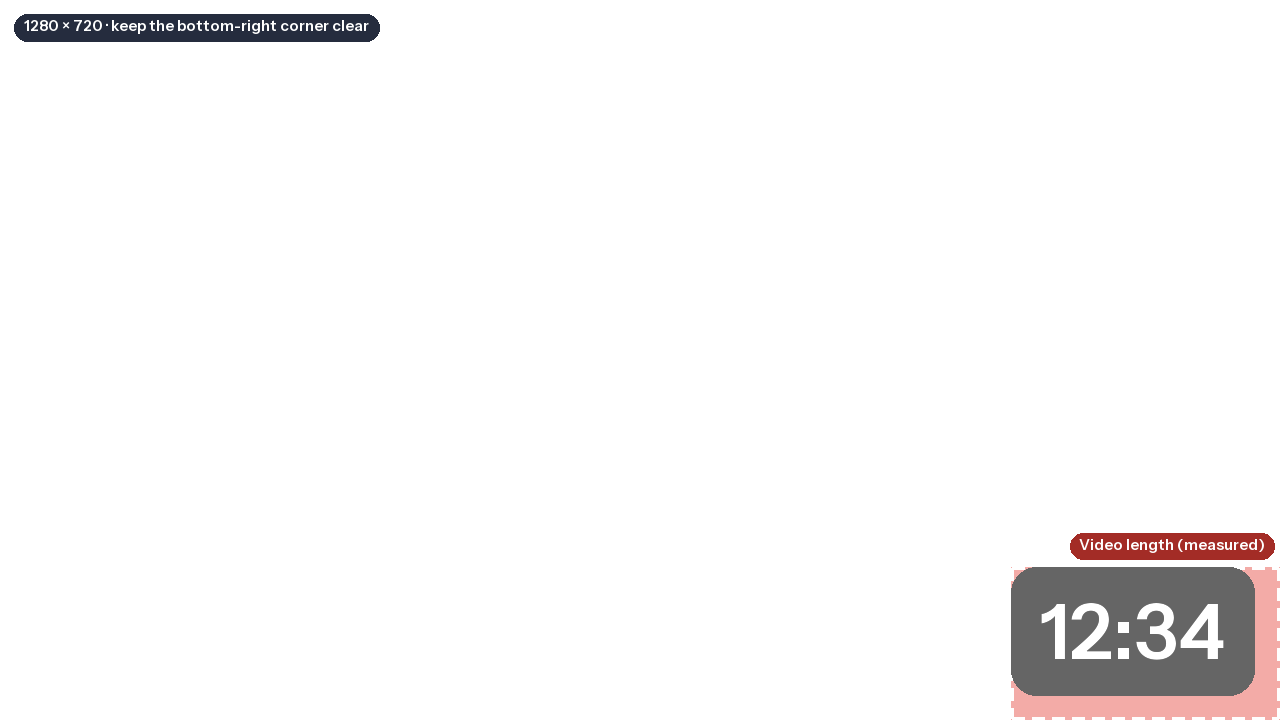
Free YouTube thumbnail template
A PNG to use as the top layer while you design, then hide before you export.
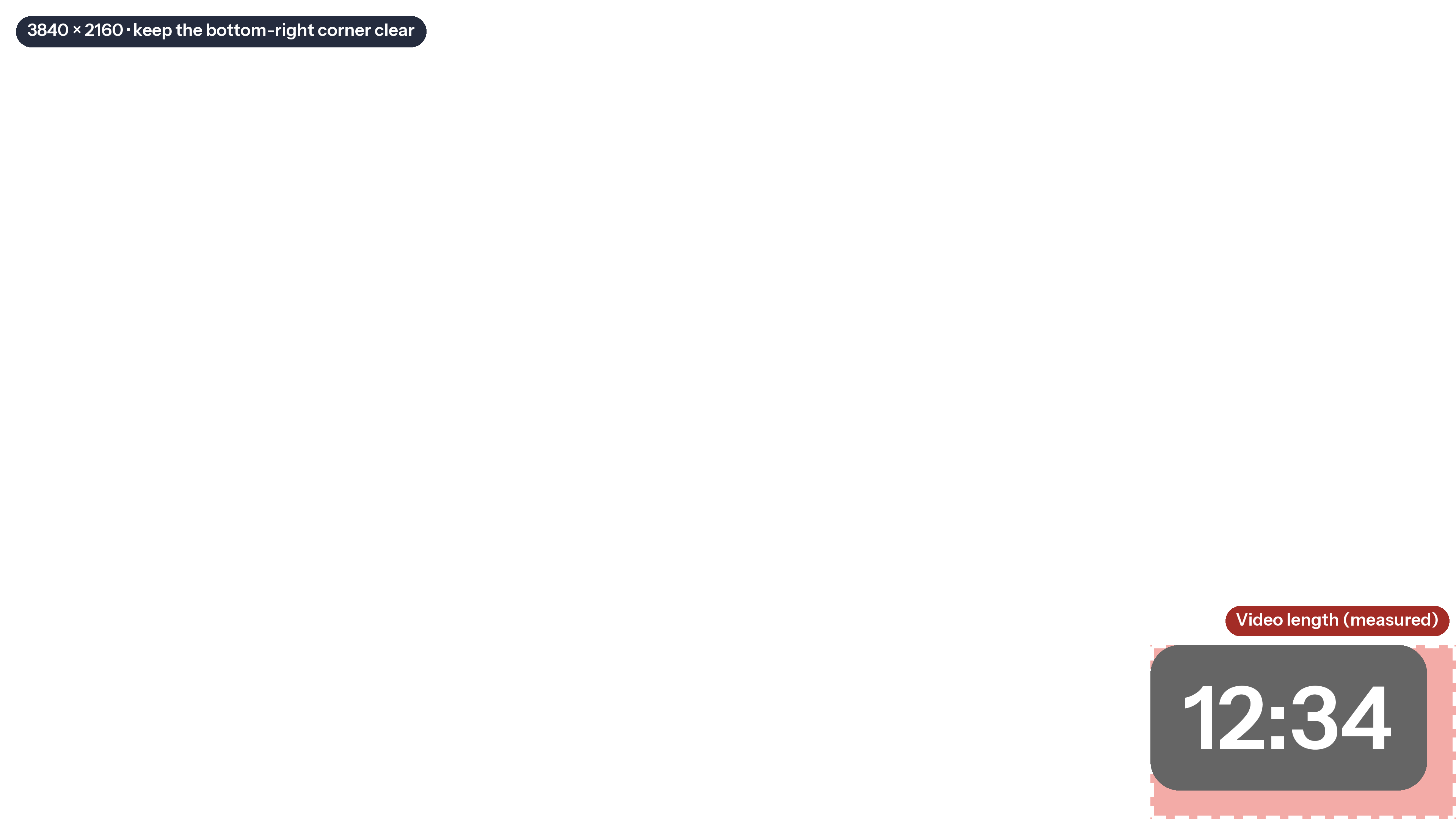
- 1280 × 720 and 3840 × 2160, both 16:9
- The video-length corner, measured on youtube.com
- Transparent everywhere else
4K: 3840 × 2160 PNG · Made one already? Check it with the thumbnail checker
Or drop a thumbnail below to check it against YouTube's specs and see it on the Home feed, in search, in Up next and on a phone.
Drop your thumbnail here
Or paste it with Ctrl+V or ⌘V. JPG or PNG, up to 50 MB. Drop up to 3 at once to compare them.

Example: a thumbnail Mark Studios designed for The Financial Wolf. This is the 640-pixel web copy from our site, so the size checks flag it.
Side by side
The same title on each, at the sizes viewers see. Up to 3, the most YouTube's own A/B test runs at once. Pick one to see its full check and previews below.
Spec check
Against YouTube's thumbnail requirements, as checked on October 5, 2026.
Cropped to the shape you picked and saved as a JPG under 2 MB, so it uploads from the YouTube app too. Nothing is uploaded.
How it looks
Close approximations of YouTube's layouts. View counts are sample text.
Home feedDesktop
Search resultsDesktop
Up next168 px wide
PhoneHome feed
Squint testCan you still read it?
Thumbnail size and the corner to keep clear
YouTube Help recommends 3840 × 2160 pixels for a video thumbnail, in a 16:9 shape and at least 640 pixels wide, as a JPG or PNG. A 1280 × 720 design, YouTube's recommendation until March 2026, still uploads and is where most design apps start. The template comes in both sizes, and because both are 16:9 the marked corner is the same share of the frame.
Where YouTube puts the video length
YouTube publishes no size for the badge that shows a video's length, so we measured it on youtube.com. It is a black box at 60% opacity with rounded corners, 20 pixels tall and 38 pixels wide for a length like 12:34, or 48 pixels for one over an hour. On the Home feed it sits 8 pixels in from the bottom-right corner of a 328 × 185 thumbnail; in Up next, 4 pixels in from a 200 × 113 one. The badge keeps its size while the thumbnail shrinks, so it covers the most in Up next: about a fifth of the width and height.
| Where | Thumbnail on screen (px) | Badge (px) | Share covered | On 1280 × 720 | On 3840 × 2160 |
|---|---|---|---|---|---|
| Home feed, desktop | 328 × 185 | 38 × 20, 8 px in | 14% × 15% | 180 × 109 | 539 × 327 |
| Up next, desktop | 200 × 113 | 38 × 20, 4 px in | 21% × 21% | 269 × 153 | 806 × 459 |
| Up next, video over an hour | 200 × 113 | 48 × 20, 4 px in | 26% × 21% | 333 × 153 | 998 × 459 |
The template shades the Up next corner, the larger of the two, and draws the badge at that scale. The outline is dashed because the size is our measurement, not a YouTube spec: YouTube changes its layout from time to time, and on the Home feed the share also changes with the window size. Leave a little room beyond it, and for a video over an hour, keep about another 64 pixels clear to the left on a 1280 × 720 design.
How to use the template
- Canva: make a 1280 × 720 design, upload the PNG, stretch it over the page and lock it while you work. Delete it before you download.
- Photoshop: open a 1280 × 720 or 3840 × 2160 document, choose File > Place Embedded and pick the matching PNG. Keep it as the top layer and turn off its eye icon before you export.
- Figma: drag the PNG into a 1280 × 720 frame, size it to fill the frame and lock it. Hide the layer before you export.
Then check the result small: drop the finished file in the checker above and use its squint test, because a thumbnail is judged at a few hundred pixels wide. Weighing what a designer costs instead? The thumbnail cost calculator compares the routes.
Sources: YouTube Help, Add custom thumbnails, checked October 5, 2026; video-length badge measured on youtube.com on November 10, 2026.
Embed this template
Teachers, bloggers and course creators can put this YouTube thumbnail template on their own page for free. Paste the code below into your page's HTML. It loads from markstudios.com, so it stays current when we update the numbers.
Questions, answered.
Anything else? Message Mark and you'll get a written reply within one business day.
What size is a YouTube thumbnail template?
YouTube recommends 3840 × 2160 pixels (16:9), at least 640 pixels wide; 1280 × 720 still uploads and is the size most design apps start from. This template comes in both sizes as transparent PNGs, and because both are 16:9 the marked corner is the same share of the frame.
Where does the timestamp go on a YouTube thumbnail?
In the bottom-right corner. On youtube.com the length badge is 38 × 20 pixels (48 wide for a video over an hour), 8 pixels in from the corner on the Home feed and 4 pixels in Up next, where it covers about 21% of the thumbnail’s width and height. Keep text, faces and logos out of that corner.
How big is the timestamp area on a 1280 × 720 thumbnail?
Scaled to 1280 × 720, the corner the badge covers in Up next is about 269 × 153 pixels (about 333 pixels wide for a video over an hour); on the Home feed it is about 180 × 109. On a 3840 × 2160 thumbnail, multiply by three.
How do I use the template in Canva?
Make a 1280 × 720 design, upload the PNG, stretch it over the whole page and lock it. Design around the shaded corner, then delete the template before you download your thumbnail as a JPG or PNG.
Can I check a thumbnail I already made?
Yes. Drop it in the checker on this page: it tests the size, shape and file size against YouTube Help and previews it on the Home feed, in search, in Up next and on a phone, with a length badge in the corner. Nothing is uploaded.
Rather have the thumbnail made for you?
Mark Studios designs thumbnails and titles for creators, and you work directly with Mark.
- Founder-led US company
- NDAs by default
- Stripe & PayPal payments
- Top Rated on Fiverr